Unconfigured Ad Widget

Collapse

Have to move from regular DSL to U-Verse

Collapse
X
 
  • Time
  • Show
Clear All
new posts
  • #31
    chris1911
    In Memoriam
    • Aug 2012
    • 4064

    Originally posted by NoSpam
    The OP's description of the problem: "Weird thing is, web pages seem to take more time to begin loading now, but once they start loading they load way faster. It's as if it takes longer to find web pages."

    DNS (domain name service) is the protocol that translates a web address to an IP address (and vice versa). It works like a phonebook. You look up a person's name (website name), and it translates it into a phone number (IP address), and makes the call (loads webpage).

    When you want to get to this site, you type "www.calguns.net" into your browser. It contacts the DNS server, which translates the name www.calguns.net to it's IP address of 216.218.212.231. Your browser then connects to calguns by going to that IP.

    If pages are loading fast, but taking a long time to find the page, then it points to a latency or DNS issue. OP mentioned that they wanted to continue using their Apple Airport behind the new 2Wire gateway. Most likely the new Uverse service uses different DNS servers than the old DSL service. If the Apple Airport or the PC's are still be configured with the DSL settings instead of the Uverse settings, it will still resolve web sites eventually, but it will add latency to the process.

    You can't call to your buddy unless you know his phone number. If you can't get to your phonebook to find his number, you'll either be delayed in making the call, or won't be able to call at all.
    It doesn't matter if they're using old DNS servers or the DNS servers that "aren't for their U-Verse service". DNS has no relation to service type. You can use whatever DNS server you'd like. Just changing services and using the same DNS as before wouldn't indicate a DNS issue. It's more likely than not a latency issue. Good analogies though, I'll be stealing the phonebook one
    "I like to think there are three measures of a man: How much steak he can eat in one sitting, how full his mustache is and how quickly he can whittle a spear in the event of the apocalypse." - Ron Swanson

    Originally posted by Champ Kind
    I believe if Jesus owned a sidearm he wouldn't have been crucified.

    Comment

    • #32
      Fizz
      Senior Member
      • Feb 2012
      • 1473

      Originally posted by chris1911
      It doesn't matter if they're using old DNS servers or the DNS servers that "aren't for their U-Verse service". DNS has no relation to service type. You can use whatever DNS server you'd like. Just changing services and using the same DNS as before wouldn't indicate a DNS issue. It's more likely than not a latency issue. Good analogies though, I'll be stealing the phonebook one
      If I were ATT I wouldn't allow subnets not part of the service type to access DNS. If this were happening he'd fail all lookups though.

      Also, there's a good chance U-verse customers get routed completely different ways than DSL clients, there could be a latency increase; but it shouldn't be enough to be perceptible as it's still within ATT's network.

      You don't generally start seeing large increases unless there's a problem between their trunks (unlikely) or you're crossing networks.

      See:

      Improve user experiences and ensure every application works perfectly across every channel with best-in-class digital experience monitoring.

      Comment

      • #33
        bohoki
        I need a LIFE!!
        • Jan 2006
        • 20826

        quick sign up with dsl extreme if you voluntarily join uverse you are locked into att's fiber monopoly

        Comment

        • #34
          0351USMC
          Senior Member
          • Oct 2011
          • 2262

          I got $100 visa gift card switching to Uverse.

          Comment

          • #35
            NoSpam
            Senior Member
            • Apr 2013
            • 711

            You're right, using different DNS servers will eventually still find web pages, so long as they're valid DNS addresses. It can relate to the service type because both latency and hops should be lower on the host network, unless there is a problem with their DNS servers. For example, I could manually configure DNS addresses for an ISP in China and while webpages will eventually load, it will show you how latency outside of the host network will slow down your ability to resolve web addresses.

            The question is whether att dsl and att uverse are technically on the same host network. Maybe they are and use the same DNS clusters these days? Maybe they are separate due to the addition of tv and voice that is available for uverse? Maybe their round robin is broken and everyone is hammering only 1 server in the cluster. To test, I would manually configure DNS using another ISP's servers, and compare. OpenDNS.org servers are a good choice for testing.

            Comment

            • #36
              Fizz
              Senior Member
              • Feb 2012
              • 1473

              Originally posted by bohoki
              quick sign up with dsl extreme if you voluntarily join uverse you are locked into att's fiber monopoly
              U-verse precludes CLECs?

              Comment

              • #37
                bohoki
                I need a LIFE!!
                • Jan 2006
                • 20826

                Originally posted by Fizz
                U-verse precludes CLECs?
                once your house has uverse you can not go back to dsl it has something to do with the lines copper is covered under the universal services but if you get tied to the fiber you are now locked in with att till they change some regulations

                Comment

                • #38
                  cfm117
                  Member
                  • Nov 2008
                  • 487

                  Originally posted by Fizz
                  U-verse precludes CLECs?
                  More like CLECS preclude Uverse. If you have a 3rd party ISP working at your prem that uses ATT network for transport, it will have to be disco'd before Uverse can go in. Usually because that service is assigned to the cable pair reserved for Uverse. You can get the rep to create a new sub address off of main address to try to get around this. (Is occasionally an issue when a user has a T1 and Uverse became available)


                  "Every gun makes it's own tune." - Blondie

                  Comment

                  • #39
                    Fizz
                    Senior Member
                    • Feb 2012
                    • 1473

                    Originally posted by cfm117
                    More like CLECS preclude Uverse. If you have a 3rd party ISP working at your prem that uses ATT network for transport, it will have to be disco'd before Uverse can go in. Usually because that service is assigned to the cable pair reserved for Uverse. You can get the rep to create a new sub address off of main address to try to get around this. (Is occasionally an issue when a user has a T1 and Uverse became available)
                    He was indicating that once you go to U-verse you can't go back to DSL. I would believe this for going back to ATT DSL, but wasn't sure how it 'locked in' someone to ATT's fiber network unless CLECs can't touch any pairs anymore.

                    Comment

                    • #40
                      dalriaden
                      Veteran Member
                      • Jun 2011
                      • 4556

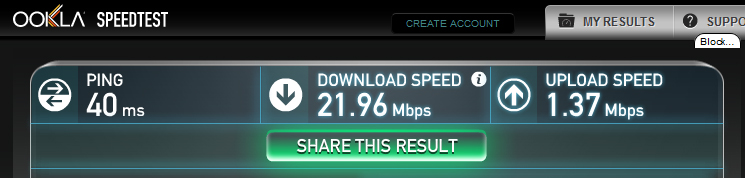
                      My u-verse speeds...and pretty much enough said. Ookla is at&t's recommended speed test site which just makes it even more pathetic. This is with nothing but my computer hooked up via ethernet to the the 3600HGV we have.
                      1.62mbps download 0.43 upload.

                      Use Speedtest on all your devices with our free desktop and mobile apps.

                      Comment

                      • #41
                        diveRN
                        Senior Member
                        • Dec 2012
                        • 1743

                        Originally posted by dalriaden
                        My u-verse speeds...and pretty much enough said. Ookla is at&t's recommended speed test site which just makes it even more pathetic. This is with nothing but my computer hooked up via ethernet to the the 3600HGV we have.
                        1.62mbps download 0.43 upload.

                        http://www.speedtest.net/my-result/2998809756
                        Again, it varies with where you are. I'm only supposed to have 18Mbit download.

                        Comment

                        • #42
                          dalriaden
                          Veteran Member
                          • Jun 2011
                          • 4556

                          Originally posted by diveRN
                          Again, it varies with where you are. I'm only supposed to have 18Mbit download.


                          I'm jealous. I'm in Visalia and I don't know if its just phone lines from the early 1900s or what but it is f-ng terrible. Tried comcast but they refused to take off a triple installation fee that wasn't supposed to be on the bill but so we reverted. Plan on moving hopefully into charter territory in the spring.

                          Comment

                          • #43
                            bohoki
                            I need a LIFE!!
                            • Jan 2006
                            • 20826

                            the flash tests are not always accurate try testmy.net

                            Comment

                            • #44
                              dalriaden
                              Veteran Member
                              • Jun 2011
                              • 4556

                              Originally posted by bohoki
                              the flash tests are not always accurate try testmy.net

                              Comment

                              • #45
                                diveRN
                                Senior Member
                                • Dec 2012
                                • 1743

                                Still though, fiber to the desktop is hard to beat.

                                Comment

                                Working...
                                UA-8071174-1