Unconfigured Ad Widget

Collapse

???....SlideShow Programs Recommendations....???

Collapse
X
 
  • Time
  • Show
Clear All
new posts
  • MrExel17
    CGN/CGSSA Contributor
    CGN Contributor
    • Feb 2011
    • 9164

    ???....SlideShow Programs Recommendations....???

    Sup Calguns was wondering if anyone has experience in Slideshow software in regards with user friendly programs you have work with that you would recommend. Kinda in charge of building one with the family!

    I have done Google search and read reviews all looks similar in function, just wanted to hear it from first experience from members. Not written reviews, found Top 10:
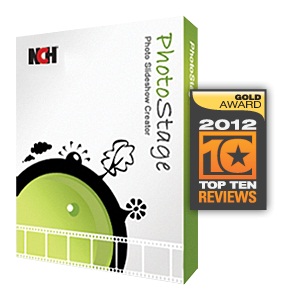

    Any input is appreciated! Thanks in advance
    Last edited by MrExel17; 05-19-2013, 10:07 AM.
    "Professionals practice to get it right, Operators practise to get it wrong."
  • #2
    bigbearbear
    Calguns Addict
    • Jun 2011
    • 5378

    What kind of slide show are you making? A DVD or something that runs on a computer?

    Comment

    • #3
      stilly
      I need a LIFE!!
      • Jul 2009
      • 10685

      I would personally recco PRO SHOW.

      It has many outputs, is SUPER easy to use and has a decent following. Proshow Producer or Proshow Gold or whatever high end color they offer, it is not a very expensive program either but it is great. It can mash up movies and photos with audio tracks also. I ended up using this program to make movies for the AFL-CIO awards ceremonies that they had each year for 3 years in a row because Adobe Premiere just had this sync issue that I could not figure out, but ProShow cut right through it with no issues. I also used this to take about 300 scanned photos and put them into a slide show in about 5 minutes. I just selected them all, gave a time for all files (like 5 seconds or 7 seconds or something) and then added random transitions and it did all the work. BAM! Done; burned to DVD, took it and played it in a dvd player hooked up to a projector and all was well. Your list did not show anything but a blank page for me.

      Good luck.
      Last edited by stilly; 05-19-2013, 4:35 PM.
      7 Billion people on the planet. They aint ALL gonna astronauts. Some will get hit by trains...

      Need GOOD SS pins to clean your brass? Try the new and improved model...


      And remember- 99.9% of the lawyers ruin it for the other .1%...

      Comment

      • #4
        bluedsteel
        Senior Member
        • Jan 2013
        • 649

        +1 on proshow. i use the producer version for personal and business use..it has lots of effects n such. there is an easier to use version (gold) without all the bells n whistles..if u go with the producer version, i have some plugins+effects i can share with u.

        Comment

        • #5
          boarder010
          Member
          • Apr 2012
          • 103

          The stuff that comes with your computer isn't a bad alternative...and free!

          I use iMovie all the time for our annual slide shows

          Comment

          • #6
            MrExel17
            CGN/CGSSA Contributor
            CGN Contributor
            • Feb 2011
            • 9164

            Originally posted by bigbearbear
            What kind of slide show are you making? A DVD or something that runs on a computer?
            Making a DVD for family reunion and want to add in pictures and videos, I have a computer with programs but it was a hand me down type computer less certain programs just the basics.
            "Professionals practice to get it right, Operators practise to get it wrong."

            Comment

            • #7
              bigbearbear
              Calguns Addict
              • Jun 2011
              • 5378

              Originally posted by MrExel17
              Making a DVD for family reunion and want to add in pictures and videos, I have a computer with programs but it was a hand me down type computer less certain programs just the basics.
              If your source material consists of both pictures (eg. from digital camera) and video files (eg. camcorder), and you wish to combine them into a DVD, look into Pinnacle Studio.

              Some of those DVD slide show programs only take in pictures as source materials, but Pinnacle Studio will take in both.

              Comment

              • #8
                MrExel17
                CGN/CGSSA Contributor
                CGN Contributor
                • Feb 2011
                • 9164

                ^^^ Good to know, thank you! Also thank you to all members that provide input and feedback. Im pretty excited about this diggin the whole concept.
                "Professionals practice to get it right, Operators practise to get it wrong."

                Comment

                • #9
                  stilly
                  I need a LIFE!!
                  • Jul 2009
                  • 10685

                  Hey here is a tech nip you might want to consider.

                  WHAT is your output going to be?

                  TV? Projector? If you are aiming for a TV output, like REGULAR NTSC TV (not HD) it is known as 480i and has a resolution of 720x480.
                  If you are going for a projector output, then well, it will be different, but my point is, BEFORE you add in all the photos, it is a GOOD idea to make them all the same size.- I.E. Shrink them down to 720x480 then when you put them in the show you will not have stretching or smashing problems and they will go in like butter and be full screen. You MAY have to crop some of them. Good luck man. If you want examples then send me a photo or two and I will show you how you might want to prep them before going in the show.
                  7 Billion people on the planet. They aint ALL gonna astronauts. Some will get hit by trains...

                  Need GOOD SS pins to clean your brass? Try the new and improved model...


                  And remember- 99.9% of the lawyers ruin it for the other .1%...

                  Comment

                  Working...
                  UA-8071174-1