Unconfigured Ad Widget

Collapse

Power Supply Question

Collapse
X
 
  • Time
  • Show
Clear All
new posts
  • Kyle1886
    Veteran Member
    • Dec 2009
    • 4238

    Power Supply Question

    I think my power supply is going south, the second in less than a year. They have both been 800w units. The main system is as follows:

    Hardware:
    MB - P7P55D-E
    ACPI x64
    i7 CPU 870 @2.93GHz
    2 Western Digital HDD (Non-raid)
    2 LG CD/DVD Drives
    USB-2 (4) and 3 (2)
    Nvidia GT 430 (Graphic)
    Esata/firewire ports
    Floppy

    Fans: 120 mm x 25mm (3) (Min. 5v required for each to start-operating voltage 10.2-13.8)
    Fan: 200mm x 30mm (1) (same as above)

    Do I need more wattage than 800w's? What would be the minimun I need?

    What's a good reliable brand? I have not had good luck with A-Power, or Corsair. Locally I can get NZXT, CoolerMaster, and Thernaltake at 800w or greater. There is a better selection in the 600w--800w range.

    Thanks for any feedback.

    Respectfully
    Kyle
    Here's to Calguns.net, past, present, and the future πŸΈπŸΈβ€‹πŸ·πŸ» 🍹
    iTrader = +3, %100, Location: N. San Diego Co
    https://www.calguns.net/forum/market...6#post54001874
    _________+__________
  • #2
    nmerced
    Veteran Member
    • Feb 2010
    • 2673

    You should be ok with 800w.

    Two most common reason why PSU fails in my experience:
    1. Power surges/spikes.
    2. Overheating.
    The bullets with my name on it I'm not worried about, it's the "To whom it may concern" ones I'm worried about.

    Comment

    • #3
      Kyle1886
      Veteran Member
      • Dec 2009
      • 4238

      I agree, however I don't think that is the issue this time. There is plenty of air movement, and the unit is plugged into the largest surge suppressor I can afford, although I don't discount anything when PC's are involved.

      Thanks,
      Respectfully
      Kyle
      Here's to Calguns.net, past, present, and the future πŸΈπŸΈβ€‹πŸ·πŸ» 🍹
      iTrader = +3, %100, Location: N. San Diego Co
      https://www.calguns.net/forum/market...6#post54001874
      _________+__________

      Comment

      • #4
        Deadbolt
        CGSSA Associate
        • Dec 2009
        • 6552

        thats really strange. How are you sure its your PSU ? Is it the same model as the first that fried? Nothing on your hardware specs list suggest the need for a larger PSU ( ive ran a similar setup but with SLI + OC'ing & voltage tweaking the ram and that ole girl is still just dandy)

        Is there a chance one of your components is drawing more than it's supposed to?
        Just another Boy and His Dog.

        Comment

        • #5
          Brianguy
          Veteran Member
          • Sep 2009
          • 3836

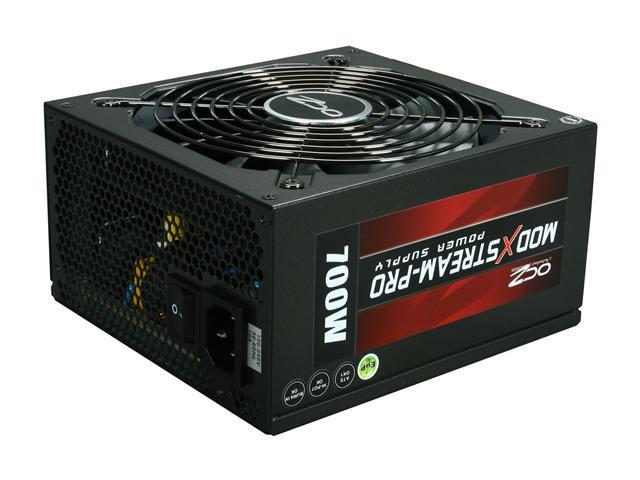
          I've been using an 850w raidmax for a few months w/o issues. Here are a couple deals on the egg (rebates).


          Keep an eye on bensbargains.net and slickdeals.net
          Last edited by Brianguy; 02-23-2012, 11:20 AM.

          Comment

          • #6
            oldsmoboat
            Senior Member
            • Jul 2009
            • 1303

            800 is plenty for that rig.
            Make sure it's a quality PSU and not a return that Fry's (or any other store) has repackaged. I've never heard of A-Power.
            Do good recklessly

            Comment

            • #7
              Montu
              Senior Member
              • May 2011
              • 1589

              odd i would say something else is going on....

              I've had my PC power and cooling 750watt for years now (before they were bought by ocz)..it powered many builds(c2d c2q i7) and is currently powering an i7 @ 5ghz

              I would say corsair is a good brand strange you had issues...

              Maybe try seasonic and check out the outlet your using for your pc..voltage droops can cause damage as well...maybe get a small UPS
              Last edited by Montu; 02-23-2012, 11:39 AM.
              K.F.K|Μολὼν λαβέ

              Comment

              • #8
                Nose Nuggets
                Calguns Addict
                • Apr 2008
                • 6801

                how dusty is the current PSU? dust is the killer.

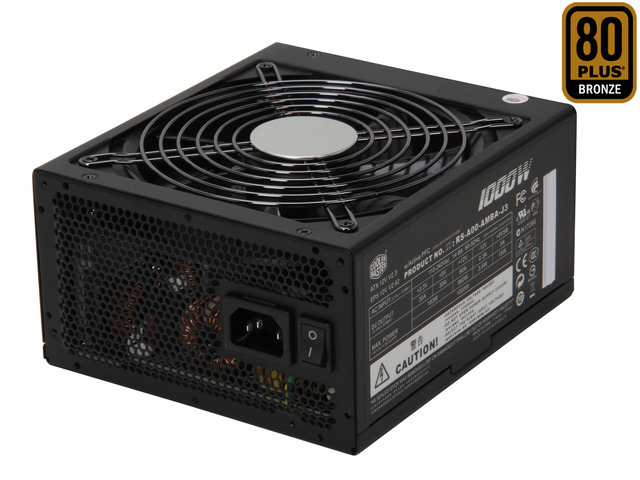
                800w is fine though, and coolermaster, thermaltake, and antic are all pretty good. i think my current one is a coolmaster 1kw, and its been doing really well for a few months now. the one i had before was a rosewill and it had solid use for a year and a half with no issues.


                "It is to secure our rights that we resort to government at all." -Thomas Jefferson

                Comment

                • #9
                  Kyle1886
                  Veteran Member
                  • Dec 2009
                  • 4238

                  No dust, it's an Antec see through case and it gets cleaned regularly and the fan filters cleaned monthly.

                  What the PC did:

                  While working in Excel, PC lights, fans, and video went almost completely out, but came back without shutting anything down. No other lights, modem/router were effected, same circuit. (Note: the ATT 2wire modem/router it very touchy to power fluctuations and it did not reset as it's prone to do--surge suppressor or not). No critical error in the event manager---as would register in the event of a unintended shut down. The rest of the day fine, and I powered off last night.

                  This AM, power on, the fans / video lights were sluggish starting---but did. Maybe it's nothing.

                  Thanks for the responses, it's appreciated
                  Kyle
                  Here's to Calguns.net, past, present, and the future πŸΈπŸΈβ€‹πŸ·πŸ» 🍹
                  iTrader = +3, %100, Location: N. San Diego Co
                  https://www.calguns.net/forum/market...6#post54001874
                  _________+__________

                  Comment

                  • #10
                    Deadbolt
                    CGSSA Associate
                    • Dec 2009
                    • 6552

                    sounds like maybe your motherboard has a short with the pins to the case connections
                    Just another Boy and His Dog.

                    Comment

                    • #11
                      Kyle1886
                      Veteran Member
                      • Dec 2009
                      • 4238

                      Deadbolt, I use PC's as a tool, so educate me on on where/what to look for on or around the MB. I'd think if a short, it would have showed up before now---but...

                      Thanks
                      Kyle
                      Here's to Calguns.net, past, present, and the future πŸΈπŸΈβ€‹πŸ·πŸ» 🍹
                      iTrader = +3, %100, Location: N. San Diego Co
                      https://www.calguns.net/forum/market...6#post54001874
                      _________+__________

                      Comment

                      • #12
                        Montu
                        Senior Member
                        • May 2011
                        • 1589

                        I had a friend who went through power supply's like crazy

                        we tried everything ups + good quality psu and over kill psu...he upgraded his pc with new motherboard/ram/cpu/graphics card and it would still go through power supply's like crazy for about 2 years...maybe 2 psu's a year ...finally his cd rom drive went bad and he replaced it...and just like that he never killed a power supply again...


                        i say break out the multi meter and check everything for any shorts

                        good luck...
                        K.F.K|Μολὼν λαβέ

                        Comment

                        • #13
                          d4v0s
                          Senior Member
                          • Aug 2010
                          • 1661

                          I have seen some cheap 600-800 watt power supplies lately that dont even make 20 amps on the 12 volt rails. It sounds like your overloading your 12 volt rails, your CPU might also be on the rail that your video card is on. Cheap power supplies share the first 12v connector with the CPU, in your case the CPU and GPU SHOULD NOT share a rail. here is why...

                          Your GTX430 requires 22amps at 12 volts (260watts), I don't remember if there is one or two connectors on that model. But make sure your 12volt rail is making 22 amps, better would be 30 amps. AND make sure its not being shared on with your CPU. (connectors should be labeled, 1,2,3 and so on. Cheap psus share rail 1 with the cpu sometimes.)

                          Your i7 uses between 70-180 watts alone between idle and full power, more if its overclocked, I think 4.0ghz overclock at 1.35volts consumed almost 250 watts (shady on that, but I think I remember reading that).

                          Your hard drives vary in power consumption, WD has green, blue and black drives. Also, 5400rpm, 7200, 10k, all make a difference. But realistically two hard drives wont pull more than 15 watts a piece. So its negligable.

                          Your fans are 5 or 6 watts a piece. So again almost negligable.

                          I think a 650 is fine for your setup, you just need to spend a little more coin and get a reliable make: Antec, OCZ, Corsair. Just make sure that the 12volt rails will pull 22 amps each at the min.
                          Originally posted by Franklincollector
                          It was administered with a toothpick and placed on a street taco.

                          Comment

                          • #14
                            Nose Nuggets
                            Calguns Addict
                            • Apr 2008
                            • 6801

                            if you go through another one i would recommend a new system board.


                            i would agree with deadbolt, but those kinds of wiring issues are usually consistent, not random.


                            "It is to secure our rights that we resort to government at all." -Thomas Jefferson

                            Comment

                            • #15
                              Deadbolt
                              CGSSA Associate
                              • Dec 2009
                              • 6552

                              Originally posted by Nose Nuggets
                              if you go through another one i would recommend a new system board.


                              i would agree with deadbolt, but those kinds of wiring issues are usually consistent, not random.
                              truth. But because of the various things the pin connections implement, he may not be constantly using the source of the short.

                              @Kyle1886 - the "pin connectors" I am referring to are the 2x5 and 2x4 pin series that are found on motherboards that you connect "case features" to.

                              Like the "power on light", "hdd read light" , power button, etc... I've had USB pins fail, sound pins etc.... never had them trickle all the way up to frying anything ( usually the short occurs on the case components not on the mobo side, but anything is possible )

                              When you mentioned all the "lights flickering" thats why I immediately thought "sounds like a mobo issue" - the aforementioned pins manage all those "lights" and if they were going ape **** it means something crazy is happening @ the motherboard level

                              Refer to your user manual for case pin configuration - i know someone ( lol ok it was me as an intern long ago when i was 19) that put some of the pins back in the wrong order on a then boss' machine I was cleaning and adding a nic card to (lol back in the day you had to install a separate nic ) and i mixed the pins up , powered on and SMOKE EVERYWHERE

                              he was happy about the new computer we got him the next day
                              Just another Boy and His Dog.

                              Comment

                              Working...
                              UA-8071174-1