Unconfigured Ad Widget

Collapse

Need a new router... seeking opinions for sub ~$175, NO ASUS

Collapse
X
 
  • Time
  • Show
Clear All
new posts
  • #46
    the86d
    Calguns Addict
    • Jul 2011
    • 9587

    Funny this fancy Netgear Nighthawk seems to be capping bandwidth at about 61-65Mbps... and the Asus always got me to near full-stated bandwidth speeds ~83-85Mbps!!!
    Can't return it, even if not performing par... past return cycle for Amazon goods, just chatted with Gomer-pile at Amazon.

    BAD Amazon, BAD!
    Last edited by the86d; 12-18-2019, 1:11 AM.

    Comment

    • #47
      the86d
      Calguns Addict
      • Jul 2011
      • 9587

      Can anyone recomend An AC Asus that lets you use custom firmware, and which hacked firmware to use that will let me set the clock to stock-clocking (not overclocking out of the gate)?
      One requirement is that I can set multiple "guest SSIDs" (more than 2 total, not including main 2.4GHz and 5GHz), so I can ground one kid at a time...

      I didn't like the DD-WRT interface on the old D-Links, but I am sure the interface changed over the years from when this was first a thing on their first G routers...
      Last edited by the86d; 12-18-2019, 6:13 AM.

      Comment

      • #48
        Robotron2k84
        Senior Member
        • Sep 2017
        • 2013

        Are you taking your speed tests, wired into an Ethernet port on the router? If not, you are seeing variability in the transmission rate, and not in the throughput of the device. If over WiFi, I can guarantee that you can get faster speeds by optimizing the radios. I get 300Mbps, sustained, on an eight year old N-only router.

        The Asus may come with more optimized presets than the Netgear, but it likely doesn’t have anything to do with CPU clock, and everything to do with auto-adjusting settings for transmission.

        I’m not sure how much can be set in each stock interface for advanced radio tuning, but that’s another win for custom firmware.

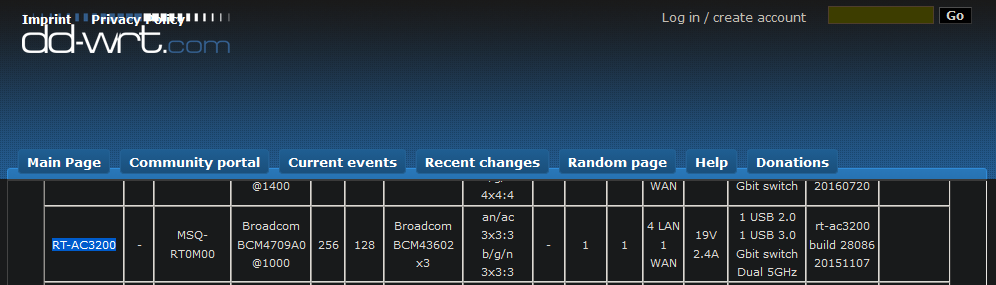
        I would recommend the AC-3200 for maximum performance, or the N66U for minimum hassle (fewer bands and features). AC66U for something in between.

        You also don’t need multiple SSIDs for rate control. That can be done off of MAC addresses in the IP traffic settings.

        Interface-wise, I already suggested Advanced-Tomato for you as a Newb. There’s even an online demo.

        Comment

        • #49
          the86d
          Calguns Addict
          • Jul 2011
          • 9587

          Originally posted by Robotron2k84
          Are you taking your speed tests, wired into an Ethernet port on the router?l].
          Yes, wired... this nighthawk caps 61-63mbps, and the old n66u always hit my max-ish, until it started giving up the goat... Minus a tiny amount of overhead (around 83-86mbps).

          I am hopping on a layer 2 in the computer room, but no changes on that side...

          I need the pipe as fast as possible, as today I should be getting 500/500mbps, even though the guy on the phone said 500/500 MEGABYTES PER SECOND, EVEN AFTER I VERIFIED FOR CLARIFICATION...
          Last edited by the86d; 12-18-2019, 12:22 PM.

          Comment

          • #50
            yellowsulphur
            Senior Member
            • May 2007
            • 1628

            Comment

            • #51
              Robotron2k84
              Senior Member
              • Sep 2017
              • 2013

              Comment

              • #52
                the86d
                Calguns Addict
                • Jul 2011
                • 9587

                One thing I noticed about this Netgear is that wired traffic stops w/about any setting changes, however on the RT-N66U wired traffic didn't seem to be effected negatively when changes were applied, only Wireless... so one more +point for Asus, and -point for Netgear, both stock.

                It appears my 500/500 is just now getting flipped, they started, so right now my router can't pull DHCP on the WAN port starting at 03:35 this morning. Tethering to phone to post this. Time for a newer Asus AC router, and I'll try to get as much back on the Nighthawk as I can selling it on eBay, screen-scraping the date I purchased on Amazon just over a month ago...

                Originally posted by Robotron2k84
                ...
                I would recommend the AC-3200 for maximum performance...
                Interface-wise, I already suggested Advanced-Tomato for you as a Newb. There’s even an online demo.
                Will this beast work?

                EDIT: It appears this even has RP-SMA connectors, which many don't seem to these days...

                It appears supported here:
                Latest AdvancedTomato firmware releases and downloads for Asus RT-AC3200


                and here:


                Oh, and do AdvancedTomato, or the newer DD-WRT varients let you stock-clock the proc, rather than the default-overclock you mentioned before, or is that just MFR firmware that does this?
                Last edited by the86d; 12-19-2019, 6:15 AM.

                Comment

                • #53
                  Robotron2k84
                  Senior Member
                  • Sep 2017
                  • 2013

                  Comment

                  • #54
                    yellowsulphur
                    Senior Member
                    • May 2007
                    • 1628

                    Thanks, I don't keep up much with standards like I used to. I have a problem with bufferbloat and the router uses fq_codel in its smart queue management which isn't hardware offloaded. I mostly use 802.3ab, had to look it up, so I'm not sure if 802.11e supports that in QoS.

                    Comment

                    • #55
                      Robotron2k84
                      Senior Member
                      • Sep 2017
                      • 2013

                      The short answer is that 802.11 is for wireless networks, 802.11e implemented MAC QoS for wireless. 802.3ab is Gigabit Ethernet networking. Or, did you mean 802.3ac, which is wired Ethernet-MAC QoS with 802.1d (which is really 802.1p, and now rolled up into 802.1q...LOL)?

                      In any event, it’s pretty difficult to parse it all out sometimes. The upshot is that TCP stacks that implement 802.1d/p/q in software can also overlay 802.11e implementations and it will be half-offloaded as the wireless QoS is done in hardware (AFAIK). The problem is that VLAN Q-tagged packets for 802.1q can’t coexist with APs in infrastructure mode, and they have to be configured as PTP bridges. So in reality, when you are a wireless client and performing QoS, it’s really up to the individual radio-vendor’s driver how it actually implements that.

                      For wired, YMMV depending on the functionality of the network adapter and controller.

                      Now, what you are talking about, with fq_codel is fair queueing, not QoS. The difference is that you are applying policy at one router based on src/dst port. Unless you are sending Q-tagged packets across bridges to other devices to synchronize the transmission classes, you are just doing traffic shaping, locally. This is not true-QoS, as applied to network infrastructure. The buffer-bloat issue was addressed by the queueing engine, but in practical terms, QoS it is not.

                      Super-confusing, I know.

                      Comment

                      • #56
                        the86d
                        Calguns Addict
                        • Jul 2011
                        • 9587

                        Originally posted by Robotron2k84
                        The short answer is that 802.11 is for wireless networks, ...

                        Super-confusing, I know.
                        Do you actually do router builds for a living, or just a hobby?

                        Do you do side work for some who sells custom firmware preinstalled?

                        Comment

                        • #57
                          Robotron2k84
                          Senior Member
                          • Sep 2017
                          • 2013

                          Comment

                          • #58
                            the86d
                            Calguns Addict
                            • Jul 2011
                            • 9587

                            The caps I mentioned carried over to the new router, meaning it was a goof on the FiOS side where they had their head up their backsides...

                            They flipped the switch, as the rep on the phone said my ONT supported 500/500, and he was wrong, so the old ONT went into half-azz-whack-mode.
                            Last edited by the86d; 03-03-2020, 6:00 AM.

                            Comment

                            Working...
                            UA-8071174-1