Unconfigured Ad Widget

Collapse

MESH network

Collapse
X
 
  • Time
  • Show
Clear All
new posts
  • Rogue187
    Senior Member
    • Feb 2007
    • 1157

    MESH network

    Can anyone help me understand the MESH network concept.

    I live in an older SF house.

    The walls are plaster and chicken wire lined.
    I currently use 2 Apple Airport Extreme's.

    One acts as the primary router and the second is a wireless extender.

    At times the wifi signal drops to nothing in the back of the house. Other times it is extremely slow. During the day it works well.

    I was told a MESH system would help overcome the drop in speed and improve the signal to the rear of the house.

    Any suggestions would be appreciated.
  • #2
    Megalomegalodon
    Senior Member
    • Apr 2014
    • 798

    Extenders tend to only rebroadcast at roughly half of the original bandwidth and use a different SSID. You also cannot jump from one unit to the next. A mesh system actually extends the original signal at close to original bandwidth and allows jumping from access point to access point as you move through the areas.
    NRA Endowment Member

    Comment

    • #3
      axhoaxho
      I need a LIFE!!
      • Jun 2009
      • 10063

      Good read of you have time.


      What is Home Wi-Fi Mesh Technology?


      Comment

      • #4
        Fizz
        Senior Member
        • Feb 2012
        • 1473

        Mesh attempts to use Wi-Fi to solve Wi-Fi problems, IMO, awful idea as it leads to guaranteed spectrum saturation.

        A better idea is to use Ethernet over Powerline adapters to setup another AP or run Ethernet cable to the other AP.

        Don't be that dickhole that just sets up slews of transmitters everywhere to solve Wi-Fi problems. You should really focus on IDing the cause of the performance issues and deadzones. Deadzones shouldn't be intermittent. The fact that it works OK during day is sign that you have an interference problem when the neighbors get home from work.

        You may be better served on 5ghz technology, relocating APs, changing channels, adding an additional AP (non-mesh) and/or knocking on a neighbors door and telling them what channel to use (seriously).

        Throwing out 'mesh' as a magic voodoo wifi problem solution without having any understanding of the RF environment and nodes is ignorant and best and potentially could have you you pissing into the radio frequency wind, so to speak.

        Comment

        • #5
          the86d
          Calguns Addict
          • Jul 2011
          • 9587

          You can get a used Xirrus AP on ebay for <$60, which includes a hellofa spectrum analyser OOTB, but you may have to factory it with a special cable, if used...

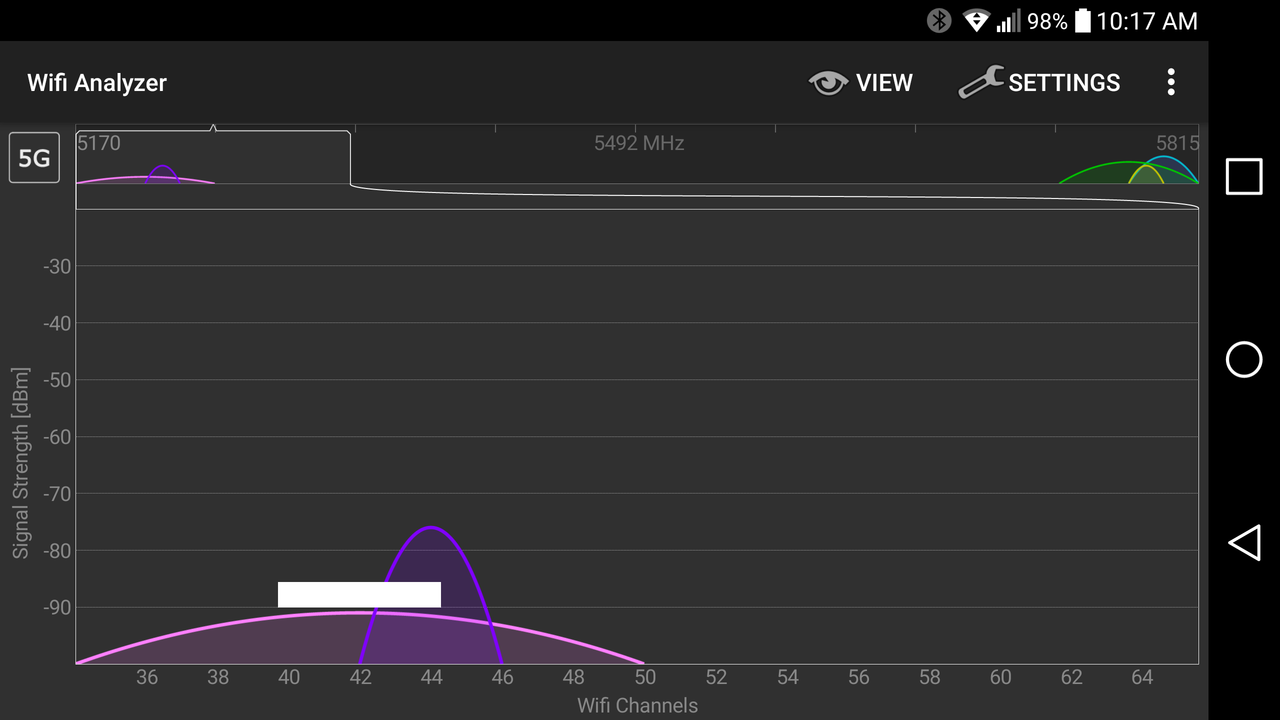
          You got me wanting to try gratis Android variants, and WiFi Analyzer shows a pretty good graph, and is helpful, providing you know how to drop into your router and change the channel for 2.4Ghz, and/or 5GHz, so you know which channels to monitor in the graph.

          I don't use Apple products, so I cannot say if they can go into promiscuous mode (I think it is called) WiFi like Android/Linux, being BSD based w/out jailbreaking, if you have one of those to try, it would be good for us to know. I am actually going to my mother's today... I'll grab one of her iPhruity devices and check some applications for function outside of the connected channel, and get back if I remember...

          I always suggest, if one has antennas that have adjustable positions, that at least one side of an antenna points toward the area you need it most. I don't know your home layout, but if you can run a Powerline, or a network cable into the room, or above/below where you need WiFi the most, and run an additional AP/Router there, this might help, on a different channel, of course. I would stay away from Linksys if running multiples, but only in the newer Windows-only setup versions I have dealt with...

          Chicken-wire is really a holey Faraday cage on 4 sides with holes in the roof and floor, aside from windows and doors, which might be metal too. Bouncy-bouncy-signal would be terrible in a place like that.

          EDIT: Since this post started being typed, I changed the control channel of both my 2.4Ghz and 5Ghz radios, as neighbors and their equipment change from time to time, and I haven't checked the spectrum in many months, so it was time to re-check anyways.
          Last edited by the86d; 09-30-2018, 10:34 AM.

          Comment

          • #6
            incredablehefey
            Senior Member
            • Feb 2010
            • 1853


            In your standard home mesh system they aren't setup to use your other devices as mesh bridges. So the mesh devices connect to your phones, computers , TV's and other wifi devices and pass the signal to any other mesh devices you have as you move or as needed for bandwidth.
            Last edited by incredablehefey; 09-30-2018, 10:45 AM.
            "The need in public and private life is common sense, decency, courage." - President Roosevelt

            Comment

            • #7
              sholling
              I need a LIFE!!
              CGN Contributor
              • Sep 2007
              • 10360

              If you live in a lath and plaster home then you'll probably be better off running Ethernet cables (through the attic or crawlspace) to each room and connect local hotspots where you really do need wifi. If you shop sales carefully you can pick up used or refurbished T-Mobile/Asus 802.11ac AC1900 wireless routers for $50-100 and use them (in bridge mode) as hotspots.
              Last edited by sholling; 09-30-2018, 12:08 PM.
              "Government is the great fiction, through which everybody endeavors to live at the expense of everybody else." --FREDERIC BASTIAT--

              Proud Life Member: National Rifle Association, the Second Amendment Foundation, and the California Rifle & Pistol Association

              Comment

              • #8
                Lebaneseblonde
                Senior Member
                • Oct 2013
                • 739

                Mesh works well. If you’re plan on using a Sonos speaker. Not so much
                Sonos tend to drop and not see the mesh band.
                http://www.urbanertslings.com/e-rush...actical-slings

                Comment

                • #9
                  high_revs
                  Calguns Addict
                  • Feb 2006
                  • 7716

                  i thought the whole point of mesh is so you only have 1 access point and the pc "moves" and "connects" to a satellite once you're out of the primary router's range?

                  Comment

                  • #10
                    command_liner
                    Senior Member
                    • May 2009
                    • 1177

                    Originally posted by Rogue187
                    Can anyone help me understand the MESH network concept.

                    I live in an older SF house.

                    The walls are plaster and chicken wire lined.
                    I currently use 2 Apple Airport Extreme's.

                    One acts as the primary router and the second is a wireless extender.

                    At times the wifi signal drops to nothing in the back of the house. Other times it is extremely slow. During the day it works well.

                    I was told a MESH system would help overcome the drop in speed and improve the signal to the rear of the house.

                    Any suggestions would be appreciated.

                    We have recently installed the Orbi 3-node system at home. Our house has a steel roof and radiant barrier in the walls, and is U shaped. Previously we used other Netgear router and extenders.

                    The Orbi uses a secondary channel for back haul to the main node, and can used hard wired back haul. Careful positioning of the units in and around the house, plus the better behavior of the Orbi, has given us about 10x more coverage in and around the house.

                    This is about the best possible result one could hope for, but it is not perfect. I did hard wire the TV and DVD player to the main Orbi router, and the result is still closer to perfect. We can now stream music and Netflix throughout the home and within about 100' of the home.
                    What about the 19th? Can the Commerce Clause be used to make it illegal for voting women to buy shoes from another state?

                    Comment

                    • #11
                      fifT7
                      CGN/CGSSA Contributor
                      CGN Contributor
                      • Nov 2011
                      • 700

                      Comment

                      • #12
                        Mayhem
                        Member
                        • Jan 2006
                        • 197

                        I have 3 wireless access points that use the same SSID and WPA2 Password however they are all on separate channels.

                        I have a separate router with it's Wifi turned off.

                        The only issue I have is if a device is connected and moves threw the house it doesn't automatically connect to the closest WAP or the one with the strongest Signal unless the device looses the original signal completely.

                        I'm hoping MESH wireless can fix this issue and it's supports WPA2 Enterprise as I plan to run a radius server off a raspberry Pi 3 cluster (Pi3 with 3 Pi zeros on a cluster hat).

                        However from what I know of MESH networks is you need a MESH router and you have to use the routers WIFI.

                        Can any one correct me/educate me if I'm wrong about this? as it's kind of a deal breaker for me.
                        Virtus Junxit Mors Non Separabit!

                        Smyrna Lodge #532 F.&A.M.

                        Comment

                        • #13
                          command_liner
                          Senior Member
                          • May 2009
                          • 1177

                          That is a jumbled mess of questions, but I have one or two answers.

                          1) No need to use Wifi. Our base Orbi runs wifi, but also provides Ethernet. Both the TV and the DVD player are plugged into the Ethernet on the base Orbi.

                          2) Still no reason to use wifi. Our solar panel reporting system is plugged into the Ethernet of one of the satellite Orbis. (This was a key feature for us.)

                          3) Yet more reason not to run wifi. In theory the Orbi mesh does not need to run RF for the back channel from the satellites to the base. One can run Ethernet.

                          So put you pie hat anywhere you can put the base or a satellite Orbi, and use Ethernet.

                          4) Mesh is not an acronym. It just means mesh.

                          5) Walking around our place is no longer an issue with the 3-Orbi setup. Good connectivity up to about 400 feet.


                          Originally posted by Mayhem
                          I have 3 wireless access points that use the same SSID and WPA2 Password however they are all on separate channels.

                          I have a separate router with it's Wifi turned off.

                          The only issue I have is if a device is connected and moves threw the house it doesn't automatically connect to the closest WAP or the one with the strongest Signal unless the device looses the original signal completely.

                          I'm hoping MESH wireless can fix this issue and it's supports WPA2 Enterprise as I plan to run a radius server off a raspberry Pi 3 cluster (Pi3 with 3 Pi zeros on a cluster hat).

                          However from what I know of MESH networks is you need a MESH router and you have to use the routers WIFI.
                          .
                          What about the 19th? Can the Commerce Clause be used to make it illegal for voting women to buy shoes from another state?

                          Comment

                          • #14
                            dummykid
                            Senior Member
                            • Jun 2016
                            • 1296

                            I have EERO 3 complete set ( not beacon) and it works perfect in wireless. I have 4-3K security cameras connected to one of the EERO set, and I have no issue to transfer high-def video from my car garage.

                            Comment

                            Working...
                            UA-8071174-1