Unconfigured Ad Widget

Collapse

Win 7 experts: How to FIX a misbehaving Win 7?

Collapse
X
 
  • Time
  • Show
Clear All
new posts
  • stilly
    I need a LIFE!!
    • Jul 2009
    • 10685

    Win 7 experts: How to FIX a misbehaving Win 7?

    If this is TLDR I apologize. I want to be thorough.

    I was pretty good with windows XP, but Windows 7 well, the City used images, botched? Did not work? NP, just reimage it...

    The problem is that I can not reimage windows 7. I used Macrium reflect to make a backup image of this thing and after restoring the image, things were not right, then it slipped back to non-booting after another boot or two...

    I installed Windows 7 ultimate onto an Asrock 939SIS56-M board with an AMD xp 4200+

    Everything went fine. I only needed to install the drivers for the sound and I did that via xp sound drivers from the asrock site.

    Then I installed all of the programs it needed (they wanted office 2k10 put back on, and all of the free programs they had)

    Everything looked great. Then I let it do updates. It did xx updates, took a while to download and install and while it was d/ling them, I used migwiz to put their profile back on from Windows XP.

    After the updates and migwiz was done, I let it reboot and then the fun started.

    Yo kow how windows 7 starts with the four color swatches spiraling towards the screen and swirling around? The text was there but the colors never started. waited and waited...

    I hit ctrl-alt-del and immediately it restarted. It seems that it had hung.

    SAME thing upon reboot. I chose an option next to REPAIR computer instead of start windows normally.

    I let it do its thing and it said that it wanted to do system restore. I said no to see what else it could have been, it said it had bad drivers I think and they could not be fixed. I rebooted again and did the same and told it to do system restore. It had about 5 system restore points. I went to the top one, it could not do it. It gave some error in the end and said no files were changed after it looked like it was going through. I ended up with Hiren's boot cd and did a scandisk and all and it found some things and fixed them, but nothing worked.

    Windows 7 is supposed to work FINE with this board, in fact, folks LOVE it apparently. But long story short, I tried about EVERY option I could with a failed bootup that day. Even booting in SAFE mode gave me ONE line of text across the top and then it hung. The text had an address loading from ......\system32

    ONCE I found some stopcode that told me FE (usb hub/driver/something) but that was only once and I am not sure why that happened.

    I ended up installing Windows 7 about 4 times that day (long day) because for whatever reason, the IMAGE I created would not work.

    Now, about 4 days later, the owner called me and said it did it again. He told it to shutdown and it said it was going to update and when he turned it back on it just had a black screen with a cursor blinking...


    So really, this is what I am looking for.
    1. Is there any SUREFIRE image program that works best with windows 7?
    2. Where can I go to read up on being a better ninja and manually getting this thing to start or making changes and forcing it to boot up?

    Heh. Working at the City made me soft. Who needs to figure it out, we got PXE images! well, there is no PXE image here and it puzzles me that even after making a macrium reflect image it still failed to boot, But I think perhaps I shold have sone a complete sector by sector image, but at 1 hour to do, it just seemed faster to reinstall windows unless the rewrite of that image would have been much faster... (yeah it prolly would have been).

    Anyways, in case I missed something somewhere, some pointers would be nice.

    Things tried:startup repair, startup repair with the Windows CD, chkdsk /f, all of that. It was like maybe the MBR got jacked. that is the ONE thing I did not do actually was rewrite the MBR. Oh, and at one point after restoring the image I had the BOOTLOADER.exe is missing...


    I think I will fire up Acronis next time for making a disk image. Macrium Reflect just took way too long.
    Last edited by stilly; 04-17-2015, 12:21 AM.
    7 Billion people on the planet. They aint ALL gonna astronauts. Some will get hit by trains...

    Need GOOD SS pins to clean your brass? Try the new and improved model...


    And remember- 99.9% of the lawyers ruin it for the other .1%...
  • #2
    daffy90270
    Junior Member
    • Aug 2011
    • 93

    Have you tried to install windows 7 first and run all updates? Then install all the other software and junk they had. I have a feeling it could be the XP drivers you installed for the sound. It could be running a conflict with another driver thus making it seem corrupt. I wouldn't install XP drivers on win7. Look at the sound card manufacturer and search their site for win 7 drivers.

    Comment

    • #3
      stilly
      I need a LIFE!!
      • Jul 2009
      • 10685

      Originally posted by daffy90270
      Have you tried to install windows 7 first and run all updates? Then install all the other software and junk they had. I have a feeling it could be the XP drivers you installed for the sound. It could be running a conflict with another driver thus making it seem corrupt. I wouldn't install XP drivers on win7. Look at the sound card manufacturer and search their site for win 7 drivers.
      That is what I am gonna do next time. I will actually, install Windows 7, Image it with Acronis, then do all of the updates and see what happens. If it boots up several times then I will image it again and then add in the other drivers. I was taking my marching cues from several others taht had no issues with the same drivers. Same revision of the board, same everything, but yes, It could be a driver conflict because it only seemed to happen after the updates. Of course I thought drivers and tried safe mode- but nope. Safe mode locks up as well...

      Also, nobody makes windows 7 drivers for this board, it was a 939 board so there was nothing but XP64bit drivers to be found as the last ones to use.

      There was a program called "What changed" or something that would be nice to have a look at and see what files are messed up. If I only have to delete a file or two then that would be great, but damn I have no way of finding out which files without spending a lot of time.
      7 Billion people on the planet. They aint ALL gonna astronauts. Some will get hit by trains...

      Need GOOD SS pins to clean your brass? Try the new and improved model...


      And remember- 99.9% of the lawyers ruin it for the other .1%...

      Comment

      • #4
        the86d
        Calguns Addict
        • Jul 2011
        • 9587

        F8 on boot (just post-POST), "Last known good", or whatever they call it now?

        Sometimes you can "chkdsk /f" to get a botched MFT to work again (you can yank the drive and do it on another computer if need-be). I don't know why Windows has so many MFT issues, but this even resolves slow systems that are clean installs.
        Last edited by the86d; 04-12-2015, 8:56 AM.

        Comment

        • #5
          stilly
          I need a LIFE!!
          • Jul 2009
          • 10685

          Originally posted by the86d
          F8 on boot (just post-POST), "Last known good", or whatever they call it now?

          Sometimes you can "chkdsk /f" to get a botched MFT to work again (you can yank the drive and do it on another computer if need-be). I don't know why Windows has so many MFT issues, but this even resolves slow systems that are clean installs.
          I will try some more command line commands next time but the last known good config was a nogo.
          7 Billion people on the planet. They aint ALL gonna astronauts. Some will get hit by trains...

          Need GOOD SS pins to clean your brass? Try the new and improved model...


          And remember- 99.9% of the lawyers ruin it for the other .1%...

          Comment

          • #6
            Mute
            Calguns Addict
            • Oct 2005
            • 8536

            Sounds like an issue with the imaging software. May have to use a different imaging software (like Acronis as you suggested) or do a clean install and forget the imaging all together.
            NRA Benefactor Life Member
            NRA Certified Pistol, Rifle, Personal Protection In The Home, Personal Protection Outside The Home Instructor, CA DOJ Certified CCW Instructor, RSO


            American Marksman Training Group
            Visit our American Marksman Facebook Page

            Comment

            • #7
              stilly
              I need a LIFE!!
              • Jul 2009
              • 10685

              Yeah that too. I am gearing up Acronis next time around, I just can;t believe that Macrium failed like it did. Maybe I should have done a straight sector copy instead of the smart sector copy, but at an hour long to make, I was under the impression that it would be about as long to rewrite too. Oh and the space was a lot larger as well...
              7 Billion people on the planet. They aint ALL gonna astronauts. Some will get hit by trains...

              Need GOOD SS pins to clean your brass? Try the new and improved model...


              And remember- 99.9% of the lawyers ruin it for the other .1%...

              Comment

              • #8
                the86d
                Calguns Addict
                • Jul 2011
                • 9587

                If you use an old version of Ghost (AKA 2003) on Win7 or later you have to fix boot by booting to a disc of the same version (in my experience unless Dell, on a Dell you have to use the Dell disc w/their goofy proprietary fix for the boot, not standard disc) and have disc check and it will give you the option to resolve boot-issues, and it usually works. Maybe you have a similar issue?

                Comment

                • #9
                  Caligunner1
                  Member
                  • Mar 2013
                  • 464

                  I would say some good info here already.

                  1)use acronis i think it is a much more stable program
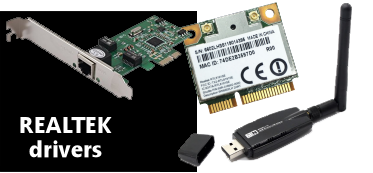
                  2)Also yea sometimes 64 bit xp drivers work sometimes they do not however it is a realtek chipset so actually realtek does make a win 7 driver just asrock has not decided to update their site. Here is a link for you


                  3)load windows and then let update it may be one of their "free programs" not working with 7. Load them one by one(yea i know a hassle)
                  4)Yup it is true about most Branded computers(dell hp etc) the mainboards may be say an asrock model XXX but usually they are cut down versions or running a special bios etc. so sometimes you need to use their boot disc.
                  5)I know this sounds stupid but some other basic things are:
                  A) Did you reset the bios to factory settings?Of course make sure the boot order is correct after so you can load 7.
                  B)Are they any other drivers that are not loading espically sata etc.
                  C)Look at their other "junk" I have seen some programs roll back their drivers in an effort to work while windows 7 tries to update to latest which leads to crashes
                  D)Also you loading 7 and it crashing may just be concidence? This is a little older system( even has win 98 drivers ah good ole win 98) nothing wrong with that but is hardware in ok order. Might want to at least scan the drive for errors.

                  Just some quick thoughts keep us updated

                  Comment

                  • #10
                    yellowsulphur
                    Senior Member
                    • May 2007
                    • 1628

                    I like the opensource Clonezilla.

                    Comment

                    • #11
                      stilly
                      I need a LIFE!!
                      • Jul 2009
                      • 10685

                      There is certainly something going on and I still do NOT know what it is, but I will gladly call it "inconsistency".

                      Thank you for that driver Link Caligunner1. I will grab it and forward it to them. I did NOT load up the sound driver JUST to be safe today, but it did not seem to matter...

                      So I was over there bright and early. I got back into the windows startup repair by putting in the install disk. This is the SAME disk that I have used on about 12 other computers. It installs fine, takes about 20+ minutes and then gives you 30 days to change the product key, which I usually have by that time so I enter it in, activate and it is all good. It is a SOLID build. NOTHING wrong there. Windows 7 pro 32 bit. (I thought it was 64bit too but apparently not)
                      So today I got there and put in the disk, got to the REPAIR screen and went to the CMD line and tried something different, I did the bootrec /fixmbr DONE, then did bootrec /fitboot DONE.

                      Then rebooted. Nothing. It still froze on the driver screen. It says "starting windows" and the little colors do not even make it to the screen. So I booted with Hirens and scanned for the tdlrss rootkit or whatever scan. NOTHING found. No malware ANYWHERE. I then had several other utilities look at the windows starting, I saw that there was a WIN7 MBR code in one location and I ran SFC and was told that a sfc was already scheduled for next boot (odd).
                      Then I remembered a trick I once used on Windows XP. I think it was XP, XP or vista. I got into the Windows /system32/config folder and replaced all of the hives with the ones from /regbac or whatever that folder is called. I copied the current ones to a different folder that I made called "current hives" then I remembered that I only needed a few so I copied SYSTEM and SOFTWARE over and overwrote the hives in the config directory.

                      Rebooted and I was back into windows. EVERYTHING was back to normal except that it told me that it still needed some updates. I rebooted again and it worked FINE. Office 2010 was installed, avast, greenspot, fast stone, winrar, 7zip, malware bytes, spybot S&D, revo uninstaller, HP 6600 software, EVERYTHING was there and EVERYTHING worked fine. I uninstalled macrium reflect though. Rebooted and was back into windows yet again. Then I went ahead and now that I knew what to do, I had it download ONLY the 48 CRITICAL updates. It did that and needed a reboot. I let it reboot and back to no booting again.

                      I tried last known good config and got nothing, I tried safe mode and got nothing, I tried system restore and it failed to restore, it got all of the way to the end and then told me no. And no files were changed (after making me wait 12 minutes as it poked around).

                      SO, I knew how to fix it right? So I went back to Hiren's CD and did the Registry hive swap out again and then rebooted and it still stayed locked up.
                      Well, I figured maybe the critical updates affected the security hive instead of the others, so I went back again and copied over the security hive and STILL was a no boot, so I copied over the other two hives also. Finally it booted, but it took me into a black desktop with a cursor and after 1 minute it would blank out and reboot on its own. I never got any desktop or icons and CTRL-ALT-DEL did nothing.

                      SO after trying the other fixboot and fixmbr again and coming up blank I decided to trash it all and restart YET again. This time I left the file system intact. I recall a nondestructive process so I wanted to see if it worked like this. Nope. After windows copied over the files and rebooted it went to a blank screen and just gave me a blinking cursor.

                      So, I got wiped it and it installed again, got office installed then me being a fool, I grabbed Acronis 2015 instead of using my copy that I had from 2012. I installed it and made a backup and did not think to make a boot disk. Then I installed all of the other programs again and copied over files and folders into the same profile.

                      Went to reboot and got a blank screen again. Well, "Starting Windows" screen anyways. So I booted up with my acronis TI bootable disk and it found nothing. I thought I had the right folder, Oh I did, but the versions were not compatible apparently so the files were invisible even though they were TIB files... Oh well. I did not like version 2015 of Acronis anyways, I think it has become bloatware now. I mean, 300MB install file and it needs services and **** to run? Forget that. So I booted into Hirens after scrapping the Acronis idea and I went back to the reg hives. But I found that all of the files were 0KB file sizes this time. I guess Winblows did not have enough time to make backups. So I thought, well let's try and I copied them over and then got system files were corrupt or missing errors and I booted BACK to hiren's and went BACK to the reg files and put the originals back in the folder.

                      Rebooted, got a quick windows did not finish starting right error so I told it to start normally. It hung at the STARTING WINDOWS screen. SO I hit ctrl-alt-del and got a reboot instantly. I went BACK to the windows did not finish starting screen and I told it last known good config (yeah wth right? Couldn;t hurt at this point) and it fired up into windows again. I THINK (because I just got a phone call) that the HP 6600 might have something to do with this now. I just got a call asking where the printer was because it was not installed. I said no it was installed, I installed it TWICE today. So we will see what is up with that, but anyways, it booted into windows and I told it to make a SYSTEM backup which took about 30 minutes. Then I installed Macrium again and told it to make a full HD copy of the two first drives, Windows and System Reserved. That took about an hour and a half. Then I expected to need to install the sound drivers but I did not have them at the time. Now I will e-mail that link so the owner can install his sound, but it rebooted 5+ times before I left and it booted after shutdowns as well.

                      So that is where I am with this FPOS now. It is up and running, but I still am not certain what caused these issues. I might be stopping in again on Monday to finish up the printer drivers. Currently, ALL updates are turned OFF and don't even ASK for them.


                      Originally posted by yellowsulphur
                      I like the opensource Clonezilla.
                      I like opensourse stuff too, but I have learned that it is NOT for other people. For myself messing around, good to use opensource and all, but when I have to hold someone accountable for their software misbehaving, I would rather pay for it and demand that they fix the issue. In this case, I know that there should be a good support group or two out there for windows 7 and microsoft has done well with having a lot of solutions online. If it were a Linux issue, I might have to read a LOT more threads and forums. Certainly NOT ragging on Linux. I thought about installing THAT instead with a VMplayer running the win7 image, but yeah, too complicated for the end user to deal with.
                      Last edited by stilly; 04-17-2015, 12:24 AM.
                      7 Billion people on the planet. They aint ALL gonna astronauts. Some will get hit by trains...

                      Need GOOD SS pins to clean your brass? Try the new and improved model...


                      And remember- 99.9% of the lawyers ruin it for the other .1%...

                      Comment

                      • #12
                        the86d
                        Calguns Addict
                        • Jul 2011
                        • 9587

                        What is funny is that trying to repair Windows 7, via the same disk you installed with, can see the partitions as different drive letters when trying to fix, or might not Windows as being installed at all on the C: drive, as the install disc can see the boot partition as the C: drive, but since it's the second partition, it MIGHT be the D: drive when booting from the disc. Windows 7 being stupid, while thinking it's smarter than us, pisses me off too...

                        Comment

                        • #13
                          Caligunner1
                          Member
                          • Mar 2013
                          • 464

                          Also another quick thought I wonder if the cloning software is leaving behind some type of linux partation on the MBR so when you are reloading your OS it having trouble..

                          Comment

                          • #14
                            jwtiger69
                            Member
                            • Feb 2014
                            • 103

                            Have you ran a test on the HDD to make sure that it isn't starting to fail?


                            Sent from my iPhone using Tapatalk

                            Comment

                            • #15
                              stilly
                              I need a LIFE!!
                              • Jul 2009
                              • 10685

                              The HD is a 2 year old Seagate Constellation ES 500GB enterprise drive. They have been very reliable and the problem only exists after updating Windows with patches or programs. I am still trying to figure it out. I have had no indication that it was the HD having issues yet. I have not tested it, but I will not rule it out absolutely yet either, but since it has ONLY happened upon updating windows 7, I was drawn to software being an issue. I can reinstall windows 7 with NO issues at all. Everything works fine, then, update it and it is back to blank screen it seems.

                              This is a socket 939 motherboard with a SATA HD, PATA DVDR, 9800GTX Video card (not sure if PCI or AGP, prolly PCI) Yeah, it is PCI because AGP stopped with the 8800s I think.

                              I have not noticed any other partitions other than the stupid 100mb reserved drive that winblows makes.
                              7 Billion people on the planet. They aint ALL gonna astronauts. Some will get hit by trains...

                              Need GOOD SS pins to clean your brass? Try the new and improved model...


                              And remember- 99.9% of the lawyers ruin it for the other .1%...

                              Comment

                              Working...
                              UA-8071174-1