Unconfigured Ad Widget

Collapse

Fake update pop up help

Collapse
X
 
  • Time
  • Show
Clear All
new posts
  • ratled
    Senior Member
    • Oct 2013
    • 923

    Fake update pop up help

    I know I have a bug but none of the malware, spyware or virus programs I have or tried can find it it to kill it. It will pop up saying AVG (pop ups are turned off on AVG), MS word starter or some of the IBit programs are out of date and need updating. These are obvious fakes or just so so fakes but they are fake non the less. I can close them with the X but there is non icon on the task bar to close them.

    Anyone with any thoughts on how to find and kill this one?

    TIA

    ratled
  • #2
    SMR510
    CGN/CGSSA Contributor
    • Nov 2008
    • 883

    Have you recently installed any downloaded software? My guess is that it is embeded into a toolbar that you installed mistakenly by clicking through an installer without reading what it says. Check out the "programs" section in Control Panel and sort by date installed and see if anything toward the top looks suspicious.

    Comment

    • #3
      pluke the 2
      Senior Member
      • May 2012
      • 1926

      this will kill everything that is basic for non advanced users. if it doesnt, you may need to reformat.

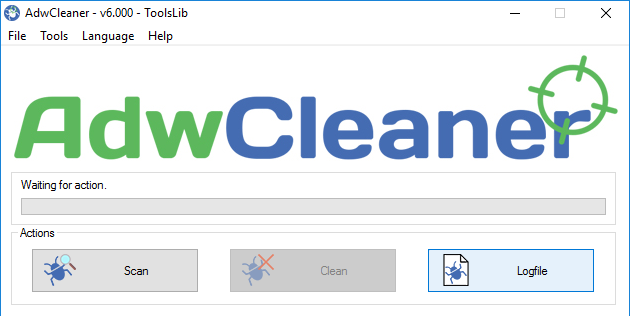
      AdwCleaner is a free program that searches for and deletes Adware, Toolbars, Potentially Unwanted Programs (PUP), and browser Hijackers from your computer. By using AdwCleaner you can easily remove many of these types of programs for a better user experience on your computer and while browsing the web.

      Comment

      • #4
        nate76239
        Senior Member
        • May 2013
        • 1627

        Have you tried malware bytes anti malware?
        Malwarebytes official site: all-in-one cybersecurity software for all your devices. We provide antivirus, anti-malware, VPN and scam detection for PCs, Macs and mobile devises. Powerful digital protection, always by your side.

        Comment

        • #5
          ratled
          Senior Member
          • Oct 2013
          • 923

          Thanks guys. I really don't install much and nothing recently.

          How do the ones recommended comp to IObit Malware Fighter?


          ratled

          Comment

          • #6
            Sabot
            Senior Member
            • Sep 2008
            • 545

            Try Process Explorer. It works like task manager but gives much more info on running processes. You can use it to track down the source of rogue programs, and you don't install it as it runs in a shell.

            Find out what files, registry keys and other objects processes have open, which DLLs they have loaded, and more.

            Comment

            • #7
              wdsonny
              Member
              • Apr 2012
              • 160

              I have found that anything IOBit is spyware or adware. I would run RKill first, then Emsisoft Emergency Kit then ADware cleaner. If you still have popups, then stay off the torrent pages.

              Comment

              Working...
              UA-8071174-1