Unconfigured Ad Widget

Collapse

MS Outlook and contacts

Collapse
X
 
  • Time
  • Show
Clear All
new posts
  • Michael in California
    Senior Member
    • Jul 2012
    • 690

    MS Outlook and contacts

    Hopefully someone will have some good ideas here...

    Using MS outlook 2007 at home connecting to gmail as a POP client but that shouldn't be important.

    The issue is that when one creates an e-mail to a known person, outlook correctly autofills the address. You can double click on the address and it will pop up a contact card with all data including a phone number.

    However, if one goes to the contact list. This person is not there. I need that contact to be there. Where is the contact stored?

    I need to export the contacts, I can't export them if they don't show up.

    Thanks for looking...
  • #2
    the86d
    Calguns Addict
    • Jul 2011
    • 9591

    .nk2 file (contacted/e-mailed people).
    XP:
    %userprofile%\local settings\application data\Microsoft\outlook\<filename>.nk2

    Win Vista/7:
    %userprofile%\AppData\Roaming\Microsoft\Outlook\<f ilename>.nk2

    The <filename>.nk2 is usually named when you setup the account, and generally outlook.nk2, or exchange.nk2 in my experience (depending on the type of account and version of Outlook?).

    Once you shoot an e-mail, that address and name you sent it to are stored in the nk2 file and that is what is used for the auto-fill, and I believe this only applies to e-mail addys you have e-mailed (or replied to), not real addresses or other contact info (although it may be cross-referencing contacts in your case?).

    You can copy the nk2 file to replace a newly created one on a new machine, mail file under mail in control panel. You can basically replace a newly created nk2 (after sending an-email and closing Outlook) and they will magically start to appear if you name the file the same and replace one newly created if you have to set up another account (or under a different Windows profile).

    Google just whispered something I never bothered to look for, as most users believe recently used (nk2 entries) are contacts:
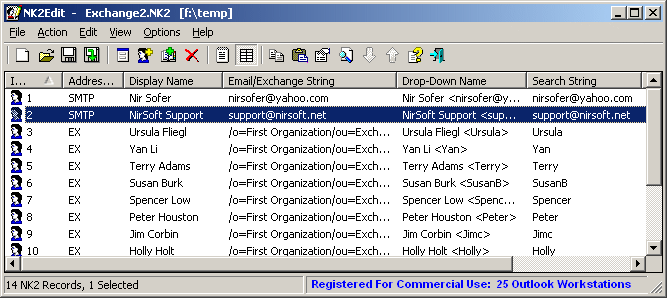
    Software that allows you to edit, delete, add, and repair the records in the AutoComplete file of Microsoft Outlook - from GUI and command-line


    This nk2edit will apparently let you export nk2 entries to contacts, but I just came across it, so I knew nothing about it until right now... Give it a try.

    Comment

    • #3
      Michael in California
      Senior Member
      • Jul 2012
      • 690

      There is no NK2 file. Not anywhere on this computer.

      Also, how did it pickup a phone number in the entry anywhere if it was the result of replying to some e-mail message and not originally from the contact list?

      Comment

      • #4
        the86d
        Calguns Addict
        • Jul 2011
        • 9591

        Originally posted by Michael in California
        There is no NK2 file. Not anywhere on this computer.
        Hit Start => Run, or Start and paste the following in the search box and just hit enter <no quotes>) and paste either XP: "%userprofile%\local settings\application data\Microsoft\outlook\", or Windows (Vista?/)7: "%userprofile%\AppData\Roaming\Microsoft\Outlo ok\" in the box and hit enter. The file is in a hidden folder that is not usually indexed, so you can find things via the command line with a <no quotes>:
        "cd\
        dir *.nk2 /s |more"

        Windows will tell you it is an office data file if you see it in the gui, and by default not show the ext.

        Originally posted by Michael in California
        Also, how did it pickup a phone number in the entry anywhere if it was the result of replying to some e-mail message and not originally from the contact list?
        I am not sure, did they ever send you a Vcard? Did you ever import contacts? Did someone else ever type it into your contacts? (Did you ever migrate data from an Exchange mailbox somehow?) In later versions of Outlook I understand it might work differently, but I am not sure. I know there were some add-ons that were part of some versions (Business Contact Manager installed?) that might have done this automagically, but I have never used it... and uninstalled it whenever I saw it installed on company rigs due to other issues it caused.

        Comment

        • #5
          Michael in California
          Senior Member
          • Jul 2012
          • 690

          Originally posted by the86d
          Hit Start => Run, or Start and paste the following in the search box and just hit enter <no quotes>) and paste either XP: "%userprofile%\local settings\application data\Microsoft\outlook\", or Windows (Vista?/)7: "%userprofile%\AppData\Roaming\Microsoft\Outlo ok\" in the box and hit enter. The file is in a hidden folder that is not usually indexed, so you can find things via the command line with a <no quotes>:
          "cd\
          dir *.nk2 /s |more"

          Windows will tell you it is an office data file if you see it in the gui, and by default not show the ext.


          I am not sure, did they ever send you a Vcard? Did you ever import contacts? Did someone else ever type it into your contacts? (Did you ever migrate data from an Exchange mailbox somehow?) In later versions of Outlook I understand it might work differently, but I am not sure. I know there were some add-ons that were part of some versions (Business Contact Manager installed?) that might have done this automagically, but I have never used it... and uninstalled it whenever I saw it installed on company rigs due to other issues it caused.

          I'll double check, but I have extensions and hidden files turned on so I should have seen the file there.

          This has never been on an exchange server. Its just a home computer connected to gmail via POP. No add-ons or anything. This is the wife's computer, so I can't say whether this partiicular person ever sent their contact info as a Vcard. Reviewing the last few e-mails from this person does not show any info more than a e-mail address.

          Comment

          • #6
            the86d
            Calguns Addict
            • Jul 2011
            • 9591

            Originally posted by Michael in California
            I'll double check, but I have extensions and hidden files turned on so I should have seen the file there.

            This has never been on an exchange server. Its just a home computer connected to gmail via POP. No add-ons or anything. This is the wife's computer, so I can't say whether this partiicular person ever sent their contact info as a Vcard. Reviewing the last few e-mails from this person does not show any info more than a e-mail address.
            I have never used contacts with Gmail via IMAP on Outlook, could you have ever done that? Another IMAP connected e-mail provider maybe?
            Check to make sure Gmail is setup as POP3 & SMTP rather than IMAP under Tools => Account Settings.

            FYI: I am no expert... just kicking ideas around in my head.
            Last edited by the86d; 10-07-2014, 12:10 PM.

            Comment

            • #7
              sholling
              I need a LIFE!!
              CGN Contributor
              • Sep 2007
              • 10360

              Originally posted by Michael in California
              Hopefully someone will have some good ideas here...

              Using MS outlook 2007 at home connecting to gmail as a POP client but that shouldn't be important.

              The issue is that when one creates an e-mail to a known person, outlook correctly autofills the address. You can double click on the address and it will pop up a contact card with all data including a phone number.

              However, if one goes to the contact list. This person is not there. I need that contact to be there. Where is the contact stored?

              I need to export the contacts, I can't export them if they don't show up.

              Thanks for looking...
              I'm a bit confused about what you are trying to do but I'll take a shot at it. To the best of my knowledge Outlook 2007 contacts have to be added manually or by syncing with another application. They aren't added automatically just because you send an email.

              I use an older version (version 5) of a reasonably priced tool called CompanionLink to sync Outlook's contacts and calendar with gmail. You just have to be careful how you sync the first time so that you don't lose anything or duplicate entries. I'd call them and confirm the choice of versions. I found CL5 easer to use than the newer version and it does everything that I need.

              Fast and easy two-way sync Outlook to Google. Free 14 day trial. Contacts, Calendar and Tasks. Buy it Now For Your PC!
              Last edited by sholling; 10-08-2014, 12:40 AM.
              "Government is the great fiction, through which everybody endeavors to live at the expense of everybody else." --FREDERIC BASTIAT--

              Proud Life Member: National Rifle Association, the Second Amendment Foundation, and the California Rifle & Pistol Association

              Comment

              • #8
                Michael in California
                Senior Member
                • Jul 2012
                • 690

                We ended up punting and typing in the missing contacts manually. about 60 entries, but it didn't take the wife long.

                We just made a CSV spreadsheet with the fields properly labeled and Gmail imported them perfectly. Of course, we did import the contacts that existed in outlook using the outlook export function which saved us typing in another 60 entries.

                My part was simple. With the list complete, I just had to hit a couple of buttons in gmail on the computer. The wife was impressed that gmail just automatically downloaded them to the new phone. Prettty cool.

                Comment

                Working...
                UA-8071174-1