Unconfigured Ad Widget

Collapse

Popups on imac

Collapse
X
 
  • Time
  • Show
Clear All
new posts
  • Hvac_dude
    Member
    • Jan 2013
    • 216

    Popups on imac

    any suggestions on cheap or free anti virus software to help eliminate some pop ups on my mac? It's almost 2 years old and this just started. It happens with chrome and safari. It was happening with Firefox really bad and I ended up deleting it. I've already tried pop up blockers with limited success.
  • #2
    BakoJ
    top poster @ utahguns.net
    CGN Contributor - Lifetime
    • Dec 2012
    • 2293

    Try Avast. It's free and has built in protection for pop ups and spam.
    sigpic
    Join the discussion at www.utahguns.net

    Originally posted by HP911
    sweet jesus, the subject matter experts are 97!
    Isaiah 41:10
    So do not fear, for I am with you;
    do not be dismayed, for I am your God.
    I will strengthen you and help you;
    I will uphold you with my righteous right hand.

    Comment

    • #3
      the86d
      Calguns Addict
      • Jul 2011
      • 9587

      Slackintosh.

      Comment

      • #4
        ocabj
        Calguns Addict
        • Oct 2005
        • 7924

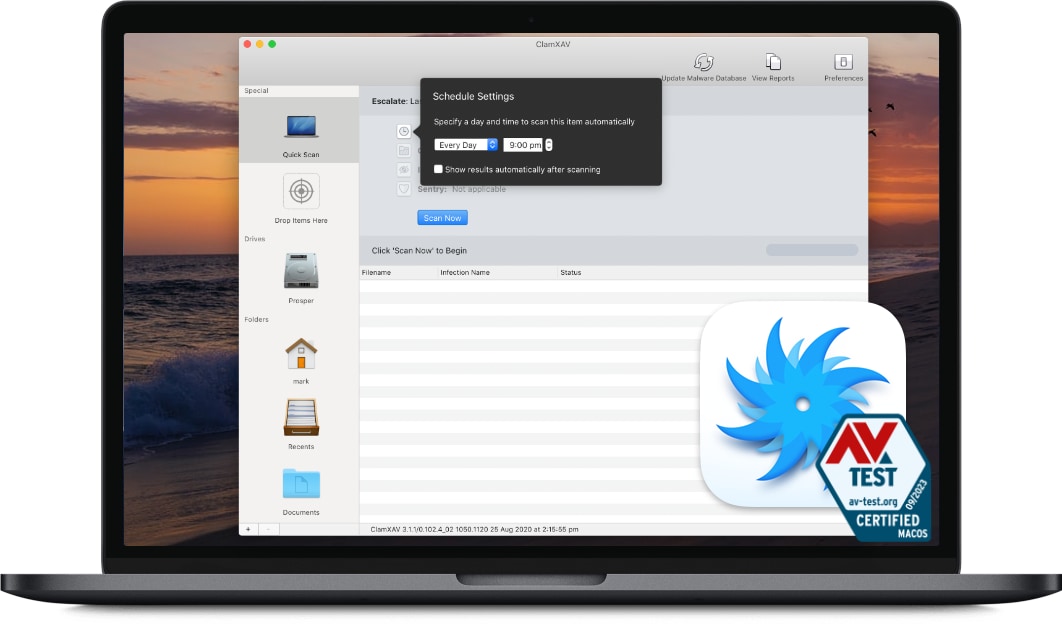
        Protect your Mac with ClamXAV - trusted antivirus and malware scanner for macOS. Enjoy real-time protection, automatic updates and lightweight performance. Try our 30-day free trial today.


        Basically a GUI that utilizes the clamav engine and definitions.

        Distinguished Rifleman #1924
        NRA Certified Instructor (Rifle and Metallic Cartridge Reloading) and RSO
        NRL22 Match Director at WEGC

        https://www.ocabj.net

        Comment

        • #5
          Hvac_dude
          Member
          • Jan 2013
          • 216

          Awesome. Thanks guys I'll check them out.

          Comment

          • #6
            HKJay
            Member
            • Sep 2011
            • 109

            Are the popups happening on the same sites that you go to or at random?

            Popups can generally be caused in two ways. One, the site you're visiting generates the popup or two, Some software on your computer intercepts your web browsing and generates the popups. Option two is frequently done through by a toolbar or addon in your browser and is a less commonly seen across multiple browsers and even less common on Macs.

            First, consider where your browsing from. If you're on a home cable/DSL connection thats one thing. If you're browsing using free wireless, understand that it's possible that someone is injecting ads.

            Two, check which items are configured to start up for your profile. Go to System Preferences -> User & Groups, click on the username you use, then click Login Items. Any items in there you should be somewhat suspect of and if you don't have a good understanding of what is does you should investigate it. Do a Google search on suspicious items with terms like "popups".

            Three, review your installed applications. Look for anything named Mac Defender, Mac Protector, Mac Security, etc. A lot of these "security" tools are actually malware themselves. Anything you're suspicious of Google the name in combination with "popup" and read around.

            Four, check your proxy settings. Go to System Preferences -> Network. Select the network connection your using then click Advanced. Under the proxy tab look for anything that is checked. A proxy is essentially a system that your computer has been configured to route your internet through. This is common in business situations but much less so for a home user. If anything is checked here you should be suspicious and look to understand why. Calling your ISP would be a good first step to see if they have you do this as a requirement.

            Five, check each of your browsers for addons or toolbars that are running. COnsider disabling one by one anything you don't understand. If it fixed your problem, research whatever you disabled using Google and consider deleting.

            Six, If everything else above fails consider running a Mac AV client. Honestly, I've never run one of these so it's hard for me to comment on them. ClamAV as mentioned by OCABJ is pretty well known and I'd say the best place to start. Avast is also pretty well known.

            Seven, for whatever browser you use make sure you're updating regularly and running adblock software. I run "AdBlock" under Chrome and am very happy with the product.

            Feel free to post back or PM me if you have any questions.

            Comment

            • #7
              Hvac_dude
              Member
              • Jan 2013
              • 216

              Originally posted by HKJay
              Are the popups happening on the same sites that you go to or at random?

              Popups can generally be caused in two ways. One, the site you're visiting generates the popup or two, Some software on your computer intercepts your web browsing and generates the popups. Option two is frequently done through by a toolbar or addon in your browser and is a less commonly seen across multiple browsers and even less common on Macs.

              First, consider where your browsing from. If you're on a home cable/DSL connection thats one thing. If you're browsing using free wireless, understand that it's possible that someone is injecting ads.

              Two, check which items are configured to start up for your profile. Go to System Preferences -> User & Groups, click on the username you use, then click Login Items. Any items in there you should be somewhat suspect of and if you don't have a good understanding of what is does you should investigate it. Do a Google search on suspicious items with terms like "popups".

              Three, review your installed applications. Look for anything named Mac Defender, Mac Protector, Mac Security, etc. A lot of these "security" tools are actually malware themselves. Anything you're suspicious of Google the name in combination with "popup" and read around.

              Four, check your proxy settings. Go to System Preferences -> Network. Select the network connection your using then click Advanced. Under the proxy tab look for anything that is checked. A proxy is essentially a system that your computer has been configured to route your internet through. This is common in business situations but much less so for a home user. If anything is checked here you should be suspicious and look to understand why. Calling your ISP would be a good first step to see if they have you do this as a requirement.

              Five, check each of your browsers for addons or toolbars that are running. COnsider disabling one by one anything you don't understand. If it fixed your problem, research whatever you disabled using Google and consider deleting.

              Six, If everything else above fails consider running a Mac AV client. Honestly, I've never run one of these so it's hard for me to comment on them. ClamAV as mentioned by OCABJ is pretty well known and I'd say the best place to start. Avast is also pretty well known.

              Seven, for whatever browser you use make sure you're updating regularly and running adblock software. I run "AdBlock" under Chrome and am very happy with the product.

              Feel free to post back or PM me if you have any questions.

              The popups aren't generated from the site. They look like spam. Most of the time they come from my banking site which you can imagine makes me uncomfortable. They will either generate a pop up or a new tab under the same browser. Sometimes it's related to what I am looking at but clearly spam.

              Our Internet provider is Comcast and we have WiFi but this computer is hard wired in.

              I have seen mac defender popups st times. I hate to admit this but I have been known to use torrents. Not often but sometimes. I'm thinking that may be the culprit.

              Thanks for all the tips. I will follow your suggestions when I get home.

              Comment

              • #8
                Kageryu
                Junior Member
                • May 2014
                • 54

                Also, consider https://getadblock.com . It may block some of the javascript opening the popups/popunders.

                Comment

                • #9
                  Hvac_dude
                  Member
                  • Jan 2013
                  • 216

                  Originally posted by ocabj
                  http://www.clamxav.com/


                  Basically a GUI that utilizes the clamav engine and definitions.
                  Thank you, I just installed this program based off some reviews that I found.

                  Originally posted by HKJay
                  Are the popups happening on the same sites that you go to or at random?

                  Popups can generally be caused in two ways. One, the site you're visiting generates the popup or two, Some software on your computer intercepts your web browsing and generates the popups. Option two is frequently done through by a toolbar or addon in your browser and is a less commonly seen across multiple browsers and even less common on Macs.

                  First, consider where your browsing from. If you're on a home cable/DSL connection thats one thing. If you're browsing using free wireless, understand that it's possible that someone is injecting ads.

                  Two, check which items are configured to start up for your profile. Go to System Preferences -> User & Groups, click on the username you use, then click Login Items. Any items in there you should be somewhat suspect of and if you don't have a good understanding of what is does you should investigate it. Do a Google search on suspicious items with terms like "popups".

                  Three, review your installed applications. Look for anything named Mac Defender, Mac Protector, Mac Security, etc. A lot of these "security" tools are actually malware themselves. Anything you're suspicious of Google the name in combination with "popup" and read around.

                  Four, check your proxy settings. Go to System Preferences -> Network. Select the network connection your using then click Advanced. Under the proxy tab look for anything that is checked. A proxy is essentially a system that your computer has been configured to route your internet through. This is common in business situations but much less so for a home user. If anything is checked here you should be suspicious and look to understand why. Calling your ISP would be a good first step to see if they have you do this as a requirement.

                  Five, check each of your browsers for addons or toolbars that are running. COnsider disabling one by one anything you don't understand. If it fixed your problem, research whatever you disabled using Google and consider deleting.

                  Six, If everything else above fails consider running a Mac AV client. Honestly, I've never run one of these so it's hard for me to comment on them. ClamAV as mentioned by OCABJ is pretty well known and I'd say the best place to start. Avast is also pretty well known.

                  Seven, for whatever browser you use make sure you're updating regularly and running adblock software. I run "AdBlock" under Chrome and am very happy with the product.

                  Feel free to post back or PM me if you have any questions.

                  Went through your list and didn't find anything out of the ordinary. I installed ClamXav and its about 15% through scanning my entire computer and it's already found 6 trojans. I have had Sophos installed for about a week and it's only found 2. Hopefully ClamXav can fix it for me. Thanks for all your help. Much appreciated.

                  Comment

                  • #10
                    HKJay
                    Member
                    • Sep 2011
                    • 109

                    Glad to hear ClamAV found some stuff. Even with whatever ClamAV finds, if you're concerned about security consider reinstalling the operating system. AV doesn't always catch everything and doesn't always get all the pieces of whatever was installed. If you do reinstall, make sure you create an additional user account besides "Administrator" that you would use as your primary account. If you do that, it's harder for malware to get into the underlying OS without you specifically typing in the administrator password.

                    Comment

                    • #11
                      stphnman20
                      Calguns Addict
                      • Feb 2005
                      • 6583

                      Originally posted by ocabj
                      http://www.clamxav.com/

                      Basically a GUI that utilizes the clamav engine and definitions.
                      +1 on Clamxav.

                      Comment

                      • #12
                        ixta70
                        Senior Member
                        • Mar 2011
                        • 600

                        Popups on imac

                        I'm sure you've probably solved most of your issues at this point but I started looking into it myself and this site seemed to give a pretty good guide to finding common adware for Mac. link

                        Edit: they do try to sell you their own product but still has some good info IMO

                        Comment

                        • #13
                          LAmike
                          Junior Member
                          • Jun 2013
                          • 60

                          OP, do you have pop-ups blocked in Preferences? Go to Safari > Preferences > Security tab. Check "Block pop-up windows".

                          Comment

                          • #14
                            Hvac_dude
                            Member
                            • Jan 2013
                            • 216

                            Just an update. The new software I installed has for now stopped the malware. Thank you everyone!

                            Comment

                            • #15
                              Hoshnasi
                              Veteran Member
                              • Nov 2010
                              • 2515

                              Making this to give clavmax a try. I have no pop-ups, but who knows what is lurking here or there.
                              Come to Flavor Country...

                              Originally posted by Kappy
                              You don't like homosexuality, don't let some dude stick his tab A into your slot B.

                              Comment

                              Working...
                              UA-8071174-1