Unconfigured Ad Widget

Collapse

Q-See Security Camera Network Remote Setup **FIXED**

Collapse
X
 
  • Time
  • Show
Clear All
new posts
  • rplusplus
    Senior Member
    • Oct 2011
    • 2245

    Q-See Security Camera Network Remote Setup **FIXED**

    Hey Folks. I got my cameras and DVR all setup but am having an issue getting it "port forwarded" out of my network. Anyone ever do this with a

    Q-See QT DVR (the kind sold at Costco)?

    I can see everything and control it fine in the home network just not remotely.

    If you can help I would greatly appreciate it. I am pretty tech savvy but my Google Fu is failing me in finding exactly what I am doing wrong.

    The Port Forwarding was not set up correctly due to a few errors but a key is to make sure that the DVR is transmitting in your local network on the port you set up before testing on canyouseeme.com Not transmitting and the test will time out.
    Last edited by rplusplus; 05-12-2014, 9:27 PM.
    US Navy Retired 1987-2007
  • #2
    pitbull30
    Veteran Member
    • Jul 2005
    • 3053

    My thread here might help. Find your router brand and see if that helps. The Foscam manual that i bought only showed one brand of router.

    Comment

    • #3
      ocabj
      Calguns Addict
      • Oct 2005
      • 7924

      Just login to the admin interface of your router, and setup the port forwarding to redirect to IP+port of your DVR device.

      Distinguished Rifleman #1924
      NRA Certified Instructor (Rifle and Metallic Cartridge Reloading) and RSO
      NRL22 Match Director at WEGC

      https://www.ocabj.net

      Comment

      • #4
        Ninety
        Veteran Member
        • Nov 2012
        • 4062

        Originally posted by ocabj
        Just login to the admin interface of your router, and setup the port forwarding to redirect to IP+port of your DVR device.
        This^^


        It's pretty simple to do .. what kind of router are you using? is it the ISP's router? IE ATT one or a netgear or cisco style one?
        NRA Member
        The Constitution does not bestow wisdom. It's up to the body politic to be wise. -Patriot
        All that is required for evil to prevail is for good men to do nothing.
        -Edmund Burke
        I'd much rather go to my grave never needing my gun, than go there wishing I had it.
        - Phil Dalmolin

        The Battle of Athens was illegal too.

        Comment

        • #5
          rplusplus
          Senior Member
          • Oct 2011
          • 2245

          Aha... I think I finally found the culprit. I was using most of the "how too's" on the internet to trouble shoot and finally found one that my be my issue. The new Cable Modem I got from COX has a built in Router... This means I have a Two Router System (the rest of my stuff is on the WiFi/4 Port Router). So apparently this is causing my system which works fine on the network to not be seen outside. Going to try that once I get home.

          The one time I actually RTFM and it didn't spell out what to do in this situation. But as always I am not the first to run into this. Hope this does it. if not I am going to check out Pitbulls links above.

          BTW I did the Port Forwarding of the DVR:Port in my Router and that is why I was confused why it wasn't working.

          And it's a two year old Cisco Wireless Router on a new Cisco DOCIS Cable Modem with 4 port ethernet and phone.
          US Navy Retired 1987-2007

          Comment

          • #6
            NytWolf
            Veteran Member
            • Feb 2010
            • 3935

            Originally posted by rplusplus
            Hey Folks. I got my cameras and DVR all setup but am having an issue getting it "port forwarded" out of my network. Anyone ever do this with a

            Q-See QT DVR (the kind sold at Costco)?

            I can see everything and control it fine in the home network just not remotely.

            If you can help I would greatly appreciate it. I am pretty tech savvy but my Google Fu is failing me in finding exactly what I am doing wrong.
            Make sure your ISP isn't blocking your required ports. You have two ports needed: HTTP port and server port. Go to www.canyouseeme.org to check if your ports are open.

            Next on your router, forward both ports to your DVR unit's IP address.

            When connecting to the DVR from a remote location, use the IP address followed by a colon (":" ), then by the HTTP port. If your IP address is 175.175.175.175 and your http port is 82, use "http://175.175.175.175:82" to get to your DVR.

            Comment

            • #7
              jpballa
              Junior Member
              • Feb 2010
              • 98

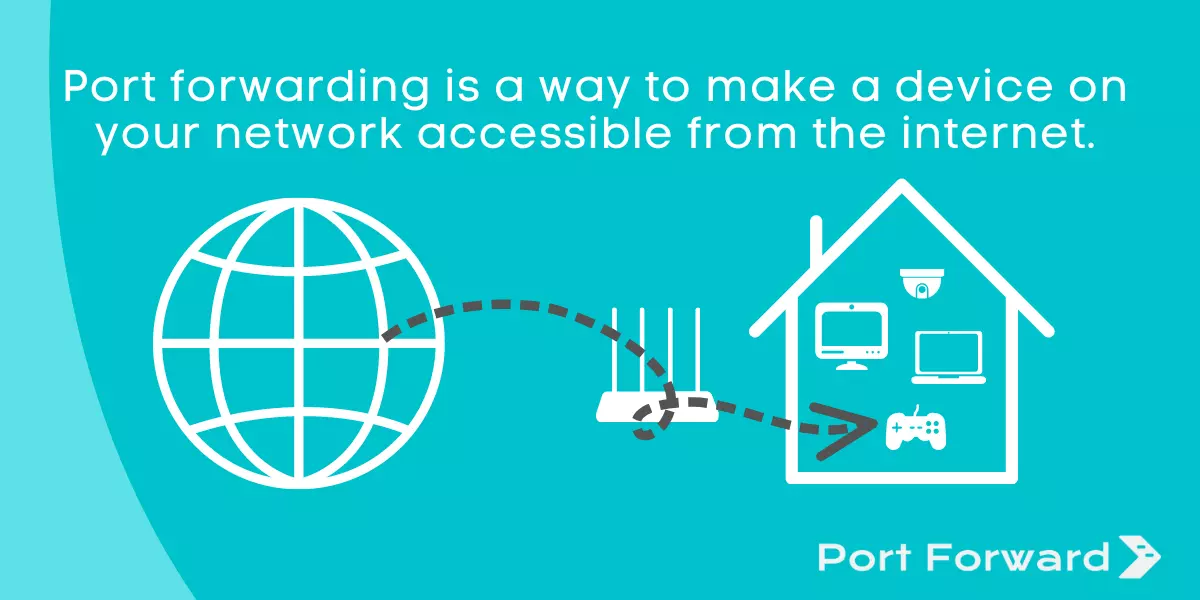
              An explanation of port forwarding and the necessary steps to set up port forwarding in your router.


              This site has tons of guides and how to's.
              l

              Comment

              • #8
                bluedsteel
                Senior Member
                • Jan 2013
                • 649

                What ip are u logging into? U might be using a local ip (starts with 192.168.x.x

                Comment

                • #9
                  MaHoTex
                  Calguns Addict
                  • Jul 2010
                  • 5002

                  I would also suggest obtaining a domain name. Check dyndns.org to sign up.

                  I have the QSEE DVR on my network and had no problem forwarding the IP/PORT. It actually works great for me.
                  NRA Life Member

                  sigpic

                  Mr. President, I can't take any more winning! Make it stop Mr. President. The winning is YUGGEEEE!

                  "If you've got a problem with the US, you better make sure it's not a military problem." SSgt Leslie Edwards

                  Comment

                  • #10
                    rplusplus
                    Senior Member
                    • Oct 2011
                    • 2245

                    Hmm darn. Was not the two router issue I found.

                    Back to square one.

                    It's a Linksys WRTG54G2

                    And COX Cable San Diego

                    I follow all the guides and setup for both UPNP and DMZ each type and I still cant see it with canyouseeme.com I've tried ports 80 - 88 with no luck

                    I know I am just missing one step... Grrrr.
                    US Navy Retired 1987-2007

                    Comment

                    • #11
                      MaHoTex
                      Calguns Addict
                      • Jul 2010
                      • 5002

                      Do not use the DMZ...

                      Assign a static IP on your network and set a port (in the DVR settings) and then in the router do the same. Forward both the UDP and TCP. I did this for the HTTP port and the SERVER port. In the network configuration for the DVR, tick the box that says "USE THE FOLLOWING IP ADDRESS" and then assign something...
                      IP Address 192.168.0.31
                      Subnet Mask 255.255.255.0
                      Gateway 192.168.0.1
                      Preferred DNS Server 192.168.0.1
                      Alternate DNS Server 0.0.0.0

                      I have a very similar setup as you, as in, two routers. Take the Cox router and forward the ports to the 2nd router. I do not know your numbering scheme so I can not be much help there. For me, I just opened TCP and UDP ports to match what is on my internal router it and routed it to the 192.168.0.X (the IP address assigned by the DNS of the WAN side router)
                      Hope this helps.
                      Last edited by MaHoTex; 05-12-2014, 6:48 PM.
                      NRA Life Member

                      sigpic

                      Mr. President, I can't take any more winning! Make it stop Mr. President. The winning is YUGGEEEE!

                      "If you've got a problem with the US, you better make sure it's not a military problem." SSgt Leslie Edwards

                      Comment

                      • #12
                        rplusplus
                        Senior Member
                        • Oct 2011
                        • 2245

                        OK tons of great info here... but here is where I am stuck

                        When I go to canyouseeme.com and test port 80 to 88 all of them cannot be seen and they timed out.

                        The Costco Concierge Service swore up and down that it must be COX cable blocking ports 85 and 6036.

                        COX Cable assured me that they do not.

                        Regardless I cannot see port 85 on my IP. Stumped.

                        BTW I removed the linksys router and so now I am just using the Cisco DPQ3925C which is a DOCSIS 3.0 Gateway with 4 Port Hub and Wireless.

                        Any suggestions on what I can try next to be able to see ANY Ports on my IP? I tried all the normal ones and they all time out.
                        US Navy Retired 1987-2007

                        Comment

                        • #13
                          rplusplus
                          Senior Member
                          • Oct 2011
                          • 2245

                          And... Success!

                          OK went all the way back to the beginning once I had removed the second wifi router and starting from scratch set everything to a basic configuration... was able to see it locally... then setup port forwarding using the link that Pitbull showed... and voila I can see it now on canyouseeme.com now to test the remote iphone software.

                          Installed the iphone software and it is working now. A nice tip about using canyouseeme.com is in post #1.

                          Thanks all of you for your assistance... it was driving me batty but helped to isolate what worked and what I still needed to fix.

                          By the way... for $250 bucks at Costco this system is pretty damn nice. The only thing I am not really impressed with is the skimpy video cables... but for the home use, not so bad. If you were to run these through the wall though I would get a better setup like the Swann.
                          Last edited by rplusplus; 05-12-2014, 9:29 PM.
                          US Navy Retired 1987-2007

                          Comment

                          • #14
                            stevemc1979
                            Member
                            • Oct 2011
                            • 128

                            You may need to look in to dynamic dns. If your ip changes from your isp, your connection will go down. I use dnsexit. They have an app that runs in the background on a computer in your network. It updates the ip for the url that you setup with them.

                            Sent from my HTC6500LVW using Tapatalk

                            Comment

                            • #15
                              MaHoTex
                              Calguns Addict
                              • Jul 2010
                              • 5002

                              Originally posted by stevemc1979
                              You may need to look in to dynamic dns. If your ip changes from your isp, your connection will go down. I use dnsexit. They have an app that runs in the background on a computer in your network. It updates the ip for the url that you setup with them.

                              Sent from my HTC6500LVW using Tapatalk
                              Dyndns.org has the same type of service running on the PC.
                              NRA Life Member

                              sigpic

                              Mr. President, I can't take any more winning! Make it stop Mr. President. The winning is YUGGEEEE!

                              "If you've got a problem with the US, you better make sure it's not a military problem." SSgt Leslie Edwards

                              Comment

                              Working...
                              UA-8071174-1