Unconfigured Ad Widget

Collapse

Foscam Wireless IP Camera Setup & Port Forwarding

Collapse
X
 
  • Time
  • Show
Clear All
new posts
  • pitbull30
    Veteran Member
    • Jul 2005
    • 3053

    Foscam Wireless IP Camera Setup & Port Forwarding

    After reading many reviews/recommendations here, I bought a couple of Foscam Wireless IP cams during the Black Friday/Cyber Monday events to add to my existing security system. They can also double as kid/baby monitors.

    The instruction manual that comes with the cameras is worthless. It only addresses a Linksys type router.

    I also wouldn't mind hearing your feedback/tips/tricks or any type of cloud storage you use.

    Here is what got me through the setup. Hope it helps.

    Find your brand of router here.
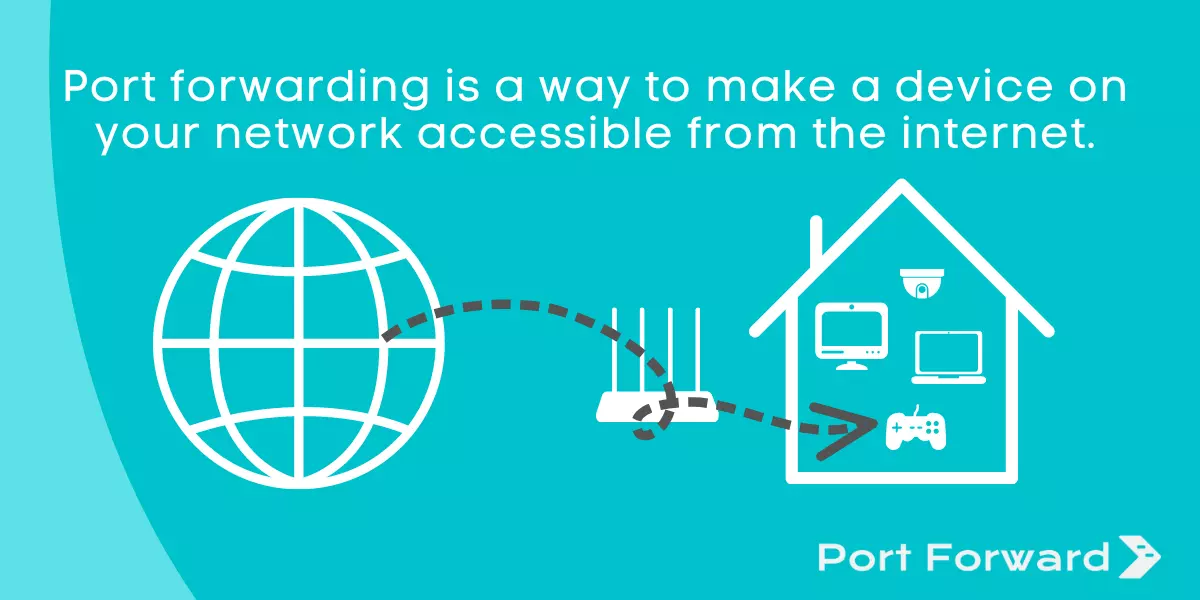
    An explanation of port forwarding and the necessary steps to set up port forwarding in your router.


    Then watch these and go to work.


    Last edited by pitbull30; 12-15-2013, 11:22 AM.
  • #2
    lanwarrior
    Senior Member
    • Apr 2008
    • 566

    I have 3 Foscam and I setup an FTP server. All captured images are send to the FTP folder, which nothing more than a DropBox folder so I have my own "cloud" backup.

    I also didn't open a port on my router. Instead, I setup OpenVPN and to access my cameras, I'll have to VPN to it. This is more secure, IMHO.

    Comment

    • #3
      problemchild
      Banned
      • Oct 2005
      • 6959

      Eye Q Eye are the cams you want...........

      Comment

      • #4
        lowdive
        Member
        • Dec 2013
        • 147

        i have a handful of foscams around the house. two to monitor the baby. hoping i have things as secure as i can but definitely like the vpn idea. the cameras are set to save when motion is detected. images are uploaded via ftp and also sent by email. one of these days i'll build a dedicated system for it to record on a constant basis.

        Comment

        • #5
          ExtremeX
          Calguns Addict
          • Sep 2010
          • 7160

          Originally posted by lanwarrior
          I

          I also didn't open a port on my router. Instead, I setup OpenVPN and to access my cameras, I'll have to VPN to it. This is more secure, IMHO.
          +1

          Poking holes in the firewall is old school.

          I use an SSL VPN to connect to my internal network.
          ExtremeX

          Comment

          • #6
            pitbull30
            Veteran Member
            • Jul 2005
            • 3053

            Originally posted by lanwarrior
            I have 3 Foscam and I setup an FTP server. All captured images are send to the FTP folder, which nothing more than a DropBox folder so I have my own "cloud" backup.

            I also didn't open a port on my router. Instead, I setup OpenVPN and to access my cameras, I'll have to VPN to it. This is more secure, IMHO.
            Do you have some decent instructions/references on how I could do this?

            Or anyone else who commented on VPN? I'm computer literate, but new to the camera deal.

            Comment

            • #7
              MaHoTex
              Calguns Addict
              • Jul 2010
              • 5002

              Originally posted by problemchild
              Eye Q Eye are the cams you want...........
              No... No I don't.

              Foscam is perfect and easy to setup. You get a lot of camera for your money with Foscam.
              NRA Life Member

              sigpic

              Mr. President, I can't take any more winning! Make it stop Mr. President. The winning is YUGGEEEE!

              "If you've got a problem with the US, you better make sure it's not a military problem." SSgt Leslie Edwards

              Comment

              • #8
                the86d
                Calguns Addict
                • Jul 2011
                • 9587

                You could FTP files to an undisclosed minimalist-Linux-box, then synce those files to an off-site location via SFTP.

                I have been tinkering with ssh tunnels so that the non-SSL-compliant authentication (non-https://) can be secured and listened to too, in my home, on the D-Link cameras (https on D-Links passes no audio), and PTZ on the Foscam-traffic (non-https://) is secured as none of my foscams support SSL.

                Comment

                • #9
                  lanwarrior
                  Senior Member
                  • Apr 2008
                  • 566

                  Originally posted by pitbull30
                  Do you have some decent instructions/references on how I could do this?

                  Or anyone else who commented on VPN? I'm computer literate, but new to the camera deal.
                  Sure. I have a Windows 7 "server" that runs on 24x7 running multiple things, like Plex, Splunk, etc, so this is where I also host the FTP server and OpenVPN.

                  1). FTP server
                  There are many FTP server app you can choose. UNIX have its own built-in FTP server, but if you use Windows, you can use FileZilla. When you create the folder for accepting the files, put that folder in your Dropbox folder so any images are automatically "backed-up" to the cloud.

                  On the Foscam, access the settings from the web browser --> Settings --> FTP and configure it with the username, password and folder you setup on the FTP server above.

                  2). VPN
                  The easiest is to use OpenVPN VMWARE image file. Download VMWare Player (FREE) and OpenVPN VMWARE image file. Follow the instructions to setup OpenVPN from their website.

                  VMWare Player: https://my.vmware.com/web/vmware/downloads
                  OpenVPN virtual machine: http://openvpn.net/index.php/access-...vpn-as-vm.html
                  OpenVPN setup: http://openvpn.net/index.php/access-...art-guide.html

                  On the client side, I use this:
                  1). Android: OpenVPN for Android
                  2). Mac: TunnelBlick

                  PS: Don't forget to open port 443 and forward to your OpenVPN server.
                  Last edited by lanwarrior; 12-16-2013, 1:28 PM.

                  Comment

                  • #10
                    2DoorImpala
                    Veteran Member
                    • Jun 2009
                    • 4698

                    Im trying out a free to use open source program called iSpy, so far so good. Check it out when you get everything set up. I upgraded to windows 8.1 and IE which i dont like using, didnt play well with activex option. And chrome, firefox it doesnt give me much control browser wise

                    Comment

                    • #11
                      ExtremeX
                      Calguns Addict
                      • Sep 2010
                      • 7160

                      Originally posted by lanwarrior
                      Sure. I have a Windows 7 "server" that runs on 24x7 running multiple things, like Plex, Splunk, etc, so this is where I also host the FTP server and OpenVPN.

                      1). FTP server
                      There are many FTP server app you can choose. UNIX have its own built-in FTP server, but if you use Windows, you can use FileZilla. When you create the folder for accepting the files, put that folder in your Dropbox folder so any images are automatically "backed-up" to the cloud.

                      On the Foscam, access the settings from the web browser --> Settings --> FTP and configure it with the username, password and folder you setup on the FTP server above.

                      2). VPN
                      The easiest is to use OpenVPN VMWARE image file. Download VMWare Player (FREE) and OpenVPN VMWARE image file. Follow the instructions to setup OpenVPN from their website.

                      VMWare Player: https://my.vmware.com/web/vmware/downloads
                      OpenVPN virtual machine: http://openvpn.net/index.php/access-...vpn-as-vm.html
                      OpenVPN setup: http://openvpn.net/index.php/access-...art-guide.html

                      On the client side, I use this:
                      1). Android: OpenVPN for Android
                      2). Mac: TunnelBlick

                      PS: Don't forget to open port 443 and forward to your OpenVPN server.
                      Or you can buy a nice used commercial grade firewall and have a hardware based IPSec VPN or SSL VPN on the gateway device without having to use any form of port forwarding to an internal network system for authentication.

                      You can even enable 2 factor auth for additional protection.

                      I just buy used Fortigate firewalls... amazing devices.

                      Then you don't have to rely on a VM for VPN and authentication since its done at the firewall.
                      ExtremeX

                      Comment

                      • #12
                        castelen
                        Junior Member
                        • Aug 2013
                        • 4

                        I have a Foscam FI8918W. It was hard to set up...

                        Comment

                        • #13
                          the86d
                          Calguns Addict
                          • Jul 2011
                          • 9587

                          Originally posted by castelen
                          I have a Foscam FI8918W. It was hard to set up...
                          It has a web-interface, right?

                          I have two of these. What was the hard part, aside from not wanting passwords sent though the Internet via plain text?

                          Comment

                          • #14
                            atc4usmc
                            Member
                            • Feb 2009
                            • 398

                            Im running four FOASCAMS three FI8910W and one 8921W. All running through NO-ip and I can access via my phone etc. I have a synology server that I am planning to use for storing images etc, I guess I will prob set up FTP for that?

                            Comment

                            • #15
                              lanwarrior
                              Senior Member
                              • Apr 2008
                              • 566

                              Originally posted by ExtremeX
                              Or you can buy a nice used commercial grade firewall and have a hardware based IPSec VPN or SSL VPN on the gateway device without having to use any form of port forwarding to an internal network system for authentication.

                              You can even enable 2 factor auth for additional protection.

                              I just buy used Fortigate firewalls... amazing devices.

                              Then you don't have to rely on a VM for VPN and authentication since its done at the firewall.
                              I suppose I could, but at that time I was trying to find a free solution.

                              Comment

                              Working...
                              UA-8071174-1