

 Tweet
Tweet
I love my Verizon Fios connection. I don't like the wireless router thing they give as a connectivity device. Anyways, since my desktop is in another room and I didn't want to buy a wireless adapter, I'm using my DD-WRT flashed Asus RT-N12 router as a repeater. Been working great for a few months. Yesterday I'm starting to have issues. I'm thinking of doing away with my router/repeater and just pick up a $20 Asus USB-N13 as my connection. I wanted to pose this question to you guys. Should I go with a USB adapter, or would a PCI adapter work better?
-
-
Have you tried changing channels on the RT-N12? If there is another device nearby on the same channel, it could cause the signal dropping that you are seeing.My friends and family disavow all knowledge of my existence, let alone my opinions. -
I have the channel set on auto since I can't see what channel the Verizon router is on. Stupid thing doesn't give me that kind of access.Comment
-
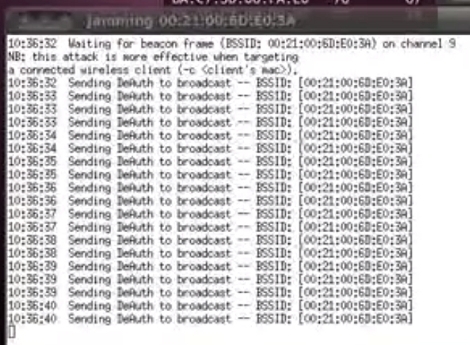
Kids learning Linux often bump people off their own network for fun.
Tried a power cycle of the router (the wall side, not the router side of the cable)?
I thought someone was deauthing my camera at my house, it turns out it was my router going bad... Verizon sent me another one, and I was all good.
Do you connect with the Windows interface, or a 3rd party one?
Does it have a 3rd party interface that may be screwing up the Windows one (try updating the 3rd party software, if so)? A rep had this issue yesterday on a Lenovo.Comment
-
Well, from the Asus unit, it comes down to the computer over CAT 5Comment
-
Do you have the Red Trim Verizon router (2 antennas), or all black and silver (single antenna)?
Actiontec router, or one of the other brands that are not so common?
If you have the Red Trim Actiontec router, it is wireless N (further range, although they did have one I have never seen only heard about that had one antenna, but was black and 802.11N for a short time, I understand), and a good $25 802.11N adapter might be a good option.
What is the distance between the router and Asus unit? How many walls or file cabinets is it going through (if you could make a line-of-sight shot through, antenna-to-antenna)?Comment
-
It's the Actiontec red trim router, 1 antenna. Signal is passing into the next room, 1 wall.Comment
-
Wow, that is BAD.
There is always simething similar to this method:
Drop a hole in each side of wall and run ethernet cable though if all else fails.
Wired is always best, but USB 802.11N adapters I have in the house work fine (although slower USB pipe?), if you don't want to drop a PCI in...
Something like this with a desktop dock, which is reall just a usb extender so you can plug it in on the desk and can's step on it/break it in half vaccuuming, or if screwing with cables in the back: http://support.linksys.com/en-us/sup...E1000/download
My son has a cheap one I had sitting around plugged into his desktop laying down behind the monitors with no dock, just a USB extender, but has to unplug, then replug it every so often.
Airlink 101 makes some cheap stuff, but I have never heard of any of it ever dying (co-worker swears by it): http://www.ebay.com/itm/AirLink-101-...-/281125227925 $15.99ish ships from Cali (usually a few days).Comment
-
BTW, I never really trusted DD-WRT for anything, but I did give a WRT54G (I think it was) to a coworker and he has been running it for over 2 years without issue.
I never played with the bridge functions...Comment
-
Picked up a Asus USB-N53. Working perfectly now.Comment


There are currently 24454 users online. 101 members and 24353 guests.
Most users ever online was 239,041 at 10:39 PM on 02-14-2026.


Comment