Unconfigured Ad Widget

Collapse

Upgrading to a SSD?

Collapse
X
 
  • Time
  • Show
Clear All
new posts
  • Futurecollector
    I need a LIFE!!
    • Oct 2008
    • 11559

    Upgrading to a SSD?

    So I am considering upgrading one of my laptops to a SSD. I have two questions,

    First being that I have a 2008 Macbook my GF gave me It runs great and have no problems other than its a tad slow. It only has 2gb of Ram and a 250gb HDD. I was considering throwing in a Samsung 120gb SDD and 4gbs of ram.

    Now the only thing stopping me from doing this is that I read that older laptops SATA ports won't really recognize/ take a advantage of the SSD's speed. Is this true? or is it marginal and the SSD will still speed me up a good bit?

    The second laptop is an ASUS with an I5 2410m processor and 8gb of ram, I have a 640gb HDD on this one, but I only use around 80Gb's...

    If I can still get good speed out of the SSD in the Mac I will just go with it.

    Anyways, what do you guys think, what would be the best route and do you have any insight/ recommendations for SSD's?
    None of my posts are serious or real, nothing I post is legal advice.

    Originally posted by SanDiego619
    I am a complete idiot
  • #2
    Futurecollector
    I need a LIFE!!
    • Oct 2008
    • 11559

    Also, if I do throw in a new SSD in a MAC how would I do a recovery without a CD? thanks
    None of my posts are serious or real, nothing I post is legal advice.

    Originally posted by SanDiego619
    I am a complete idiot

    Comment

    • #3
      Intimid8tor
      Calguns Addict
      • Apr 2007
      • 6607

      I think you will see a speed increase though newer computers might see more of an increase. I put a hybrid SSD drive in one of our laptops and it made a huge difference in startup and shutdown. I put a full SSD in one of our desktops and it gave it new life.

      As for your second post, are you asking how you would get the data over to the new drive, including the OS?
      Starve the beast, move to a free state.

      Bwiese: "You are making the assumption the law is reasonable/has rationale."

      Comment

      • #4
        Futurecollector
        I need a LIFE!!
        • Oct 2008
        • 11559

        Originally posted by Intimid8tor
        I think you will see a speed increase though newer computers might see more of an increase. I put a hybrid SSD drive in one of our laptops and it made a huge difference in startup and shutdown. I put a full SSD in one of our desktops and it gave it new life.

        As for your second post, are you asking how you would get the data over to the new drive, including the OS?
        I don't need any of the old data I just need the OS. Is there anyways to burn a new copy of the MAC OS? Or am I sol?
        None of my posts are serious or real, nothing I post is legal advice.

        Originally posted by SanDiego619
        I am a complete idiot

        Comment

        • #5
          sandman21
          Senior Member
          • Apr 2010
          • 1145

          Easeus has a program to image your drive and place it on an SSD drive. They both need to be connected to your computer to make the imaging work

          Comment

          • #6
            lorax3
            Super Moderator
            CGN Contributor - Lifetime
            • Jan 2009
            • 4633

            Originally posted by Futurecollector
            I don't need any of the old data I just need the OS. Is there anyways to burn a new copy of the MAC OS? Or am I sol?
            Yes. Depending on which OS, you can either burn it onto an 8GB Flash Drive, or DVD (some might allow a CD, but IIRC Lion and ML are 4.9GB so you would need a DL DVD).

            I use LionDiskMaker (works for ML too). You do need the dmg file however, which you can re-download from the app store.


            If you are on an older OS, (Leopard, Snow Leopard) you will need the factory DVD or the dmg file. If you are going to install new drive, I would update to the latest OS, not sure if the 08' MBP support MountainLion.
            You think you know, but you have no idea.

            The information posted here is not legal advice. If you seek legal advice hire an attorney who is familiar with all the facts of your case.

            Comment

            • #7
              lorax3
              Super Moderator
              CGN Contributor - Lifetime
              • Jan 2009
              • 4633

              Okay, looks like you are GTG.


              OS X Mountain Lion system requirements
              To install Mountain Lion, you need one of these Macs:

              iMac (Mid 2007 or newer)
              MacBook (Late 2008 Aluminum, or Early 2009 or newer)
              MacBook Pro (Mid/Late 2007 or newer)
              MacBook Air (Late 2008 or newer)
              Mac mini (Early 2009 or newer)
              Mac Pro (Early 2008 or newer)
              Xserve (Early 2009)
              What OS is your mac currently running? The fact your mac supports MountainLion will make this easier. Start looking for an 8GB or larger flash drive you can wipe if you don't have one yet. (You will need it)
              You think you know, but you have no idea.

              The information posted here is not legal advice. If you seek legal advice hire an attorney who is familiar with all the facts of your case.

              Comment

              • #8
                Futurecollector
                I need a LIFE!!
                • Oct 2008
                • 11559

                Originally posted by lorax3
                Yes. Depending on which OS, you can either burn it onto an 8GB Flash Drive, or DVD (some might allow a CD, but IIRC Lion and ML are 4.9GB so you would need a DL DVD).

                I use LionDiskMaker (works for ML too). You do need the dmg file however, which you can re-download from the app store.


                If you are on an older OS, (Leopard, Snow Leopard) you will need the factory DVD or the dmg file. If you are going to install new drive, I would update to the latest OS, not sure if the 08' MBP support MountainLion.
                Originally posted by lorax3
                Okay, looks like you are GTG.


                What OS is your mac currently running? The fact your mac supports MountainLion will make this easier. Start looking for an 8GB or larger flash drive you can wipe if you don't have one yet. (You will need it)

                Thanks for all the replies guys!

                Its actually a Macbook not a Mackbook pro, its the Black 2.4 intel core 2 and its running 10.6.8

                I see in the app store I can get 10.8 for only 20 bucks, but I want to do a clean install.
                None of my posts are serious or real, nothing I post is legal advice.

                Originally posted by SanDiego619
                I am a complete idiot

                Comment

                • #9
                  lorax3
                  Super Moderator
                  CGN Contributor - Lifetime
                  • Jan 2009
                  • 4633

                  Originally posted by Futurecollector
                  I see in the app store I can get 10.8 for only 20 bucks
                  So it is eligible for 10.8? Okay, good.


                  Originally posted by Futurecollector
                  but I want to do a clean install.
                  Right. So here is what you do:

                  1. Downloading 10.8 from the AppStore does not automatically install it, it just downloads an icon in your application folder that when you launch will start the process.
                  2. Pay the $20 and download 10.8, but do NOT start the install. You are actually downloading a 'full' copy of ML, not just the upgrade so you want to install it to a flash drive so you can do a fresh install.
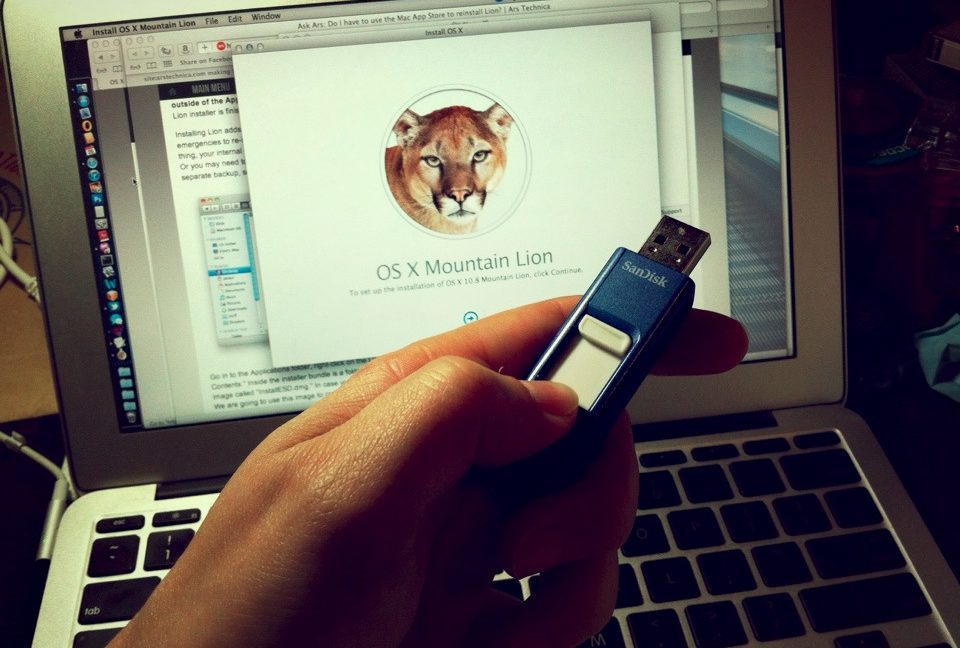
                  3. Download LionDiskMaker (linked above) and plug in an 8GB flash drive you are okay with wiping. Lion diskmaker will find the flashdrive, and see you just downloaded MountainLion and will ask if you want to create a bootable flashdrive. (Flashdrive must be 8GB or larger). A few clicks later you will have a flash drive to do your fresh install.
                  * Note: once you downloaded ML, the full dmg can be found by right-clicking the ML icon in the applications, and viewing the package contents. You can save this to an external drive if you want.
                  4. Remove the flashdrive, install your SSD, and plug the flashdrive back in. Power the mac on while holding the option key, and elect to boot from the flash drive.
                  5. Fresh install of Mountain Lion on the SSD, and you're done.
                  *You may need to open disk utility once you've booted from the flashdrive to format the drive to Mac osx journaled. Not sure if you have used Diskutility before, but it's really easy to do. If you get this far let me know and I can walk you through it.

                  Edit: Read this article: http://www.lifehacker.com.au/2012/07...b-flash-drive/.
                  Same stuff I said above, but written better.
                  You think you know, but you have no idea.

                  The information posted here is not legal advice. If you seek legal advice hire an attorney who is familiar with all the facts of your case.

                  Comment

                  • #10
                    Jel
                    Senior Member
                    • Mar 2009
                    • 1425

                    Installing a SSD in my gaming rig and my laptop was the best performance upgrade to both machines. Adding as much RAM as you can afford helps out a LOT as well. Good luck. In both cases I decided that doing clean OS installs would be better than cloning the existing setup. Good luck.

                    Comment

                    • #11
                      Futurecollector
                      I need a LIFE!!
                      • Oct 2008
                      • 11559

                      So I think in the end I'm going to go with the Asus, take out the 640gb HDD and slap it in one of the external cases to make it a external drive and just use a 120gb ssd. Thoughts?
                      None of my posts are serious or real, nothing I post is legal advice.

                      Originally posted by SanDiego619
                      I am a complete idiot

                      Comment

                      • #12
                        Futurecollector
                        I need a LIFE!!
                        • Oct 2008
                        • 11559

                        Originally posted by lorax3
                        So it is eligible for 10.8? Okay, good.


                        Right. So here is what you do:

                        1. Downloading 10.8 from the AppStore does not automatically install it, it just downloads an icon in your application folder that when you launch will start the process.
                        2. Pay the $20 and download 10.8, but do NOT start the install. You are actually downloading a 'full' copy of ML, not just the upgrade so you want to install it to a flash drive so you can do a fresh install.
                        3. Download LionDiskMaker (linked above) and plug in an 8GB flash drive you are okay with wiping. Lion diskmaker will find the flashdrive, and see you just downloaded MountainLion and will ask if you want to create a bootable flashdrive. (Flashdrive must be 8GB or larger). A few clicks later you will have a flash drive to do your fresh install.
                        * Note: once you downloaded ML, the full dmg can be found by right-clicking the ML icon in the applications, and viewing the package contents. You can save this to an external drive if you want.
                        4. Remove the flashdrive, install your SSD, and plug the flashdrive back in. Power the mac on while holding the option key, and elect to boot from the flash drive.
                        5. Fresh install of Mountain Lion on the SSD, and you're done.
                        *You may need to open disk utility once you've booted from the flashdrive to format the drive to Mac osx journaled. Not sure if you have used Diskutility before, but it's really easy to do. If you get this far let me know and I can walk you through it.

                        Edit: Read this article: http://www.lifehacker.com.au/2012/07...b-flash-drive/.
                        Same stuff I said above, but written better.
                        Your Avatar makes perfect sense now! lol,

                        Thanks a lot for the help, after reading the links you provided, I should just be able to make the boot disk from my GF's new MBP, since she is the owner of the new one I even understand its not illegal, but encouraged!!!

                        As much as I hate it, I'm really beginning to like Mac.
                        None of my posts are serious or real, nothing I post is legal advice.

                        Originally posted by SanDiego619
                        I am a complete idiot

                        Comment

                        • #13
                          lorax3
                          Super Moderator
                          CGN Contributor - Lifetime
                          • Jan 2009
                          • 4633

                          Originally posted by Futurecollector
                          Your Avatar makes perfect sense now! lol,
                          .
                          Hehe. Yup. I use Windows at work, but I've been loyal to Macs at home since OS 9 or so. If you run into any problems, just post here or shoot me a PM.
                          You think you know, but you have no idea.

                          The information posted here is not legal advice. If you seek legal advice hire an attorney who is familiar with all the facts of your case.

                          Comment

                          • #14
                            mud99
                            • Oct 2011
                            • 1075

                            I've run many many different SSDs at work, and the only ones that have held up are the Intel SSDs.

                            All other have failed within a year under load. Literally, we've had a 100% failure rate of other brands. I've never seen any other product fail so regularly and certainly.

                            We've tried Patriot, Samsung, Sandisk, OCZ, Crucial and several other brands with various controllers and size.

                            Even worse, we run them in raid 1 or 5 and have had a lot of simultaneous failures. It seems like some of these models give you X number of writes and then die like they are on a timer.

                            I recommend an Intel 320 model, it is literally the only SSD I have found which is even remotely reliable. No failures in over a year on 50+ servers!

                            Comment

                            • #15
                              sholling
                              I need a LIFE!!
                              CGN Contributor
                              • Sep 2007
                              • 10360

                              SSDs make a huge difference in speed but there are a few things to keep in mind with SSDs:
                              • ALL SSD have limited writes which the SSD's controller tries to manage by making sure to spread the load evenly but some do a much better job than others and some brands use better memory than others - brand and model matters a lot.
                              • SSD's slow way down as they fill up so buy at least twice as much SSD as you think you'll need which will also help it to last. 240-256GB is the sweet sport for both performance and price. 120GBish drives are much slower.
                              • Keep the drive's firmware up to date - SSD's are cutting edge technology and firmware bugs (many are serious) need to be fixed which means staying on top of the latest releases - another reason for staying with the major brands.
                              • SSDs need an operating system that supports TRIM. Unlike a conventional hard drive an SSD's on-board controller has to actually erase a bit before overwriting it and that takes time, the TRIM command sends an erase command with every delete speeding up future writes. Without TRIM they slow way down over time.
                              • You can image the SSD from the existing drive but at least with a Windows machine you're usually best off with a fresh install.
                              • Back up often because SSDs still aren't super reliable.

                              The only brands models that I would trust are listed in order but the firmware must be up to date:
                              1. Intel 320 and 520 series drives.
                              2. Crucial's M4 series
                              3. Samsung's 840 series
                              4. Kingston
                              5. Plextor
                              "Government is the great fiction, through which everybody endeavors to live at the expense of everybody else." --FREDERIC BASTIAT--

                              Proud Life Member: National Rifle Association, the Second Amendment Foundation, and the California Rifle & Pistol Association

                              Comment

                              Working...
                              UA-8071174-1