

 Tweet
Tweet
Malware cleaner just loaded itself to my computer. Does anyone know how I can remove it? Computer had Microsoft essentials now I cant find it.
-
-
Try this yet? http://download.cnet.com/Malwarebyte...=dl&tag=button
The 'fake' virus cleaners tend to hide your true virus protection programs. -
Run the computer in safe mode (With networking) and then download/run AVG Free and Malwarebytes. Most of these 'Rogue programs' will disable most feasible defense mechanisms in normal mode, but in safe mode you should be fine. It's my personal belief that once infected, you can never truly be rid of a virus (Or more importantly, the changes that viruses make to your system) until you wipe the HD and do a clean install of the OS, but that's up to you. The above steps will at least make the computer usable again."Everybody is a genius. But if you judge a fish by its ability to climb a tree, it will live its whole life believing that it is stupid." - Albert EinsteinComment
-
No offense intended, but that's only true for incompetent people or a fairly a new virus that has not been studied. Competent computer techs will know how to rid a virus, especially a known virus. What is more important is the reinfection than the successful removal of the virus.Comment
-
If you are looking for a "paid" service, I can highly recommend Eset.sigpicComment
-
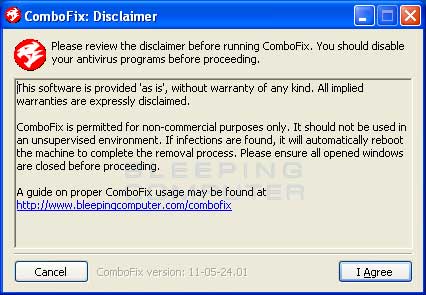
malwarebytes is the best first step. if that can't do it, then i usualy F the dumb S and go straight to ComboFix
the problem with combofix is its pretty fing powerful, and has the potential to do damage. i've personally never had a machine its screwed up and ive used it a whole hell of a lot.
"It is to secure our rights that we resort to government at all." -Thomas JeffersonComment
-
Thank you guys I will try one or more then get back to you.Comment
-
Im with the other malwarebytes anti malware is an excellent free anti virus you should be good with this one. if it doesn't help send me a pm. I'll do my best.
"So you're saying the spoon made Rosie fat?"Comment
-
Malwarebytes and Rkill should take care of it. I had the same issue a while back and those helped me along. You may need to put the programs on a disc or flash drive if you can't get on the internet. The virus i had wouldn't let me browse the net so i couldn't just download the programs i needed.Comment
-
Do your install of Malware bytes, do your initial software/definition update.
Reboot in to Safe Mode, and do your scan there. Malware can't hide as easily in Safe Mode...Comment
-
Make sure to turn off system restore before you clean. If not there's a chance remnants of the virus will stay onboard and stashed until the most
inopportune of times then...
I use
Malwarebytes
Super Anti Spyware
Kaspersky TDSSKiller
Combofix
Rkill
TFC.exe
and for one of the best anti virus programs
Avira Free.
Avira needs to be configured in expert mode to
get the most out of it.Last edited by bg; 02-27-2012, 10:32 AM.Comment






There are currently 11151 users online. 137 members and 11014 guests.
Most users ever online was 239,041 at 10:39 PM on 02-14-2026.


Comment