Unconfigured Ad Widget

Collapse

Free Itunes backup program?

Collapse
X
 
  • Time
  • Show
Clear All
new posts
  • newglockster
    Senior Member
    • Apr 2010
    • 1592

    Free Itunes backup program?

    Does anyone know of a free Itunes backup program that is reliable/reputable? Or do you have to pay for a good one?

    Basically, I just want a simple program to be able to extract my songs from Itunes so that I can save on an external drive or whatever.

    Any ideas are appreciated!

    Thanks!

    UPDATE at post #10
    Last edited by newglockster; 11-03-2011, 10:19 AM.
    John 3:16
  • #2
    hcbr
    Veteran Member
    • Jul 2010
    • 4733

    If you're going that route, why not invest on the kingston wifi drive.
    Be the change that you wish to see in the world.Mahatma Gandhi

    "A bullet sounds the same in every language..."
    Stewie Griffin (Family Guy Episode: Stewie Griffin: The Untold Story 2005)

    Comment

    • #3
      StratORcaster
      Senior Member
      • Dec 2010
      • 810

      Why not just back up to a HD? That's what I did. Google it.

      Comment

      • #4
        Boristheblade
        Member
        • Feb 2011
        • 366

        You have Mac or PC?

        Comment

        • #5
          newglockster
          Senior Member
          • Apr 2010
          • 1592

          I have a PC
          John 3:16

          Comment

          • #6
            newglockster
            Senior Member
            • Apr 2010
            • 1592

            please excuse my slow brain...

            I found the Itunes folder in "My Documents". And it is showing several GB's of data, so it IS holding the songs. Therefore, I can just copy that over to a HD and that is awesome!

            Another questions however, it looks like that is ONLY for restoring Itunes and not transfering songs to another device, lets say. Is there a way to actually extract all the songs from Itunes to be able to copy to another device that is non-Apple?
            John 3:16

            Comment

            • #7
              orangeglo
              Calguns Addict
              • Nov 2009
              • 5818

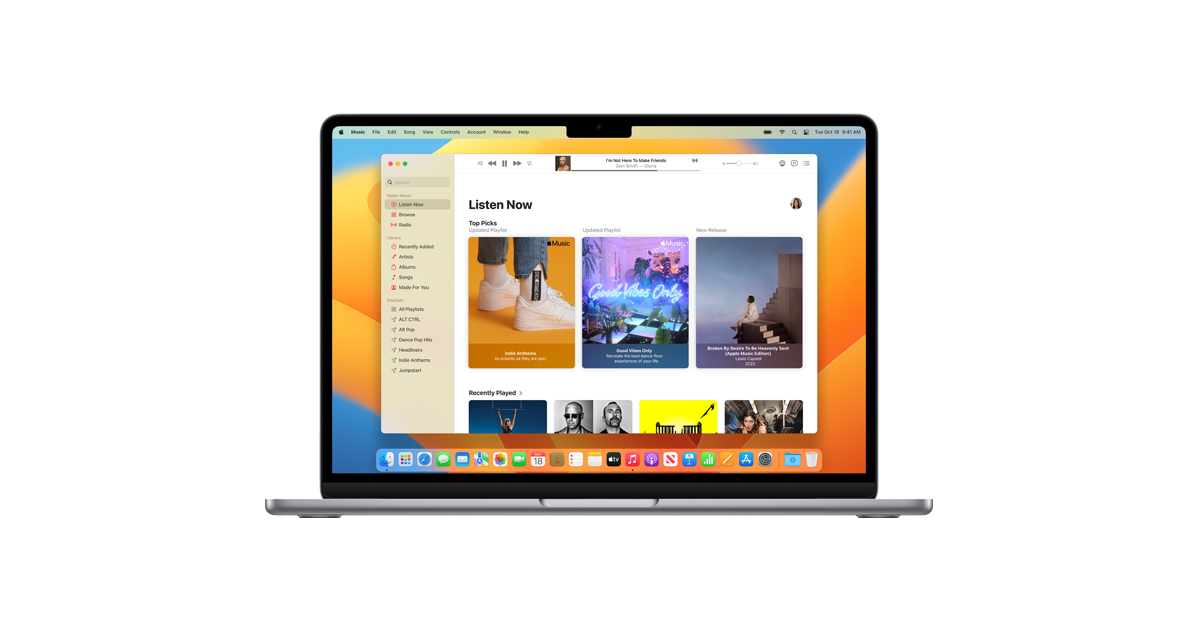
              The latest macOS offers the world’s best way to play — and add to — your collection of music, movies, TV shows, podcasts, audiobooks, and more.

              Comment

              • #8
                Nose Nuggets
                Calguns Addict
                • Apr 2008
                • 6801

                Okay, lets go about this from a different angle. As an IT provider, i hate it when my clients who themselves proclaim almost proudly "i dont know anything about computers" come at me with questions like "so i am moving my windows directory to the d:\ drive and need to resolve the errors its popping up".

                What are you trying to accomplish? I will do my best to provide you the most sensible path to that goal.


                a couple of points:
                1) i tunes just houses your music in their raw file form. music isn't 'hidden' in the iTunes application or file structure.

                2) taking your itunes or my music directory and moving it some place else with a drag and drop will likely cause more problems then you are willing to contend with

                3) if your sole objective is to "back up" your music in the event you lose it. THEN you can copy the entire contents of your my music directory to another volume.


                "It is to secure our rights that we resort to government at all." -Thomas Jefferson

                Comment

                • #9
                  freonr22
                  I need a LIFE!!
                  • Dec 2008
                  • 12945

                  can you put it in the icloud?
                  sigpic
                  Originally posted by dantodd
                  We will win. We are right. We will never stop fighting.
                  Originally posted by bwiese
                  They don't believe it's possible, but then Alison didn't believe there'd be 350K - 400K OLLs in CA either.
                  Originally posted by louisianagirl
                  Our fate is ours alone to decide as long as we remain armed heavily enough to dictate it.

                  Comment

                  • #10
                    newglockster
                    Senior Member
                    • Apr 2010
                    • 1592

                    Thanks for the replies!

                    To summarize: I was needing to know how to "backup" my itunes music so I wouldn't lose them if my computer crashed or what ever. Thanks to everyone's answers, I know how to do that now.

                    An additional question I have: Is there a way to transfer or extract music from itunes to a USB drive, or whatever, as MP3 files so that I can play them in a mp3 player, windows media player, email them, or save individually?
                    For example, since my car does not have an audio jack, I have a fm transmitter to play music through the radio. I put music files on a USB drive, plug it into my fm transmitter, and the songs are played through in my car speakers. That is one reason I would like to "extract" songs from Itunes; so I can load to a USB flash drive to play in my car.

                    Thanks!
                    John 3:16

                    Comment

                    • #11
                      chaunbot
                      Member
                      • Jul 2008
                      • 157

                      If all the songs were purchased from itunes you can re download them from apple. Upgrade iTunes and look for previous purchases on the right side.
                      free picture hosting by me
                      http://rap3d.net/upload/ No Limit, No Registering
                      http://os6.org Create tiny URL's, upload images also has a pastebin clone for sharing txt and code.

                      Comment

                      • #12
                        newglockster
                        Senior Member
                        • Apr 2010
                        • 1592

                        Originally posted by chaunbot
                        If all the songs were purchased from itunes you can re download them from apple. Upgrade iTunes and look for previous purchases on the right side.
                        Almost all were not purchased from itunes
                        John 3:16

                        Comment

                        • #13
                          hcbr
                          Veteran Member
                          • Jul 2010
                          • 4733

                          Originally posted by newglockster
                          Thanks for the replies!

                          To summarize: I was needing to know how to "backup" my itunes music so I wouldn't lose them if my computer crashed or what ever. Thanks to everyone's answers, I know how to do that now.

                          An additional question I have: Is there a way to transfer or extract music from itunes to a USB drive, or whatever, as MP3 files so that I can play them in a mp3 player, windows media player, email them, or save individually?
                          For example, since my car does not have an audio jack, I have a fm transmitter to play music through the radio. I put music files on a USB drive, plug it into my fm transmitter, and the songs are played through in my car speakers. That is one reason I would like to "extract" songs from Itunes; so I can load to a USB flash drive to play in my car.

                          Thanks!

                          Like i said, kingston wifi drive, trust me on this, it'll be easier for you to carry around and play your files wherever you go.
                          Be the change that you wish to see in the world.Mahatma Gandhi

                          "A bullet sounds the same in every language..."
                          Stewie Griffin (Family Guy Episode: Stewie Griffin: The Untold Story 2005)

                          Comment

                          • #14
                            Nose Nuggets
                            Calguns Addict
                            • Apr 2008
                            • 6801

                            Originally posted by newglockster
                            An additional question I have: Is there a way to transfer or extract music from itunes to a USB drive, or whatever, as MP3 files so that I can play them in a mp3 player, windows media player, email them, or save individually?
                            For example, since my car does not have an audio jack, I have a fm transmitter to play music through the radio. I put music files on a USB drive, plug it into my fm transmitter, and the songs are played through in my car speakers. That is one reason I would like to "extract" songs from Itunes; so I can load to a USB flash drive to play in my car.

                            Thanks!
                            Like i said before, nothing is "in" iTunes. iTunes is to music as Word is to word processing documents - its a program you use to open the file. so similarly to how your documents aren't in MS word so much as you use word to view them.

                            that being said, if the music you want to put on a USB drive is music you 'added' to iTunes as an MP3 then that MP3 file is just sitting on your computer, and you can do anything you want with it.

                            The easiest way to get to the file you want to copy is to open iTune, find the song you want to copy to your USB drive, right click it, and click Show in Windows Explorer. It will open an explorer window with the song selected.


                            "It is to secure our rights that we resort to government at all." -Thomas Jefferson

                            Comment

                            • #15
                              newglockster
                              Senior Member
                              • Apr 2010
                              • 1592

                              ^^^ That helps - thanks!
                              John 3:16

                              Comment

                              Working...
                              UA-8071174-1