Unconfigured Ad Widget

Collapse

SSD performance in home PC

Collapse
X
 
  • Time
  • Show
Clear All
new posts
  • resident-shooter
    Banned
    • Sep 2009
    • 2777

    SSD performance in home PC

    Is it really needed? I mean I run a RAID drive consisting of 6 hard drives (SATA 6 GB/S) and I kind of try to justify buying an SSD for programs, but then it already takes little time to load anything. So should I do it? Any real performance gain in home PC?
    22
    Hayla yes!!! Multitasks fast too
    0%
    17
    Not really, but gain is there
    0%
    3
    maybe...
    0%
    0
    Average gaming PC does not need that much speed.
    0%
    0
    Waste of money.
    0%
    2
  • #2
    2shotjoe
    CGN/CGSSA Contributor
    CGN Contributor
    • Feb 2011
    • 26548

    just is.
    Originally posted by Kestryll
    ..you're kind of a sad excuse for an attorney...
    Originally posted by Libertarian777
    ...Don't pick either side....

    Comment

    • #3
      Twofer
      Junior Member
      • Jul 2008
      • 93

      I think you're good with the RAID, but if you're going from a single disk to a SSD, it's well worth it. I picked up a Intel 320 120gb SSD and over-provisioned down to 100gb. It's fantastic. Windows loads in half the time. I run my Win7, programs, and select games from the SSD, but keep data and the rest of the games on the 1TB disk. I think my limiting factor is actually SATA 2, not the SSD.

      I hear the Intel 510's are badass.
      sigpic

      Comment

      • #4
        resident-shooter
        Banned
        • Sep 2009
        • 2777

        Originally posted by bloodhawke83
        just is.
        ???
        Originally posted by Twofer
        I think you're good with the RAID, but if you're going from a single disk to a SSD, it's well worth it. I picked up a Intel 320 120gb SSD and over-provisioned down to 100gb. It's fantastic. Windows loads in half the time. I run my Win7, programs, and select games from the SSD, but keep data and the rest of the games on the 1TB disk. I think my limiting factor is actually SATA 2, not the SSD.

        I hear the Intel 510's are badass.
        How does it multitask (read/write at the same time)?

        Comment

        • #5
          Nose Nuggets
          Calguns Addict
          • Apr 2008
          • 6801

          what kind of raid? some raid configs are slower then a single drive.

          6GB/s is probably more throughput then a 7200RPM platter drive has anyway.


          "It is to secure our rights that we resort to government at all." -Thomas Jefferson

          Comment

          • #6
            Twofer
            Junior Member
            • Jul 2008
            • 93

            I've never done any serious benchmarking on it, so I'll defer to the innanets for that.
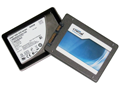
            Two more SSDs recently landed in our lab. We cover the "Postville Refresh" Intel SSD 320 and Crucial’s new m4, and stack them up against Intel's SSD 510 and OCZ’s Vertex 3. If you're shopping for an SSD, read this comparison before you make your choice.


            Seeking answers? Join the AnandTech community: where nearly half-a-million members share solutions and discuss the latest tech.
            sigpic

            Comment

            • #7
              resident-shooter
              Banned
              • Sep 2009
              • 2777

              Originally posted by Nose Nuggets
              what kind of raid? some raid configs are slower then a single drive.

              6GB/s is probably more throughput then a 7200RPM platter drive has anyway.
              This is what I have raided.

              Comment

              • #8
                Twofer
                Junior Member
                • Jul 2008
                • 93

                SSD


                Hitachi 1TB disk for comparison

                sigpic

                Comment

                • #9
                  whobob
                  OG on Calguns
                  CGN Contributor - Lifetime
                  • Nov 2006
                  • 967

                  SSD gave me a 7.7 WEI
                  sigpic

                  Comment

                  • #10
                    sholling
                    I need a LIFE!!
                    CGN Contributor
                    • Sep 2007
                    • 10360

                    A fast SSD (not all are all that fast) will boot up much faster and load programs faster. MY HTPC is a fairly clean Windows 7 Home Premium 64bit installation and with a basic AMD e350 APU, 8GB of RAM and a Crucial SSD. From power on to ready to use takes 30 seconds. That's pretty quick for an low power CPU and cheap 64GB SSD.

                    On the other hand it's going to take time to load the bios from your RAID controller and any other controllers. My main PC has 2 on board controllers and an add-on HW RAID5 controllers all of which have to do their thing. I'd say the SSD in that box shaves roughly 30 seconds off my fairly lengthy boot times. Application loads are also maybe 50% faster as long as you have enough RAM that you're not paging.

                    Something to keep in mind is that you want to minimize writes to the SSD to save wear and tear. I have an old WD Raptor that I keep my swap files and all of the temp files on, as well as the one write intensive Database.

                    I usually don't take Lifehacker seriously but this article is pretty good.
                    An SSD drive is a worthwhile investment , but like any storage device, it can fail. In fact, failing isn't that uncommon . As with your spinning dri
                    "Government is the great fiction, through which everybody endeavors to live at the expense of everybody else." --FREDERIC BASTIAT--

                    Proud Life Member: National Rifle Association, the Second Amendment Foundation, and the California Rifle & Pistol Association

                    Comment

                    • #11
                      resident-shooter
                      Banned
                      • Sep 2009
                      • 2777

                      THanks

                      Comment

                      • #12
                        Uriah02
                        Veteran Member
                        • Sep 2009
                        • 3149

                        I think we all know there is an improvement, the question is the increased preformance worth the extra cost and lower HD size... a quick look through on new egg you can get conventional 7200 rpm drive space for about $0.50/GB compared to an SSD which is averaging a bit more than $2/GB. So it costs 4x more but preforms less than 2x as fast... I think it is good to have a SSD for gaming/high speed demands and a conventional for storage as the norm has embraced.
                        sigpic
                        OIF 07-09 Veteran
                        NRA Endowment Member, CRPA Life Member

                        Comment

                        • #13
                          resident-shooter
                          Banned
                          • Sep 2009
                          • 2777

                          Originally posted by Uriah02
                          I think we all know there is an improvement, the question is the increased preformance worth the extra cost and lower HD size... a quick look through on new egg you can get conventional 7200 rpm drive space for about $0.50/GB compared to an SSD which is averaging a bit more than $2/GB. So it costs 4x more but preforms less than 2x as fast... I think it is good to have a SSD for gaming/high speed demands and a conventional for storage as the norm has embraced.
                          That is exactly what got me thinking. Its fast, aight, but is an SSD fast enough to make it worth buy over a RAID drive that combines 2 hard drives, each with 32 mb cache, 7200 rpms, and 6 gbs interface???

                          Comment

                          • #14
                            Twofer
                            Junior Member
                            • Jul 2008
                            • 93

                            Well, I look at the SSD and Disk as two different animals. The SSD for stuff I want fast. Like the OS, Photoshop, and Black Ops.

                            However my collection of cat pictures and other games can go on the 1gb disk. Also SSD's have a limited number of read/write cycles per block... but it's a lot.

                            http://www.tomshardware.com/forum/26...ite-limit-ssds

                            As an example of endurance, Intel rates its 160GB X-25M G2 drives with a lifetime of "at least" 5 years even if you write 20GByte per day to them. I've used one in my Windows 7 system for well over a year now and it's averaged about 5GBytes worth of writes per day - so on that basis I'd expect it to last around 20 years.
                            Resident, I'd be interested to see what your RAID setup comes up with on benchmarks.

                            sigpic

                            Comment

                            • #15
                              bruss01
                              Calguns Addict
                              • Feb 2006
                              • 5336

                              I've researched this.

                              You need tandem disks. Put your OS and programs on the SSD. Put your bulk storage (photos, documents, internet downloads, pr0n) on a regular disk. That way the things that need speed to and from the cpu & memory get it. The bulk storage that just takes up space... has plenty to sprawl in. No sense paying top dollar just to house your high school yearbook or family vacation photos in.

                              This way you get the best of both worlds. Speed for the things that cost you the most time, repeatedly (boot up, launching programs, operating programs) and you get vast fields of cheap bulk space for the things you access only occasionally.
                              The one thing worse than defeat is surrender.

                              Comment

                              Working...
                              UA-8071174-1
