Reopening Part Deux! We have a more powerful server, twice the CPU and four times the RAM.
I'm kind of afraid to say this but... let's stress test this thing!
Update the BIOS, and if that doesn't solve it then call MSI tomorrow. Windows 7 64 bit has no issues using more than 3GB of RAM, so that's not it(if you're actually using the 64bit version). Aero or any other tweaks for windows have nothing to do with this(and aero works fine when you're using more than 3GB of RAM anyway).
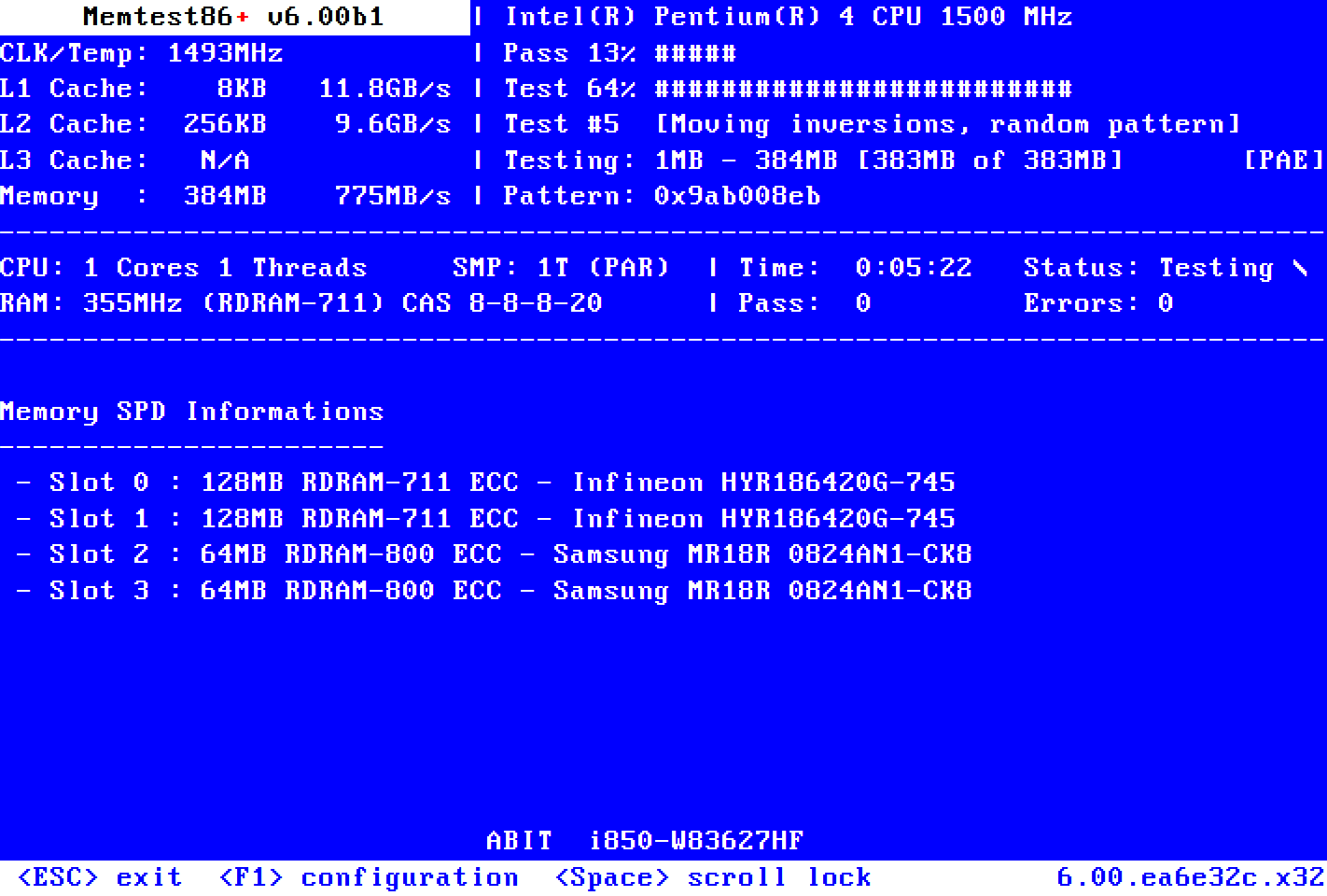
In the meantime I'd suggest getting and running memtest like someone else already pointed out.
I updated the BIOS but it still didn't work. If fact I managed to cause some other clitch which prevents Windows from finishing loading now. Was working fine last night so I'm not sure what I did .
I'm wondering if its even the MB since it does detects the 6GB of RAM in BIOS and Window says 6GB, just only 3GB is usable. Is there a way the 64 bit can be switched to 32 bit and back? I wonder if maybe mine is running in 32bit mode for some reason.
I double checked even the Window's CD and packaging and it says its the 64bit version. System properties says 64bit system as well so I'm pretty sure its Windows 7 64bit.
Your computer's hardware and Windows 7 limit the amount of memory that your computer can use. In the case of 32-bit operating systems, that limit is 4GB of RAM. 64-bit operating systems can use much more. However, if your Windows 7 64-bit PC is having trouble recognizing all of the RAM in your computer, there
Memtest86+ is an advanced, free, open-source, stand-alone memory tester for 32- and 64-bit computers (UEFI & BIOS supported)
If memtest shows 6GB and runs clean, then try a reinstall of Win7. Create an image backup of your current install first, in case it turns out to be a setting in the end...
I have 6GB of RAM installed and system recognizes it however there is only 3GB usuable. I have tried going into msconfig => system config => boot tab => advanced options => unchecked the "maximum memory" option" but it still doesn't work for me. I've also gone into the BIOS and don't see anything there as well.
My build is Windows 7 (64bit), 6GB Cosair RAM, MSI X58A-GD45 motherboard, 2 x Sapphire 1GB 5770, intel i7-950, etc...
I have the same exact problem... I have 8.00GB installed and it says only 4.00GB usable and I have a 64-bit windows 7 OS. Even in my BIOS it says 4096 MB. This is a common problem I see everywhere but i still have yet to find an answer.
Originally posted by cudakidd
I want Blood for Oil. Heck I want Blood for Oil over hand wringing sentiment!
I have the same exact problem... I have 8.00GB installed and it says only 4.00GB usable and I have a 64-bit windows 7 OS. Even in my BIOS it says 4096 MB. This is a common problem I see everywhere but i still have yet to find an answer.
Check your BIOS settings, update the BIOS, and call the motherboard manufacturer. Not every brand of ram in every configuration works with every board/bios properly.
Check your BIOS settings, update the BIOS, and call the motherboard manufacturer. Not every brand of ram in every configuration works with every board/bios properly.
Checked the BIOS, updated it and it went from 3.25 GB usable to 4.00GB or something like that. I believe when I checked it said my ram was supported.
Originally posted by cudakidd
I want Blood for Oil. Heck I want Blood for Oil over hand wringing sentiment!
I've gone down this road with my 1366 builds, and it was irritating as hell to trace down and fix.
My situation, my computer would only see 4GB out of 6GB ram installed (3x2).
The problem:
I'm running Thermalright Venomous-X coolers on the majority of my 1366 machines. When tightening the heatsink (Ven-X) down, I was putting too much pressure on the socket, and that extra pressure was causing the memory problems. The solution was that I needed to take everything apart; remove cooler AND remove and reinstall CPU. Removing and reinstalling the CPU here was a step I couldn't skip...if I didn't remove/reinstall, my problem would remain.
If you are running an aftermarket cooler, make sure you're not putting a great excess of force down on the socket. If you're familiar with the Ven-X, you have the mounting system, and then an extra knob in the center of the mounting bracket which you can tighten to exert more force from the cooler to the CPU. That extra knob in the center is the one that fcuks me up. Now, I don't even put ANY extra pressure down with that center knob, I just unscrew the knob completely and ever since then, I've not had a memory problem on all (6) of my 1366 builds.
I'm hoping the excess socket pressure is the problem for you since it's an easy fix!
I've gone down this road with my 1366 builds, and it was irritating as hell to trace down and fix.
My situation, my computer would only see 4GB out of 6GB ram installed (3x2).
The problem:
I'm running Thermalright Venomous-X coolers on the majority of my 1366 machines. When tightening the heatsink (Ven-X) down, I was putting too much pressure on the socket, and that extra pressure was causing the memory problems. The solution was that I needed to take everything apart; remove cooler AND remove and reinstall CPU. Removing and reinstalling the CPU here was a step I couldn't skip...if I didn't remove/reinstall, my problem would remain.
If you are running an aftermarket cooler, make sure you're not putting a great excess of force down on the socket. If you're familiar with the Ven-X, you have the mounting system, and then an extra knob in the center of the mounting bracket which you can tighten to exert more force from the cooler to the CPU. That extra knob in the center is the one that fcuks me up. Now, I don't even put ANY extra pressure down with that center knob, I just unscrew the knob completely and ever since then, I've not had a memory problem on all (6) of my 1366 builds.
I'm hoping the excess socket pressure is the problem for you since it's an easy fix!
Hmm. But when you checked under your system config did it say 6GB installed and then in parentheses 4GB usable? Because I'm running a stock fan on my CPU and didn't press hard at all when installing.
Originally posted by cudakidd
I want Blood for Oil. Heck I want Blood for Oil over hand wringing sentiment!
But what did the board manufacturer say when you called?
It was a long time ago but they didn't really know and they started making ridiculous excuses like my MB was rerouting the memory for my graphics card even though my graphics card has it's own damn memory which is completely different then the standard memory and it definitely wasn't the case because I messed around with the BIOS settings and it didn't even say there was 8 gigs. I might call them again and see if I can get someone competent on the line.
Originally posted by cudakidd
I want Blood for Oil. Heck I want Blood for Oil over hand wringing sentiment!
Hmm. But when you checked under your system config did it say 6GB installed and then in parentheses 4GB usable? Because I'm running a stock fan on my CPU and didn't press hard at all when installing.
Yup, I had the 6GB installed (4 usable) thing. So if you aren't using a aftermarket cooler, that makes my "solution" less viable. You might want to still remove/reseat the CPU and while you have the CPU removed, checked for any bent/damaged pins in the socket.

 Tweet
Tweet

 .
.




Comment