

 Tweet
Tweet
I use Dashlane. I like it pretty well.
-
-
Another keepass user here.They have plugins that will do automatic form fill as well as synchronize to Onedrive. I am not a proponent or fan of using online services to store passwords for sensitive information . If you choose to use keepass I would also recommend using a key file stored separately from the database.
ETA:
Think your password is secure try this site. Obviously I don't suggest you use your actual password
Last edited by DGoodale; 03-18-2021, 6:08 PM.Comment
-
Thermidorian Reaction . . Prepare for it.We know they are lying, they know they are lying, they know we know they are lying, we know they know we know they are lying, but they are still lying. ~ SolzhenitsynComment
-
My work locks down personal Onedrive accts, but Win and Oraface is so integrated with OneDrive, there are ways to let them auto-re-enable... N-E-Wayz.
I keep a separate PASSWD XLSX password prot'd for my personal stuff at home, NOT on OneDrive.
When I asked M$ support if they parse data in spreadsheets, they specifically mentioned that they offer free OneDrive data storage with Oraface 365... ... ...

FTPLast edited by the86d; 03-25-2021, 1:02 AM.Comment
-
The tradeoffs I see with password managers is that they are very sticky platforms, meaning once you buy in, it's very difficult to get out.
That said, I would go with one of the major providers (lasspass or 1password). The last thing you want to do is have your the company for your password manager go bankrupt.
But getting a password manager was one of the best decision I have made. With companies imposing arbitrary password restrictions, it made remembering my passwords difficult to say the least. Now I never have worry, and it only cost me 2 bucks a monthComment
-
op, i use lastpass which is arguably the best and easiest to use across multiple platforms.
the others lack either refinement or have trouble with some sites and their password requirements.
make sure to enable multi-factor authentication using the lastpass app on your phone with either password or biometric setup.
thycotic is also good if i wasnt using lastpass, id use it over anything else.
maybe a long time ago, the last 2 or 3 versions of Excel offered aes256 encryption. youre not breaking that anytime soon.Comment
-
Another vote for keepass (and variants/forks). Runs on anything."He is no fool who gives what he cannot keep to gain that which he cannot lose." - Jim ElliotComment
-
I was using keepass for a long time and still do in some cases. I've more recently been using bitwarden and love it. You can pay $10/year for their cloud solution or you can host your own bitwarden server for cloud based password manager.Comment
-
I do not trust any app to hold my passwords for me, How do you know how secure it is?
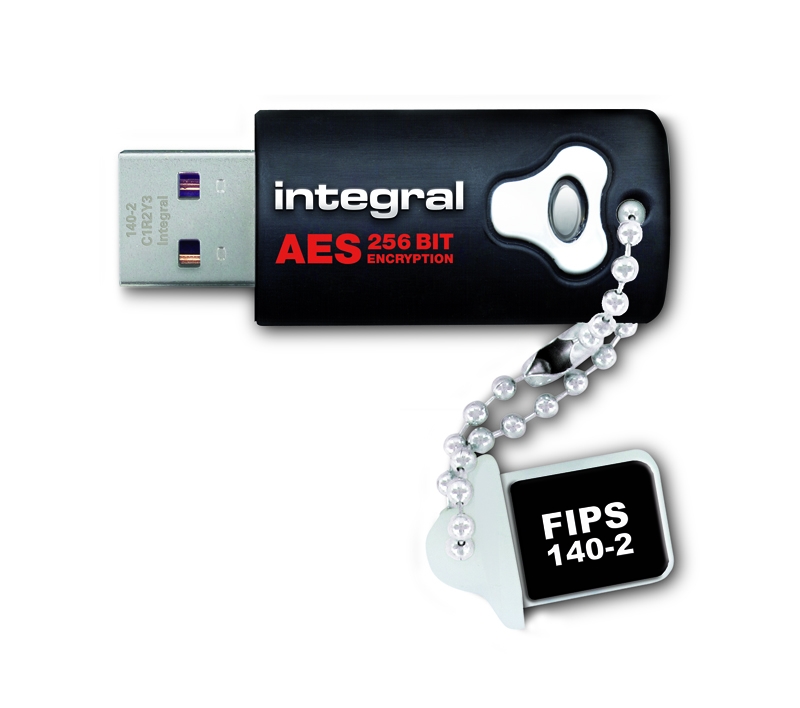
I keep all my passwords/usernames in a spreadsheet document. The document is nice because it has a search function. That spreadsheet is not stored on my pc. I keep it on an encrypted thumb drive. I have 3 of these encrypted drives, One as a main and the other two as backups. Each kept separate from the others. One in a fireproof box inside my safe, and the other two other places. If I need to look up a password I will use the encrypted drive to look at the spreadsheet then lock it back up. I must have a few hundred passwords for all kinds of sites, email accounts, Account numbers, contacts, and other stuff. I never use the same password twice. The encrypted drive has a long password that I must keep memorized, Random upper and lowercase letters, Numbers and non-alpha-numerical characters. I only really need to remember one single password. If someone tries to access the drive and gets the password wrong 5 times, the drive wipes itself. I even have an old laptop that is not connected to the internet and I will use that to plug the encrypted thumb drive and view the document. Just in case there might be malware or something on my main pc that might capture and share that document.

 Last edited by CaliforniaCowboy; 05-17-2021, 2:11 AM.https://thedeplorablepatriot.com/
"A Holocaust survivor dies of old age, when he gets to heaven he tells God a Holocaust joke. God says, That isn't funny. The Old man tells God, well, I guess you had to be there."Comment
-
Bitwarden and keepass are open source. So you can look at the program, build it yourself if you choose or understand there it a community of people looking at all the code.
Let's assume you have a USB drive that uses good encryption. It's not a given as there are several that don't. You have secured your data while "at rest".
The trouble you have is a spread sheet isn't written to provide high security. So they can do things like write data to temporary files, store data in memory in unsafe ways. It's not a fault if the spread sheet is just not the right tool for the job. The developers might choose performance or capability before security.
With security like most things it's all a tradeoff. If you are willing to accept the risks of your preferred solution that's great. Just be sure to understand all those risks.
Not using the same password is a very good start. Most of these password managers can generate random passwords of a size and character set you choose. Random numbers used to be a hard thing for computers but most CPUs can now be a decent source of random data.
If you want to really step up your security use two factor or multi factor where ever you can. If you have a choice of different multifactor options try to avoid ones that send sms or call your phone. Those methods are not very good and have been attacked serval ways. The most common being someone calling your cell service provider as you and telling them you lost your phone and need a new sim card. Sometimes that scam uses insiders as well. Most authenticator apps by reputable venders are better. Most of those keep a large random number which is combined with the current time to give you a 6 digit pin. Many of those sms systems do the same thing it's just they txt you the code instead of using an app on your device to generate it.
There are a few hardware dongles that provide some of the best security. Yubikey is a good example. Most of those support many different protocols eg CAC card if you were in the military. They can also emulate a keyboard and enter one time passwords directly.Comment
-
i use last pass but never for anything financial, medical, etc. not even amazon/ebay. those i memorize. I do something similar to Marauder2003 but no personal info in there.
sometimes a PITA and have to use email me my password or do a reset.Comment
-
I use Enpass. It is NOT sync'd to the cloud or some servers somewhere.Comment
-
Another happy Keepass user here. I used to keep all of my passwords in my head, but was convinced to use a manager / generator after I got married, so we could both manage everything and have access to accounts if for some reason one of us was incapacitated or unavailable.sigpic
Originally posted by Wernher von BrowningA people whose only powers, liberties & remedies are those strictly defined by the State is not a free people at all.Comment
-
Another Lastpass user
Comment


There are currently 14608 users online. 122 members and 14486 guests.
Most users ever online was 239,041 at 10:39 PM on 02-14-2026.


Comment