Unconfigured Ad Widget

Collapse

Recommend an E-Mail App

Collapse
X
 
  • Time
  • Show
Clear All
new posts
  • Phil3
    Senior Member
    • Oct 2008
    • 2249

    Recommend an E-Mail App

    At present, I have e-mail with Comcast, but since we are likely moving, I doubt we will have Comcast, meaning I will need a new e-mail platform. Ideally, one that is not tied to the ISP (i.e., Comcast). I have experience with Google's G-mail, Microsoft's Outlook.com (I have Office Outlook I use for Comcast e-mail). Please share recommended e-mail apps that I can take with me, regardless of where I move to. Getting everything moved to a portable e-mail now, means one less hassle when I do move.

    As an aside, I am OK with G-mail and Outlook.com, but do wish they had a richer feature set. I guess I can use my Office Outlook application to see e-mails that way. For e-mail, I would would like strong security, spam filtering, and a clean interface.

    Thanks.

    Phil
  • #2
    Marauder2003
    Waiting for Abs
    CGN Contributor - Lifetime
    • Aug 2010
    • 3014

    You are asking 2 questions.

    1. How you get your email.
    2. Where your email is stored.

    2. You want a domain you own and a email service that supports POP3 which I prefer. Most folks use IMAP.

    1. The program you use to retrieve the mail depends on you and your device. I use Outlook 2010 on my PC, the default email program on my iPad and K-9 Mail on my Android.

    My stock email answer is below.

    This is why I have a junk email domain. Choose a vendor, buy a domain and an email account. Set the email address as a catch all account. So with a domain myjunkmail.com you would have an actual email address of myname@myjunkmail.com. As a catch all address anything sent to @myjunkmail.com will be accepted.

    When signing up to a site use an email address that has a hint of the site in the email address. Examples:

    Calguns would be calguns@myjunkmail.com
    1911forum would be 1911@myjunkmail.com
    Corvetteracing.com would be corvette@myjunkmail.com

    Because myname@myjunkmail.com is a catch all account any mail sent to any of the above addresses would show in Outlook or however you get mail. If a data breach occurs and you start getting viagra pill ads sent to calguns@myjunkmail.com you can go to the web interface of the email account and set some rules that will send calguns@myjunkmail.com mail directly to the delete folder. Outlook will never see them. Every couple of months you use the web interface and clean out the delete folder. And you change the email address in Calguns to be calguns1@myjunkmail.com. This setup also allows you to see who sells your email address.

    I once signed up to lowermybills.com. Big mistake. I have emails from Optima Tax Relief, a home security company and FHA Approval company. All addressed to lowermybills@xxxxxxx.com.

    Doing this allows one to keep their personal email address relatively free of junk.
    #NotMyPresident
    #ArrestFauci
    sigpic

    Comment

    • #3
      vino68
      Senior Member
      • Jul 2016
      • 1622

      Either have your mailboxes hosted with Google or Office 365. I prefer Office 365, either a E1 or E3 plan for simple use. Google still uses IMAP, Office 3645 uses Active Sync.
      You can find providers for backing up either host.

      Comment

      • #4
        lazyworm
        Senior Member
        • Jan 2006
        • 1642

        unless you NEED Google, MSFT or Apple. Proton Mail is a great choice.

        Proton Mail is the world’s largest secure email service with over 100 million users. Available on Web, iOS, Android, and desktop. Protected by Swiss privacy law.

        Comment

        • #5
          MrFancyPants
          Senior Member
          • Jun 2017
          • 1160

          You wish Outlook.com had a richer feature set? It's almost identical to O365. What's it missing that you want? Especially if you use Outlook on your PC, it doesn't get any more fully featured than that.

          I can understand your feeling that way about Gmail. It has the most simplistic, least intuitive interface I've ever used. Garbage.

          Sent from my SM-N960U using Tapatalk

          Comment

          • #6
            vino68
            Senior Member
            • Jul 2016
            • 1622

            Originally posted by MrFancyPants
            You wish Outlook.com had a richer feature set? It's almost identical to O365. What's it missing that you want? Especially if you use Outlook on your PC, it doesn't get any more fully featured than that.

            I can understand your feeling that way about Gmail. It has the most simplistic, least intuitive interface I've ever used. Garbage.

            Sent from my SM-N960U using Tapatalk
            I had dinner with some Google execs a few years back, they took me out to pontificate about Gsuite. The execs were all millennial, they could not understand how their interface flummoxed my users. Most of whom were baby boomers, especially the board. You can use their Outlook sync tool, it works.

            Comment

            • #7
              holt7153
              CGN Contributor
              • Aug 2010
              • 1877

              Originally posted by lazyworm
              unless you NEED Google, MSFT or Apple. Proton Mail is a great choice.

              https://protonmail.com/
              I heard many good things about Proton Mail so I gave it a shot and like it so far.
              sigpic

              Comment

              • #8
                lowracer
                Member
                • Nov 2008
                • 360

                +1 for Protonmail.com

                Comment

                • #9
                  Phil3
                  Senior Member
                  • Oct 2008
                  • 2249

                  Originally posted by MrFancyPants
                  You wish Outlook.com had a richer feature set? It's almost identical to O365. What's it missing that you want? Especially if you use Outlook on your PC, it doesn't get any more fully featured than that.

                  I can understand your feeling that way about Gmail. It has the most simplistic, least intuitive interface I've ever used. Garbage.

                  Sent from my SM-N960U using Tapatalk
                  I have Microsoft OUTLOOK, found in my Office Professional 2013 currently on my desktop computer. It is used to handle my Comcast we-mail. This has a robust set of features. I access this e-mail on my phone using the Comcast e-mail app. I also have Microsoft OUTLOOK.COM, which I find weakish on features. I do not know anything about Office 365, so cannot comment on your thoughts regarding it.

                  It may help to better explain the goals.

                  1) Find an e-mail provider that allows me access to my e-mail regardless of where I live or where I am (not an ISP provider).

                  2) Use a full featured e-mail interface.

                  3) Performs so that any deletions, folder movement, mail created, etc, done on one device will be seen on all devices.

                  I am no expert in this area, so please forgive any naive questions or content.

                  Thanks.

                  Phil

                  Comment

                  • #10
                    Phil3
                    Senior Member
                    • Oct 2008
                    • 2249

                    Regarding Proton, the following review gives me some pause.

                    Packed with features like a VPN and password manager – alongside great secure email


                    What say you Proton users?

                    Comment

                    • #11
                      sholling
                      I need a LIFE!!
                      CGN Contributor
                      • Sep 2007
                      • 10360

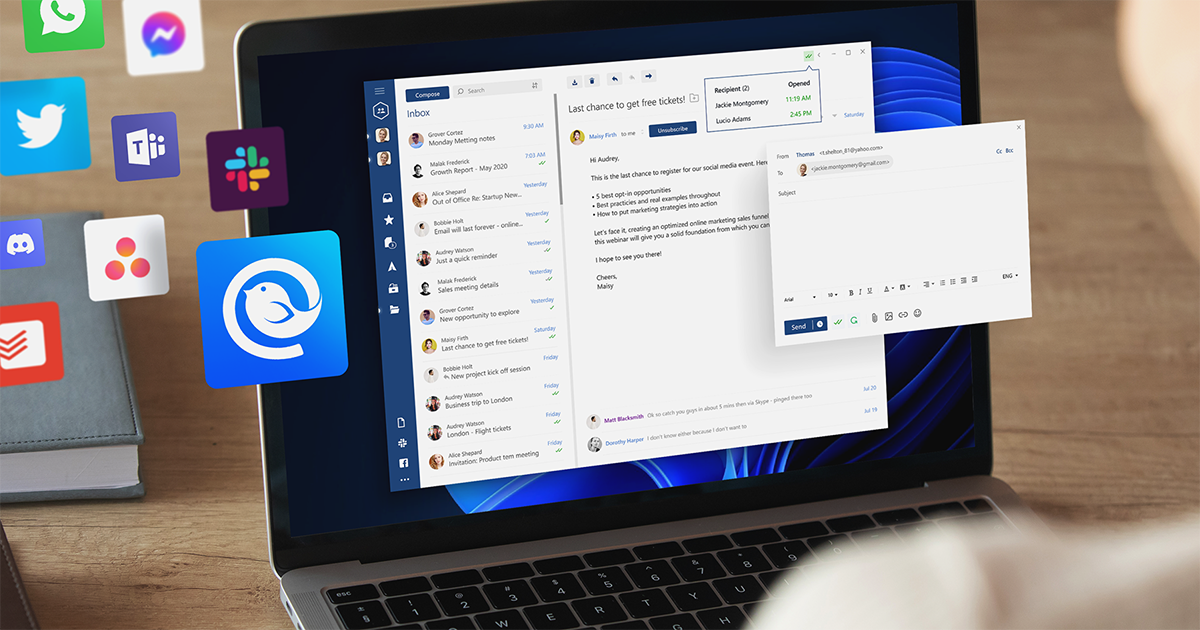
                      I used Outlook for years and still would if I still used Exchange. Now that I'm using multiple internet email services (and not Exchange) I use and like Mailbird on Windows. It allows you to use pop3 or IMAP and to setup a common inbox for all so that I don't have to check multiple accounts. Check out the free trial.

                      Manage multiple accounts with the best email client for Windows and Mac in 2026. Download the #1 email client program free Now.
                      Last edited by sholling; 09-04-2019, 9:23 PM.
                      "Government is the great fiction, through which everybody endeavors to live at the expense of everybody else." --FREDERIC BASTIAT--

                      Proud Life Member: National Rifle Association, the Second Amendment Foundation, and the California Rifle & Pistol Association

                      Comment

                      • #12
                        bigbearbear
                        Calguns Addict
                        • Jun 2011
                        • 5378

                        Originally posted by Phil3
                        1) Find an e-mail provider that allows me access to my e-mail regardless of where I live or where I am (not an ISP provider).

                        2) Use a full featured e-mail interface.

                        3) Performs so that any deletions, folder movement, mail created, etc, done on one device will be seen on all devices.

                        I am no expert in this area, so please forgive any naive questions or content.

                        Thanks.

                        Phil
                        You should check out Office 365 Personal edition if this is only for yourself. They offer a free trial. You'll have access to the full feature MS Outlook email client software.

                        Comment

                        • #13
                          Phil3
                          Senior Member
                          • Oct 2008
                          • 2249

                          Originally posted by bigbearbear
                          You should check out Office 365 Personal edition if this is only for yourself. They offer a free trial. You'll have access to the full feature MS Outlook email client software.
                          It is only for myself. I have Office Pro 2013 already, and like Outlook that is with it. I am unsure on what e-mail provider to use that I can use with Outlook.

                          Comment

                          • #14
                            ocabj
                            Calguns Addict
                            • Oct 2005
                            • 7924

                            My personal email is MX'ed with Google Mail / G Suite. I have a few domains in G Suite back when it was still free (grandfathered in so I'm not paying fees).

                            I honestly wish I moved my primary personal domain to O365 back when it was still free, too. I prefer calendaring in O365/Exchange a lot more than Google Calendar.

                            Distinguished Rifleman #1924
                            NRA Certified Instructor (Rifle and Metallic Cartridge Reloading) and RSO
                            NRL22 Match Director at WEGC

                            https://www.ocabj.net

                            Comment

                            Working...
                            UA-8071174-1