Unconfigured Ad Widget

Collapse

Using hotel internet

Collapse
X
 
  • Time
  • Show
Clear All
new posts
  • sigstroker
    I need a LIFE!!
    • Jan 2009
    • 19682

    Using hotel internet

    Internet in hotels these days is usually wifi. It's a lot cheaper to set up than hardwired ethernet. My problem is I have some devices I'd like to travel with that are only ethernet-enabled, like work laptop, etc.

    I understand I can get a gadget called a bridge that would allow me to connect my ethernet cabled devices to wifi? The descriptions I read make it sound like they are intended for other purposes, but would one work for what I need?

    The next issue would be security on the wifi. Since I don't have control over the router like I would with a home network, am I just out of luck wrt security? Are the various encryptions I can set just completely inadequate?
  • #2
    nick
    CGN/CGSSA Contributor
    CGN Contributor
    • Aug 2008
    • 19151

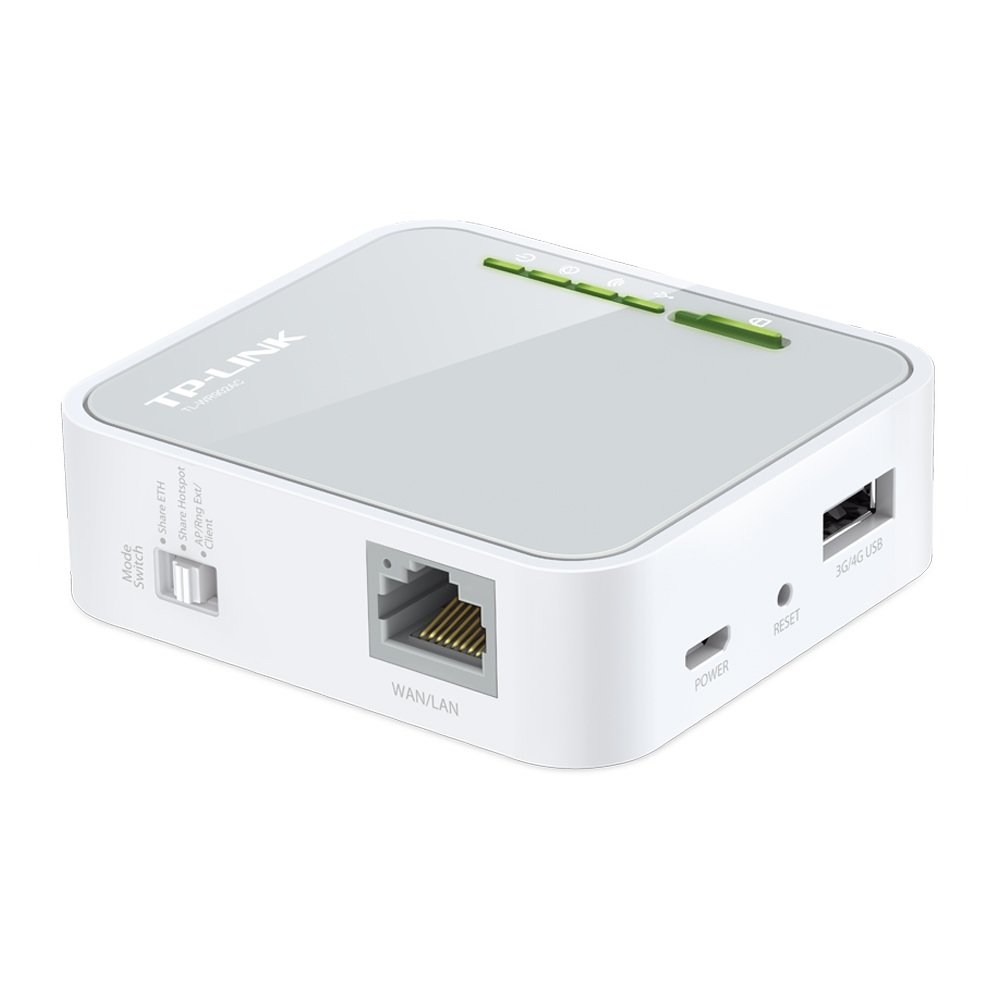
    You can always get a travel router. They're tiny, but decent. I have a travel router and switch, and connect the router to hotel's wifi or wired connection, and then connect my devices through it.
    DiaHero Foundation - helping people manage diabetes. Sending diabetes supplies to Ukraine now, any help is appreciated.

    DDR AK furniture and Norinco M14 parts kit: https://www.calguns.net/calgunforum/....php?t=1756292
    sigpic

    Comment

    • #3
      diveRN
      Senior Member
      • Dec 2012
      • 1743

      Regarding your laptop, does it have a USB port and will your IT folks allow you to install software? If yes to both, consider a USB wifi adapter.

      I put one of these on an old HP desktop PC out in my shop where I have no wired access. Works great.

      Comment

      • #4
        the86d
        Calguns Addict
        • Jul 2011
        • 9587

        The biggest benefit is using all of your devices from the same MAC/IP is that you only have to agree once per 24 hour period, and only on the device connected to the WiFi. During multi-day stays, one has to agree to the TOS/conditions once per-day, per-device, if using multiple devices. Many times I was always unable to agree to the TOS with an older Roku, even though there is a browser, and have to do the Roku pass-through-browse trickery, which didn't always work.

        I was using an application called Virtual Router Plus to share to a second WiFi NIC, which worked kind of well, but this was before I had any 5GHz N devices, and had no N NICs to share from. Whenever possible I bring and use a full-size (I don't have a mini, and the OT paid for the router in a cheap-wash) wired N router I always bring to hotels so I can use 5GHz, as there is WAY less bandwidth saturation/congestion.

        If I ever have to stay at the Hilton Garden in Fontana again (drive, so no 2-bag airport limitation), I am bringing a Xirrus, and use the WiFi analyzer to see how bad it really is, to get a screenscrape. Worst hotel WiFi I have ever used, during even non-peak hours, so I commonly tethered to my phones instead, especially using 5GHz 802.11N.
        Last edited by the86d; 02-07-2019, 4:28 AM.

        Comment

        • #5
        • #6
          local_nobody
          Member
          • Dec 2012
          • 320


          have an older version of this. very versatile.

          just make sure you have dhcp shut off. i forgot once, and some hotels' it staff gets kind of pissy about you causing issues with their net....got pulled out of a wedding reception over it once when i missed that post-factory-reset.

          Comment

          • #7
            the86d
            Calguns Addict
            • Jul 2011
            • 9587

            I was looking at that one, however I don't see 5GHz anywhere in the Amazon description...
            Does it support 5GHz?

            The MFR web page on the TL-WR802N model doesn't even show 5GHz.
            "2.4-2.4835GHz", although 300N is stated.

            5GHz circumvents all the ~2.4GHz saturation at hotels.
            Even wireless tethering to 2.4GHZ on my phones was horrible during peak (normal people awake) times.
            USB, or 5GHZ tethering helped a lot.

            I bought 2 tablets that stated they were 802.11N compatible, but apparently, after some research "802.11N compatibility" does not require 5GHz, so I had to buy another that specifically stated 5GHz in the specs. as all my other devices support 5GHZ OOTB, except the tablets.

            This <$45 AC model (same make) might be better?
            Last edited by the86d; 02-11-2019, 4:59 AM.

            Comment

            • #8
              Gregchico
              Vendor/Retailer
              • Dec 2006
              • 2377

              Originally posted by the86d
              I was looking at that one, however I don't see 5GHz anywhere in the Amazon description...
              Does it support 5GHz?
              The one I linked is only 2.4.
              When traveling, even with the family I have less than 10 devices that I would be wanting a WiFi connection for and this device has never had a problem. Granted my usage is just family stiff, not top secret/ninja/tactical stuff. Hotels, Starbucks, what ever, never been an issue with this. I really like the fact it is usb powered so I can just velcro it to the back of a laptop and not think about it again.

              If channel saturation is the main concern, you can pick your channel that it will transmit on, but that is about it.

              It looks like other one you reference with 5ghz would be a nice choice also, i just don't have no experience with it. It also appears to be USB powered, so I consider that a plus.

              Comment

              • #9
                the86d
                Calguns Addict
                • Jul 2011
                • 9587

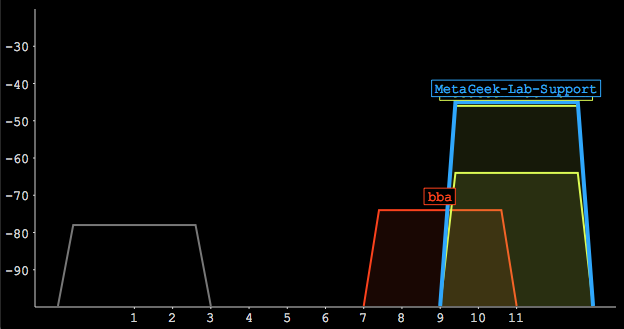
                There are only 3 channel bands on 2.4GHz, the rest overlap...1, 6, &11, More like string of freqs... Or blocks of freqs...

                I am surprised you don't have issues... But if it works for for $25, then rawk-IT.
                Last edited by the86d; 02-11-2019, 11:30 AM.

                Comment

                • #10
                  sigstroker
                  I need a LIFE!!
                  • Jan 2009
                  • 19682

                  I don't see where I can plug in my ethernet devices, which is what I said I need in the OP.

                  Comment

                  • #11
                  • #12
                    the86d
                    Calguns Addict
                    • Jul 2011
                    • 9587


                    ~$45

                    I'll prolly get one of these... with as much travel as I am expecting.

                    I am not very fond of Mexico's no carrying blade laws, and if they ever send me to Aus., or the UK, I am not sure I'd like that much either... but I am SURE the brew would be good.

                    The TL-WR902AC is only $39 on eBay...
                    Last edited by the86d; 02-12-2019, 7:29 PM.

                    Comment

                    • #13
                      sigstroker
                      I need a LIFE!!
                      • Jan 2009
                      • 19682

                      I need at least two holes for ethernet cables.

                      Comment

                      • #14
                        the86d
                        Calguns Addict
                        • Jul 2011
                        • 9587

                        Originally posted by sigstroker
                        I need at least two holes for ethernet cables.
                        Can't you have the commies loosen-up the "pinko" on the device, maybe by requesting they add you to the Local "Network Configuration Operators" group so you can actually use industry standard Wireless tech that has been around for 15 years+?

                        This is ~$70, but w/"2 LAN" ports.


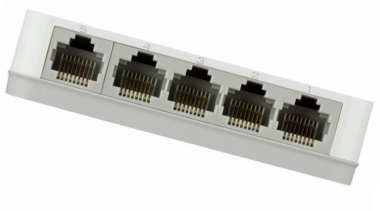
                        Alternatively, even though inconvenient for packing, a D-Link DGS-1005G 5-Port Gigabit Desktop Switch is only $15 NIB, shipped. I am just saying...
                        The GO-SW-5G is even more compact, and only $16 on eBay.


                        With the requirements you have, maybe 2 devices would be a better option?

                        (Then again, I recall stringing a router to the wall on the desk, another cable drooping to the Roku, which was then connected via HDMI to the TV... )
                        Last edited by the86d; 02-13-2019, 2:27 AM.

                        Comment

                        • #15
                          Fizz
                          Senior Member
                          • Feb 2012
                          • 1473

                          Work laptop may be ethernet only one response to policy. They may not want you on wireless period. Sidestepping that may be a violation.

                          If I was your IT admin I could be 95% certain that you were using a bridge device to sidestep a wireless prohibition by looking at the latencies from your device to the gateway on whatever network you're on. Even if you used a device that was a gateway to bridge to the wireless on the WAN side I could tell by seeing that the route likely goes through multiple private IP ranges and respective latencies between. Meaning, wifi data takes longer to send and receive and it's a giveaway for certain network paths.

                          Basically, if I was part of engineering a policy and technology to prevent users from being on wireless, I would also implement circumvention detection. Most IT departments aren't THAT thorough, but you never know.

                          Policy aside. If you have a personal laptop, you can connect it to wifi and then bridge the WiFi and Ethernet adapters. Then plug the work laptop into the personal laptop. This will masquerade as a wired connection, even though you have a wireless link in the path.

                          Dirty solution, but doesn't involve extra equipment to pack.

                          Comment

                          Working...
                          UA-8071174-1