

 Tweet
Tweet
I just thought I'd mention it in case you want to do something with old hardware, you can run most SSDs off the power from a USB header.
Most USB 2.0 headers let devices use up to .5 amps at 5v.
The first SSD I knew of that was widely popular was the Crucial M4, while riddled with a 5200 hour bug, only draws .15W:
"Power Consumption (Idle): < 65 mW
Power Consumption (Active): 0.15W"
Some years ago my Slackware box died due to bad caps, and I didn't want to buy a new board, and I had an older thin client laying around with a SATA data header on board, so I decided try my luck running a lower-power box. There was but no SATA or 4 pin peripheral power cable, and since I couldn't find any commercially available USB to SATA power adapters, I soldered a SATA connector to a 4 pin USB IDC Motherboard Header 's power. I had no shrink tubing at the time, so I electrical taped the soldered portions of the rigged cable, and we were off to the races.
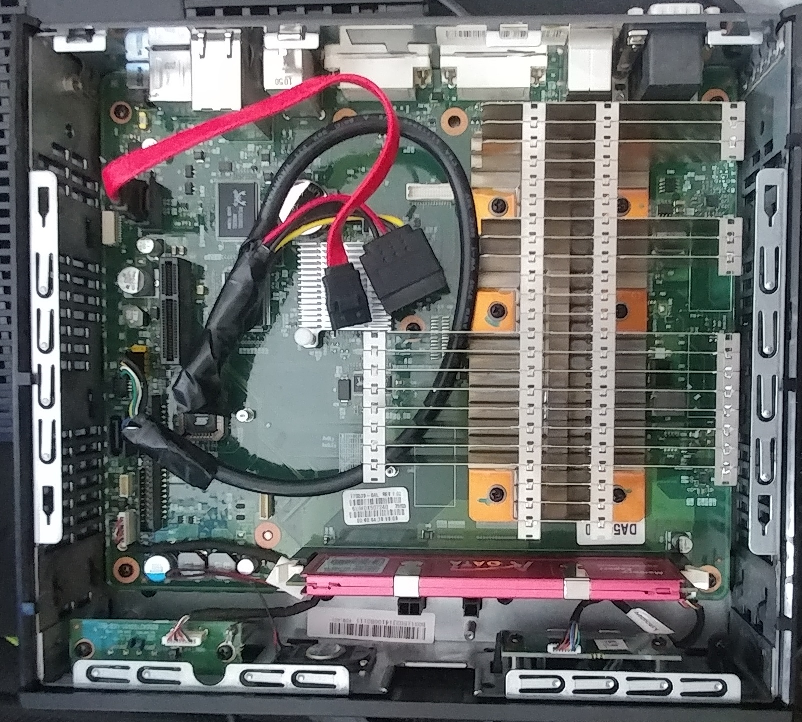
Full size
I zip-tied the SSD to the removable side-panel above this board so it wouldn't rattle around.
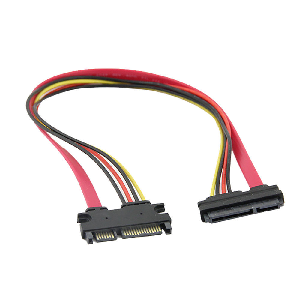
I ran this box as my exclusive Slackware SSH tunneling rig for like 4+ years w/out issue (aside from the M4 having the 5200 hour bug that needed to be unplugged to reset the 5200 hour bug [every ~7.2 months] even on the latest firmware I found for it), until I just upgraded to a newer dual-core thin client w/SATA for which I just used a SATA data and power extender cable to tap as it only has room for a half-slim SATA SSD, and I had no spare mSATA SSDs to see if the BIOS accepted OOTB.

Most USB 2.0 headers let devices use up to .5 amps at 5v.
The first SSD I knew of that was widely popular was the Crucial M4, while riddled with a 5200 hour bug, only draws .15W:
"Power Consumption (Idle): < 65 mW
Power Consumption (Active): 0.15W"
Some years ago my Slackware box died due to bad caps, and I didn't want to buy a new board, and I had an older thin client laying around with a SATA data header on board, so I decided try my luck running a lower-power box. There was but no SATA or 4 pin peripheral power cable, and since I couldn't find any commercially available USB to SATA power adapters, I soldered a SATA connector to a 4 pin USB IDC Motherboard Header 's power. I had no shrink tubing at the time, so I electrical taped the soldered portions of the rigged cable, and we were off to the races.
Full size
I zip-tied the SSD to the removable side-panel above this board so it wouldn't rattle around.
I ran this box as my exclusive Slackware SSH tunneling rig for like 4+ years w/out issue (aside from the M4 having the 5200 hour bug that needed to be unplugged to reset the 5200 hour bug [every ~7.2 months] even on the latest firmware I found for it), until I just upgraded to a newer dual-core thin client w/SATA for which I just used a SATA data and power extender cable to tap as it only has room for a half-slim SATA SSD, and I had no spare mSATA SSDs to see if the BIOS accepted OOTB.


Comment