Unconfigured Ad Widget

Collapse

Cooling System for Laptop

Collapse
X
 
  • Time
  • Show
Clear All
new posts
  • brassburnz
    Veteran Member
    • Nov 2006
    • 3553

    Cooling System for Laptop

    The little rubber feet on my laptop fell off so it sits too close to the table surface for air to circulate properly. I just ordered some stick on rubber feet but was wondering is additional cooling is worth the time and money.

    I was looking at the laptop cooling pads on Amazon but they all look the same and are around 25 bucks. The top rated items seem like a good choice, but they all have 1 star reviews indicating that either the fans go out after a few months or the fans don't really do a good job of cooling.

    There are also some units that appear to circulate air via the small vents on the side of the laptop. Again, even the top rated units have a slew of 1 star reviews about longevity.

    Any suggestions from the Calguns crowd would be appreciated. I'm running and HP Elitebook 2540p with a 128 gig SSD.
    NRA Life Member
    CRPA Life Member
  • #2
    NATEWA
    Calguns Addict
    • Jun 2012
    • 5977

    Bought this for my wife and she doesn’t use it.

    Location? If near Sac, it’s yours for $20.

    Pwr+ Laptop Table Stand Adjustable Riser: Portable with Mouse Pad Fully Ergonomic Mount Ultrabook Macbook Notebook Light Weight Aluminum Black Bed Tray Desk Book Fans Up to 17" https://www.amazon.com/dp/B00EP48NMY..._kFAaBbEHVMKNV

    Comment

    • #3
      brassburnz
      Veteran Member
      • Nov 2006
      • 3553

      Thanks for the offer but I'm in Glendale. It's a little more than I was looking for.

      Randy
      NRA Life Member
      CRPA Life Member

      Comment

      • #4
        Dragunov
        Senior Member
        • Dec 2008
        • 1953

        1. Get four, 2 liter bottlecaps. Place under each corner, or just two, under the back.

        2. You can get little rubber buttons, with sticky bottoms, at WM in the craft section.

        3. Prop the back side up by placing an ink pin, pencil, chopstick, etc. vertically under the rear of the laptop.

        4. A rubber wine bottle cork will work if slices into 4 equal pieces, or two, just places on the bottom, rear where the rubber feet were. Hot glue them in place.... or not.

        5. Know someone with an old tower they're no longer using? They have four rubber feet on them. Peel them off, trim them, and use those.

        Improvise, Adapt, Overcome!
        Last edited by Dragunov; 05-20-2018, 3:42 PM.

        Comment

        • #5
          kcheung2
          Veteran Member
          • Aug 2012
          • 4387

          This one is less than $25 and has more than a 1 star rating:


          Although seriously, unless you're a hardcore gamer, I'm not sure it's really necessary. I think post #4 makes more sense, actually. Or open up your laptop and blow out the years of dust that's accumulated inside.
          ---------------------
          "There is no "best." If there was, everyone here would own that one, and no other." - DSB

          Comment

          • #6
            sholling
            I need a LIFE!!
            CGN Contributor
            • Sep 2007
            • 10360

            Originally posted by brassburnz
            The little rubber feet on my laptop fell off so it sits too close to the table surface for air to circulate properly. I just ordered some stick on rubber feet but was wondering is additional cooling is worth the time and money.

            I was looking at the laptop cooling pads on Amazon but they all look the same and are around 25 bucks. The top rated items seem like a good choice, but they all have 1 star reviews indicating that either the fans go out after a few months or the fans don't really do a good job of cooling.

            There are also some units that appear to circulate air via the small vents on the side of the laptop. Again, even the top rated units have a slew of 1 star reviews about longevity.

            Any suggestions from the Calguns crowd would be appreciated. I'm running and HP Elitebook 2540p with a 128 gig SSD.
            I use good quality notebook coolers for my laptops and my audio receivers and have never-ever had one fail - including some that have been in use for 8+ hours a day for 10 years. I use name brand coolers with a single very large quiet fan. Keeping your devices cool is the easiest and cheapest way to extend their life.
            "Government is the great fiction, through which everybody endeavors to live at the expense of everybody else." --FREDERIC BASTIAT--

            Proud Life Member: National Rifle Association, the Second Amendment Foundation, and the California Rifle & Pistol Association

            Comment

            • #7
              dracer
              Member
              • Jan 2012
              • 272

              I sit mine on a 18 count egg carton , lets a lot of air under it
              Never leave your cave... with out your club Mark Walters

              Comment

              • #8
                the86d
                Calguns Addict
                • Jul 2011
                • 9587

                Clean affixing area with rubbing alcohol before applying.
                (eBay "3m rubber feet", no quotes.)

                I had some cooler pads with USB powred fans, but not worth it.

                Make sure to blow your fans out in both directions (removing bottom grill plates if you can), and you may notice a huge difference when the cat-fur is removed...
                I had a coworker with cats, and a LOT of fur creating a blanket of air-flow-preventing grill-fluff blocking the entire "radiator".
                Last edited by the86d; 05-21-2018, 5:23 AM.

                Comment

                • #9
                  FeuerFrei
                  Calguns Addict
                  • Aug 2008
                  • 7455

                  I use 1/4"h x 1"d stick on's under my Dell.
                  Monthly vacuuming of the intake/exhaust ports to pull out dust/hair etc. helps a lot too.

                  Sent using a long string and 2 Dixie cups

                  Comment

                  • #10
                    NYT
                    CGN/CGSSA Contributor
                    CGN Contributor
                    • Apr 2011
                    • 3811

                    will the laptop need to be highly mobile? higher standoffs would be optimal as that laptop does get super hot. i got rid of all my company's elitebooks and switched to lenovo x1 carbons which are a lot lighter and run cooler.

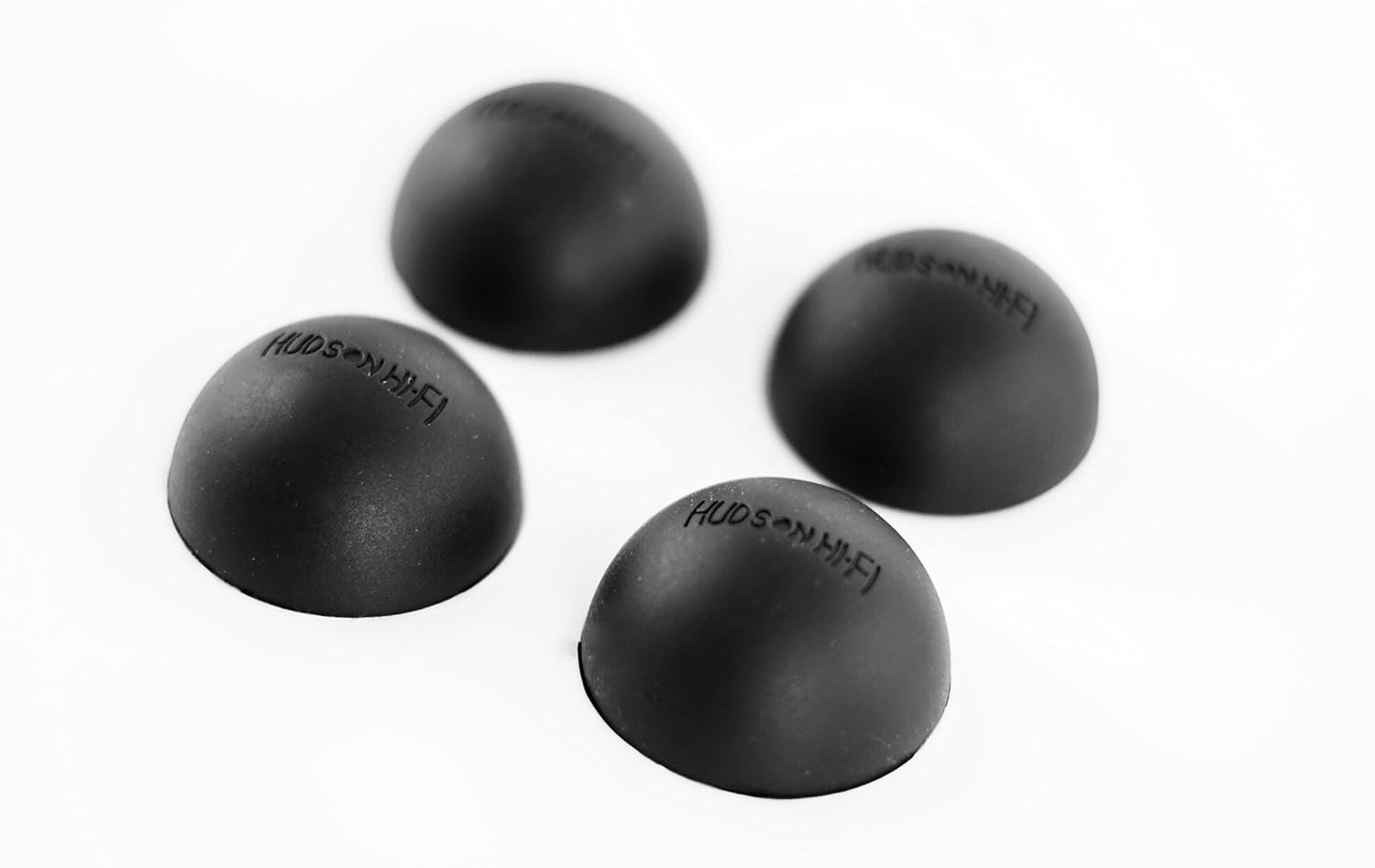
                    if you dont need it highly mobile (it is a large laptop to begin with) i would get these:


                    Comment

                    • #11
                      brassburnz
                      Veteran Member
                      • Nov 2006
                      • 3553

                      I bought a pack of assorted felt pads. There was also a pack of small plastic pads. I attached the plastic pads to the front and a couple of thicker felt pads to the rear. I like the felt pads because I like to slide the laptop on the surface of the desk to adjust it from time to time.

                      Blew out the vents with compressed air. Now there's enough of a gap from the bottom of the laptop to the surface of the table to have airflow. Seems to have done the trick. Thanks for the input.

                      Here's the pack of pads. https://www.amazon.com/gp/product/B0...?ie=UTF8&psc=1
                      NRA Life Member
                      CRPA Life Member

                      Comment

                      • #12
                        OutlawStar
                        Member
                        • Sep 2010
                        • 455

                        Cooling pads are just fans in an enclosure, they do little when it comes to laptop cooking because of the limited heat sinks within the laptop. Not worth it. Invest in an air compressor and blow out the dust regularly.

                        Comment

                        • #13
                          Dragunov
                          Senior Member
                          • Dec 2008
                          • 1953

                          Originally posted by OutlawStar
                          Cooling pads are just fans in an enclosure, they do little when it comes to laptop cooking because of the limited heat sinks within the laptop. Not worth it. Invest in an air compressor and blow out the dust regularly.
                          Compressors harbor moisture, and will brick your computer. Use canned air, open it up, blow it out. Don't use a vacuum cleaner, or an air compressor!

                          Comment

                          • #14
                            wpage
                            Calguns Addict
                            • Jan 2011
                            • 6071

                            + on blow outs.
                            God so loved the world He gave His only Son... Believe in Him and have everlasting life.
                            John 3:16

                            NRA,,, Lifer

                            United Air Epic Fail Video ...

                            https://www.youtube.com/watch?v=u99Q7pNAjvg

                            Comment

                            • #15
                              sholling
                              I need a LIFE!!
                              CGN Contributor
                              • Sep 2007
                              • 10360

                              Cleaning out vents and keeping the fan clean are must-do maintenance for laptops but anyone who has ever tried using a high-performance laptop on their lap will tell you that even when clean the bottom gets really hot. That's because there is not enough room for sufficient air-flow within the case and the manufacturer is relying on on heat transfer to the case (conduction) to cool most of the components. That's where a cooling pad with a fan comes into play. It keeps the case cool and therefore keep components not cooled by the fan cooler than they would otherwise be. Heat is the enemy of electronics and anything that you can do to keep your computer's electronics (hard drives, memory, graphics, etc.) cooler can extend their lives and help keep plastic cases from delaminating or at least slow the process. I highly recommend using a fan-powered cooling pad with any laptop computer whose bottom gets really warm to the touch. Is a $20 cooling fan really too much money to help extend the life of electronics?
                              Last edited by sholling; 05-28-2018, 10:51 AM.
                              "Government is the great fiction, through which everybody endeavors to live at the expense of everybody else." --FREDERIC BASTIAT--

                              Proud Life Member: National Rifle Association, the Second Amendment Foundation, and the California Rifle & Pistol Association

                              Comment

                              Working...
                              UA-8071174-1