Unconfigured Ad Widget

Collapse

"HTPC" Planning

Collapse
X
 
  • Time
  • Show
Clear All
new posts
  • oldsmoboat
    Senior Member
    • Jul 2009
    • 1303

    "HTPC" Planning

    For years, I've had a gaming PC hooked to my 60" TV but also used it for streaming Netflix, emails, MS Office and Photoshop.

    Currently I sit 11' away and I don't plan on getting any closer.

    But, as I get older, my eyes aren't what they used to be. It's hard to see some docs without making them too big to easily work with. I plan to set my current PC up in another room with dual monitors and put something else in its place.

    It will need to be able to stream 4K for the future but right now I only watch in 1920X1080. I have a 660Ti card I can use, is this OK for now?
    CPU?
    RAM?

    Don't plan to record off it it, have Dish and a DVR.

    Another requirement I have is it or something needs to stream videos to other TVs using either Chromecast or a Firestick. I have both. Should I add a NAS for this or can/should the PC act as a NAS?

    Budget around $1K.

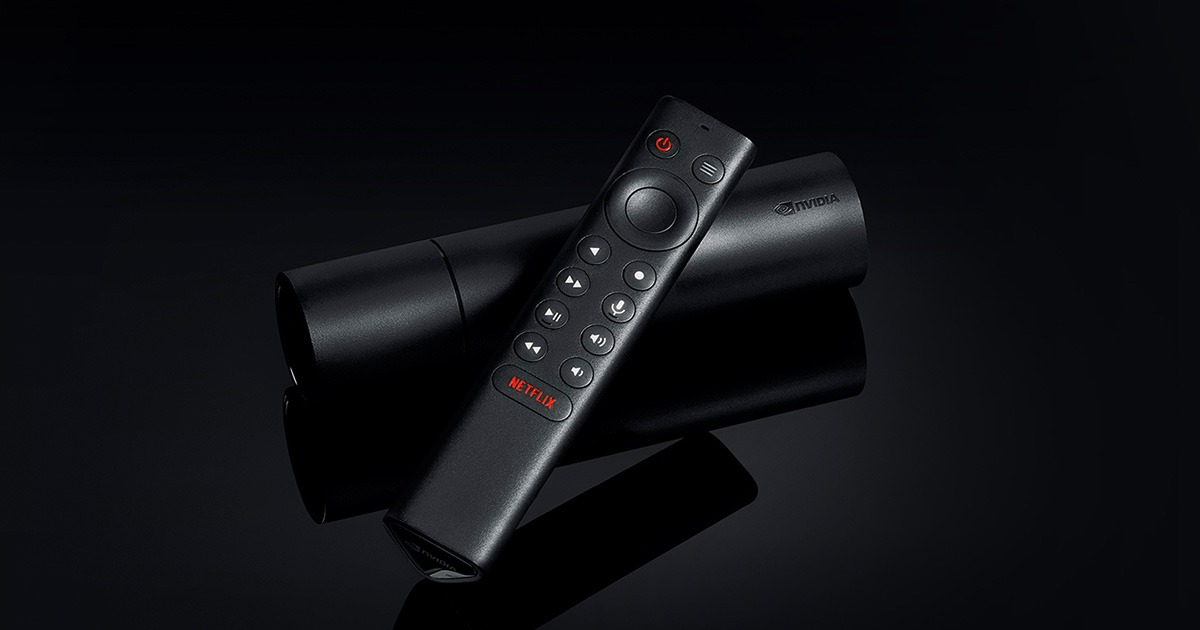
    Someone else recommenced a Nvidia Shield and a separate NAS. Never heard of the Shield.

    TIA
    Do good recklessly
  • #2
    fishmonger
    Member
    • Oct 2014
    • 319

    660ti can do 4k. yes a pc can act as a nas.

    the nvidia sheild is a pretty powerful streaming/gaming box.

    what do you want to do with this htpc? are you sure you need a htpc? you most likely can get away with using the old pc as a "nas" or just something that streams your local media. get a fire tv or a shield for the tvs. personally i use plex to stream all my meida to the different tvs. plus it has plenty of apps out there that takes care of almost anything you can think of. i see little need now for htpc any more.

    Comment

    • #3
      Montu
      Senior Member
      • May 2011
      • 1589

      Only reason I still use an "htpc" is because I wanted the ability to bit stream DTS audio..I could be wrong but all the cheap solutions struggle with this..I just used an old i5 machine.

      The other TV's got firesticks.

      Setting up a quick network share in Windows is easy and just a few clicks.
      K.F.K|Μολὼν λαβέ

      Comment

      • #4
        oldsmoboat
        Senior Member
        • Jul 2009
        • 1303

        HTPC might not be the exact terminology, that's why I mentioned that I didn't want to record.
        Do good recklessly

        Comment

        • #5
          d33pt
          Senior Member
          • Jan 2012
          • 1629

          I just use my old *** WDTV to stream off my NAS with UPNP/DLNA. works perfect with any quality video that I get with full DTS and DD5.1 audio. Super cheap and works great for me.

          Comment

          • #6
            fishmonger
            Member
            • Oct 2014
            • 319

            Originally posted by oldsmoboat
            HTPC might not be the exact terminology, that's why I mentioned that I didn't want to record.
            htpc is a home theater pc. most dont do any recording. what all do you want to be able to do on it. you most likely can get away with a few streaming boxes. this will save having to get a new computer. unless there is something you need that you cant do on the streaming boxes i dont see a real reason to have a htpc anymore.

            for me i have a computer that is my dvr and file storage. i have another computer i use as a plex server and to browse the internet. i have fire tv boxes for all the tvs for plex. it can also do netflix pandora netflix and countless other apps.


            Originally posted by d33pt
            I just use my old *** WDTV to stream off my NAS with UPNP/DLNA. works perfect with any quality video that I get with full DTS and DD5.1 audio. Super cheap and works great for me.
            i use to use them but i switched to fire tv and plex. i like it so much better. its like netflix where it saves where you are plus has all the meta data.

            Comment

            • #7
              sholling
              I need a LIFE!!
              CGN Contributor
              • Sep 2007
              • 10360

              I don't have 4K (yet) but I have been getting ready for 4K and I do have quite a bit of experience with HTPCs and home servers. My current HTPC is a quad-core Pentium based Intel NUC5PPYH NUC and is rated for 4K @ 30fps but a lot will depend on the software that you choose. I have a writeup below.

              A couple of weeks ago I decided to take advantage of a sale and setup a new HTPC to replace my old AMD E-350 powered micro-ATX form factor HTPC. As luck would have it Newegg had Intel’s NUC5PPYH 5”x5” NUC on sale for $155 shipped. I splurged and ordered an 8GB RAM module for $26, a fast $60...


              I just bought a Nvidia Shield TV which I hope will free up my NUC/HTPC to replace my old E-350 based server (I have a RAID5 box connected via USB 3.0). Once thing that was important to my selections was power-draw. I don't want to increase my already ridiculous electric bill.
              "Government is the great fiction, through which everybody endeavors to live at the expense of everybody else." --FREDERIC BASTIAT--

              Proud Life Member: National Rifle Association, the Second Amendment Foundation, and the California Rifle & Pistol Association

              Comment

              • #8
                sholling
                I need a LIFE!!
                CGN Contributor
                • Sep 2007
                • 10360

                I setup my NVIDIA Shield TV (2017 model) today and so far I'm happy with it. It's much faster than my "old" (2016) Roku Ultra (which is moving into my bedroom). I chose the 16GB base configuration and added a 128GB flash drive. The Shield is a pretty powerful Android gaming and media console. The Shield doesn't offer the vast number of channels that Roku offers but it has all of the ones that I care about and if you use Kodi, a whole lot more. It's also nowhere near as easy to setup as a Roku. First, the remote and game controller need a quick and easy firmware update to get voice search working. Next, you may want to choose a few additional apps/channels, and finally, you'll probably want to get Plex or Kodi up and running. Either will access media stored on your network or on a locally attached external hard drive or act as a media server using an external hard drive.

                I still haven't been able to get Plex server or Kodi fully configured but after a couple of hours, Kodi is doing most of what I want it to do. You'll want to hook up a keyboard and mouse (I used a Logitec K400 Plus) to complete this task. The real headache was getting it to work with my Harmony Elite remote (now working perfectly).

                Pros:
                • Very fast for a media player.
                • Moderately powerful game console.
                • Plenty of power for Kodi or Plex.

                Cons:
                • Plex, Kodi, and Harmony remote setup unnecessarily complex and time-consuming.


                I haven't tried Gaming with the Shield yet but that wasn't the question.

                The Roku is almost plug & play, basically, all that you have to do is hook it up, set your video resolution and audio preferences and then select your channels. I have a top of the line Harmony Elite remote control (remote control via IR, Bluetooth, and networks) and they found each other in minutes. Since the Roku is IR capable any Harmony remote will work but may note be as quite snappy as a remote control operating over BT or IP.

                Pro's:
                • Less than $120.
                • Easy to setup. Basic set up in half an hour or so, but you can spend hours adding and organizing channels.
                • Super easy to use interface.
                • Hundreds of channels available (the most anywhere), of which maybe two dozen are interesting.
                • Runs Plex client (sort of).

                Cons:
                • Lacks the power to run movies over Plex without a decently powered server transcoding the video.
                • Very limited gaming ability.
                Last edited by sholling; 02-05-2017, 10:31 AM. Reason: added a link
                "Government is the great fiction, through which everybody endeavors to live at the expense of everybody else." --FREDERIC BASTIAT--

                Proud Life Member: National Rifle Association, the Second Amendment Foundation, and the California Rifle & Pistol Association

                Comment

                • #9
                  Abu Riyah
                  CGN/CGSSA Contributor
                  • Apr 2015
                  • 523

                  I use an i5 laptop loaded up with kodibuntu and three big HDDs plugged in for media storage. HDMI into the living room HDTV and streaming throughout the house to kodi running on a mix of Fire TV Sticks, Android TV boxes, and a couple of Apple TVs running an app that "sees" the kodibuntu shares.

                  Ocassionally, I'll have buffering issues with higher def MKV files, but it's pretty rare. I started using this set-up while in Afghanistan on a LAN I set up in our housing area and transplanted it when I came home last time. It works great for me and the price is right.


                  sigpic

                  Comment

                  • #10
                    TonyM
                    In Memoriam
                    • Oct 2005
                    • 3071

                    Originally posted by oldsmoboat
                    I have both. Should I add a NAS for this or can/should the PC act as a NAS?

                    Budget around $1K.

                    Someone else recommenced a Nvidia Shield and a separate NAS. Never heard of the Shield.

                    Another vote for the Shield. There is no need to build a PC, or have the noise or power drain by the TV for the tasks mentioned in the original post.

                    I have two of them, a base unit and a pro and they are awesome media centers. As sholling mentioned if you get the base you can just use an SD card for extra storage on the device, if you really need it. These devices will stream an unaltered BluRay stream w/o any issue for me, but I am using a wired gigabit connection, never bothered with Wifi for streaming to the TVs since I ran Cat6 years ago..

                    I primarily use mine for Kodi, Plex and Amazon Prime, YouTube and streaming from my NAS boxes.

                    The Shield supports 4K and has ChromeCast built in.

                    Since I have a dedicated 8 bay NAS box and a Linux server that is online 24/7 anyway I use it as a NAS as well. My old HTPCs are long gone and I'll never go that route again.

                    To save you some money, I would take your old PC and stuff it into another room, install Linux, add a few drives and make it a NAS box to store any media you have.

                    The All New NVIDIA SHIELD TV for the best in streaming media
                    Last edited by TonyM; 02-05-2017, 11:33 AM.
                    Disenfranchised NRA Benefactor Life Member.

                    Originally posted by NorCalK9.com
                    Also dont worry if u have never built one once you go to a build party you will know everything and have a perfect functioning rifle.

                    Comment

                    • #11
                      super_chief
                      Junior Member
                      • Dec 2011
                      • 83

                      i got last year model of this guy;


                      tossed in some RAM and HD and a logitech keyboard/mousepad combo and it does all the streaming and web surfing we could ask for. havent had any issue with Netflix or the occasional rented movie. its very quiet and has a small footprint (slightly larger than an apple tv)

                      Comment

                      Working...
                      UA-8071174-1