Unconfigured Ad Widget

Collapse

HELP! SVCHost = CPU usage too high

Collapse
X
 
  • Time
  • Show
Clear All
new posts
  • #16
    Kyle1886
    Veteran Member
    • Dec 2009
    • 4410

    Exospeed, keep an eye on that KB3035583, IT WILL NOT STAY HIDDEN.

    On almost every update that comes in, be it regular "Up date Tuesday" or the Defender updates it rears its ugly head.

    So far silver bullets and wooden stakes in its heart have not killed it.

    Good luck--Kyle
    Here's to Calguns.net, past, present, and the future πŸΈπŸΈβ€‹πŸ·πŸ» 🍹
    iTrader = +3, %100, Location: N. San Diego Co
    https://www.calguns.net/forum/market...6#post54001874
    _________+__________

    Comment

    • #17
      Exospeed
      Senior Member
      • Aug 2012
      • 587

      Thanks for the heads up... I'll keep my eyes open.
      Peace is that brief moment in history when everybody stands around reloading. - unknown

      Democrats screw poor people in the a** while whispering into their ear that they are trying to help them. - unknown

      Comment

      • #18
        Kyle1886
        Veteran Member
        • Dec 2009
        • 4410

        Exospeed, regular as a good reliable time piece, KB3035583 piggy backed in with the Friday's (06/03) MS Defenders update.

        Good luck

        Kyle
        Here's to Calguns.net, past, present, and the future πŸΈπŸΈβ€‹πŸ·πŸ» 🍹
        iTrader = +3, %100, Location: N. San Diego Co
        https://www.calguns.net/forum/market...6#post54001874
        _________+__________

        Comment

        • #19
          Exospeed
          Senior Member
          • Aug 2012
          • 587

          Thanks for the info, I have my updates set for me to manually check, not automatically check now.
          Peace is that brief moment in history when everybody stands around reloading. - unknown

          Democrats screw poor people in the a** while whispering into their ear that they are trying to help them. - unknown

          Comment

          • #20
            chorpie
            Junior Member
            • Aug 2010
            • 19

            You can use the Never 10 utility to disable windows update trying to force 10 on you: https://www.grc.com/never10.htm

            Comment

            • #21
              Kyle1886
              Veteran Member
              • Dec 2009
              • 4410

              I boot up the PC this AM and once again Windows Update (wuauserv) starts hogging resources. Numerous restarts did not help.

              Yes, "Never 10" has been installed and KB3035583 is hidden (again). I ended the "wuauserv" but it would not stay stopped and of course Event Viewer loaded up with errors.

              I finally was able to stop it through the "Services" module for the moment. Obviously this not a fix but a temporary band aid.

              As you know, on boot Windows Update normally checks for updates, this time as in my previous episode, W/Update stated the last update check was yesterday. If I do a manual update search, the updater will run forever;closing the window does not shut it down, only ending the process.

              It's almost like Update is stuck in a local loop. (When Update is running there doesn't appear to be any Modem/Internet activity that one would normally see).

              Any suggestions other than run Updater manually since other programs also use it too?

              Thanks
              Kyle
              Here's to Calguns.net, past, present, and the future πŸΈπŸΈβ€‹πŸ·πŸ» 🍹
              iTrader = +3, %100, Location: N. San Diego Co
              https://www.calguns.net/forum/market...6#post54001874
              _________+__________

              Comment

              • #22
                Kyle1886
                Veteran Member
                • Dec 2009
                • 4410

                Well, I finally had to disable "wuaserv" so I can use the PC and none of the MS internet fixes worked.

                The last update (6/14) was a MS Defender update. I'd try to delete that but those cannot be zapped it seems.

                Just opening the "Windows Update" module from the Control Panel starts the CPU drain without actually starting the updater.

                Still open for suggestions.

                Kyle
                Here's to Calguns.net, past, present, and the future πŸΈπŸΈβ€‹πŸ·πŸ» 🍹
                iTrader = +3, %100, Location: N. San Diego Co
                https://www.calguns.net/forum/market...6#post54001874
                _________+__________

                Comment

                • #23
                  Mute
                  Calguns Addict
                  • Oct 2005
                  • 8609

                  Originally posted by Kyle1886
                  Well, I finally had to disable "wuaserv" so I can use the PC and none of the MS internet fixes worked.

                  The last update (6/14) was a MS Defender update. I'd try to delete that but those cannot be zapped it seems.

                  Just opening the "Windows Update" module from the Control Panel starts the CPU drain without actually starting the updater.

                  Still open for suggestions.

                  Kyle
                  Go back into services and find the MS Defender entry. Right click select Properties. For start up type change it to Disabled. Now click your Windows start button and click run. Type msconfig and ok. In this window, click the startup tab. If this entry: MSASCui.exe (Windows Defender) is there, uncheck it. Reboot your computer. Defender should no longer be running. Uninstalling it is a bit more complicated, but if you wish to do so, there are programs you can download to make do a clean removal.
                  NRA Benefactor Life Member
                  NRA Certified Pistol, Rifle, Personal Protection In The Home, Personal Protection Outside The Home Instructor, CA DOJ Certified CCW Instructor, RSO


                  American Marksman Training Group
                  Visit our American Marksman Facebook Page

                  Comment

                  • #24
                    Kyle1886
                    Veteran Member
                    • Dec 2009
                    • 4410

                    Thanks Mute, I'll give it a try, though I doubt that is the real problem. Sort of grasping at straws now.

                    Thanks again.
                    Here's to Calguns.net, past, present, and the future πŸΈπŸΈβ€‹πŸ·πŸ» 🍹
                    iTrader = +3, %100, Location: N. San Diego Co
                    https://www.calguns.net/forum/market...6#post54001874
                    _________+__________

                    Comment

                    • #25
                      Kyle1886
                      Veteran Member
                      • Dec 2009
                      • 4410

                      Mute, I tried your suggestion, unfortunately disabling Defender didn't solve the issue.

                      Thanks---Kyle
                      Here's to Calguns.net, past, present, and the future πŸΈπŸΈβ€‹πŸ·πŸ» 🍹
                      iTrader = +3, %100, Location: N. San Diego Co
                      https://www.calguns.net/forum/market...6#post54001874
                      _________+__________

                      Comment

                      • #26
                        Mute
                        Calguns Addict
                        • Oct 2005
                        • 8609

                        Unfortunately, to find the real culprit will take more complicated measures. There's a program called Process Explorer that you can download that will allow you to see which application or process is using the svchost process to do its dirty work that is using all your resources:

                        Process Explorer. This program might be able to help you isolate the cause of the problem.
                        NRA Benefactor Life Member
                        NRA Certified Pistol, Rifle, Personal Protection In The Home, Personal Protection Outside The Home Instructor, CA DOJ Certified CCW Instructor, RSO


                        American Marksman Training Group
                        Visit our American Marksman Facebook Page

                        Comment

                        • #27
                          bigbearbear
                          Calguns Addict
                          • Jun 2011
                          • 5378

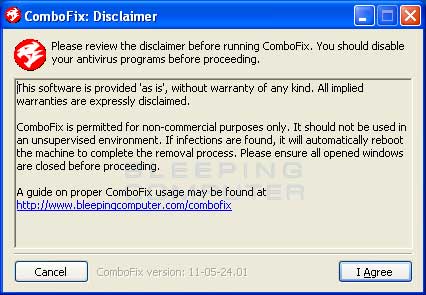
                          Virus or rootkit most likely. Try Combofix.
                          ComboFix is a program, created by sUBs, that scans your computer for known malware, and when found, attempts to clean these infections automatically. In addition to being able to remove a large amount of the most common and current malware, ComboFix also displays a report that can be used by trained helpers to remove malware that is not automatically removed by the program.

                          Comment

                          • #28
                            Kyle1886
                            Veteran Member
                            • Dec 2009
                            • 4410

                            Bigbear, machine checks out clean by multiple AV/spyware. I suspect it's a faulty KBxxxxx update but no way to tell for sure that I'm aware of.

                            I'll run it anyway. Thanks.

                            Kyle
                            Here's to Calguns.net, past, present, and the future πŸΈπŸΈβ€‹πŸ·πŸ» 🍹
                            iTrader = +3, %100, Location: N. San Diego Co
                            https://www.calguns.net/forum/market...6#post54001874
                            _________+__________

                            Comment

                            • #29
                              Kyle1886
                              Veteran Member
                              • Dec 2009
                              • 4410

                              Okay, I disabled Defender, ran multiple AV/Spyware/HiJack This/ and machine is clean. I also have run every "wuauserv Fixit" that MS, et al, have floating around.

                              The "wuauserv" still runs constantly if enabled, BUT at some point it did download and install the latest Defender update this AM without the usual notification of pending updates or any actions by me.

                              The setting is to notify me but let me do the install.

                              The "Last Update Check" is still stuck at 6/14/16; that did not change with this last unannounced Defender update.

                              I'm not sure if this mornings update is a good sign or an indication that the problem is beyond fixing??

                              Thanks to those that offered suggestions and open to more that may be helpful.

                              Respectfully
                              Kyle
                              Here's to Calguns.net, past, present, and the future πŸΈπŸΈβ€‹πŸ·πŸ» 🍹
                              iTrader = +3, %100, Location: N. San Diego Co
                              https://www.calguns.net/forum/market...6#post54001874
                              _________+__________

                              Comment

                              • #30
                                Mute
                                Calguns Addict
                                • Oct 2005
                                • 8609

                                For now, let your computer run overnight and run the update install if you're given the option. See if the update completes. If it does, it may be done for now and your computer should go back to normal.
                                NRA Benefactor Life Member
                                NRA Certified Pistol, Rifle, Personal Protection In The Home, Personal Protection Outside The Home Instructor, CA DOJ Certified CCW Instructor, RSO


                                American Marksman Training Group
                                Visit our American Marksman Facebook Page

                                Comment

                                Working...
                                UA-8071174-1